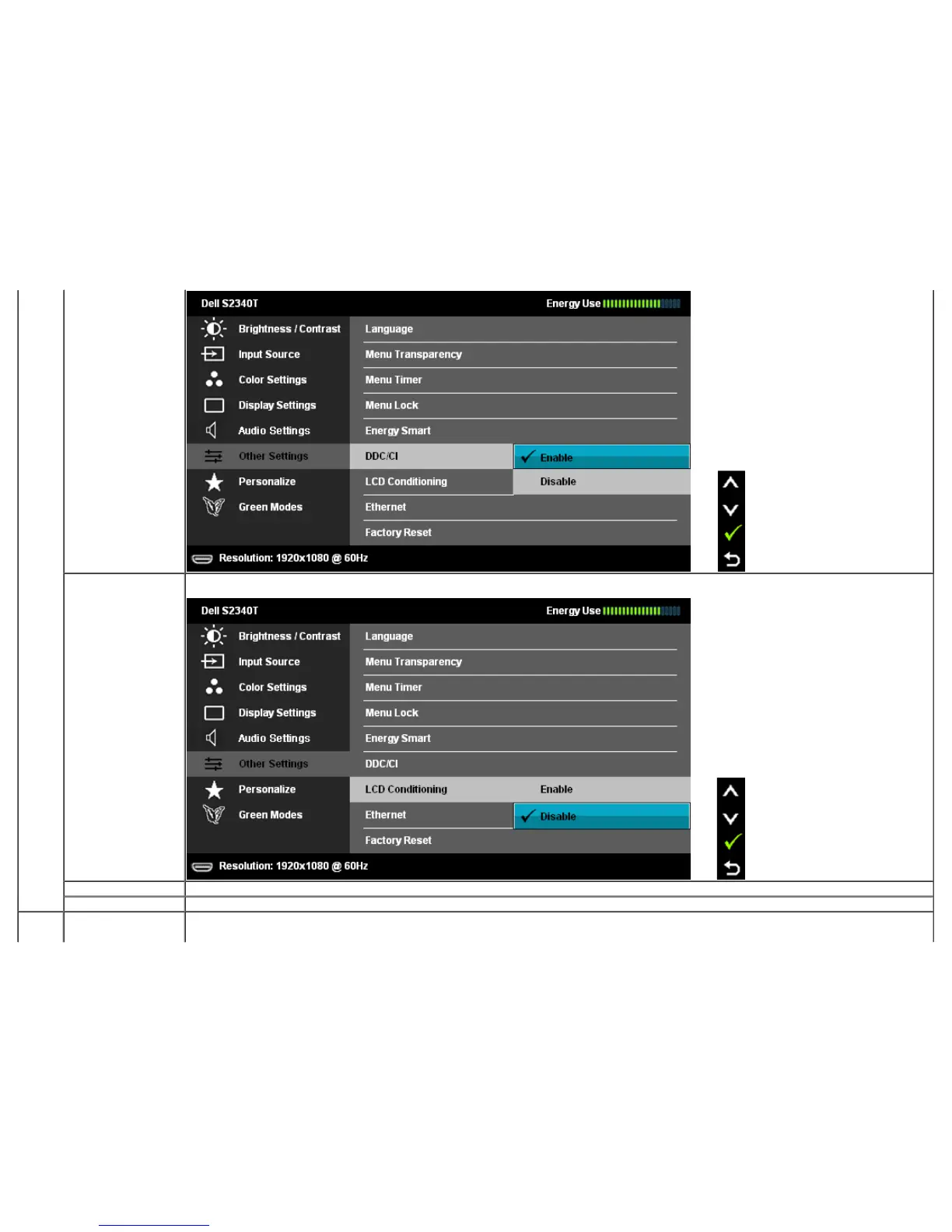
LCD Conditioning Helps reduce minor cases of image retention. Depending on the degree of image retention, the program may take some time to run. You can
enable this feature by selecting "Enable".
Ethernet Select to active from power save mode when Ethernet cable plug in.
Factory Reset Reset all OSD settings to the factory preset values.
Personalize User can select from "Preset Modes", "Brightness/Contrast", "Aspect Ratio", "Input Source" and set as shortcut key.



 To Next Page