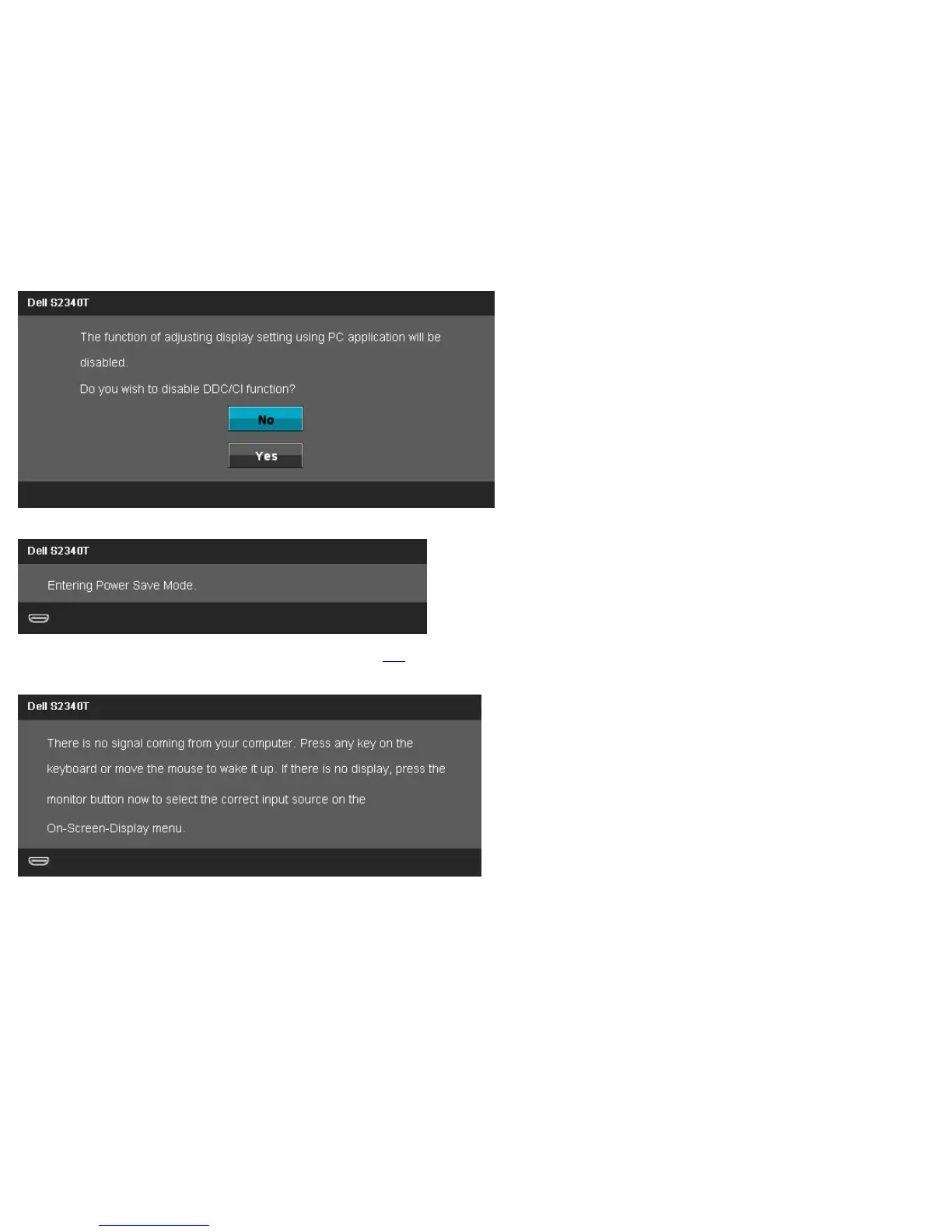
When monitor enters Power Save mode, the following message appears:
Activate the computer and wake up the monitor to gain access to the OSD
If you press any button other than the power button one of the following messages will appear depending on the selected input:
DP/HDMI/USB input
If either DisplayPort/HDMI input is selected and both DisplayPort/HDMI cables are not connected, a floating dialog box as shown below appears.



 To Next Page