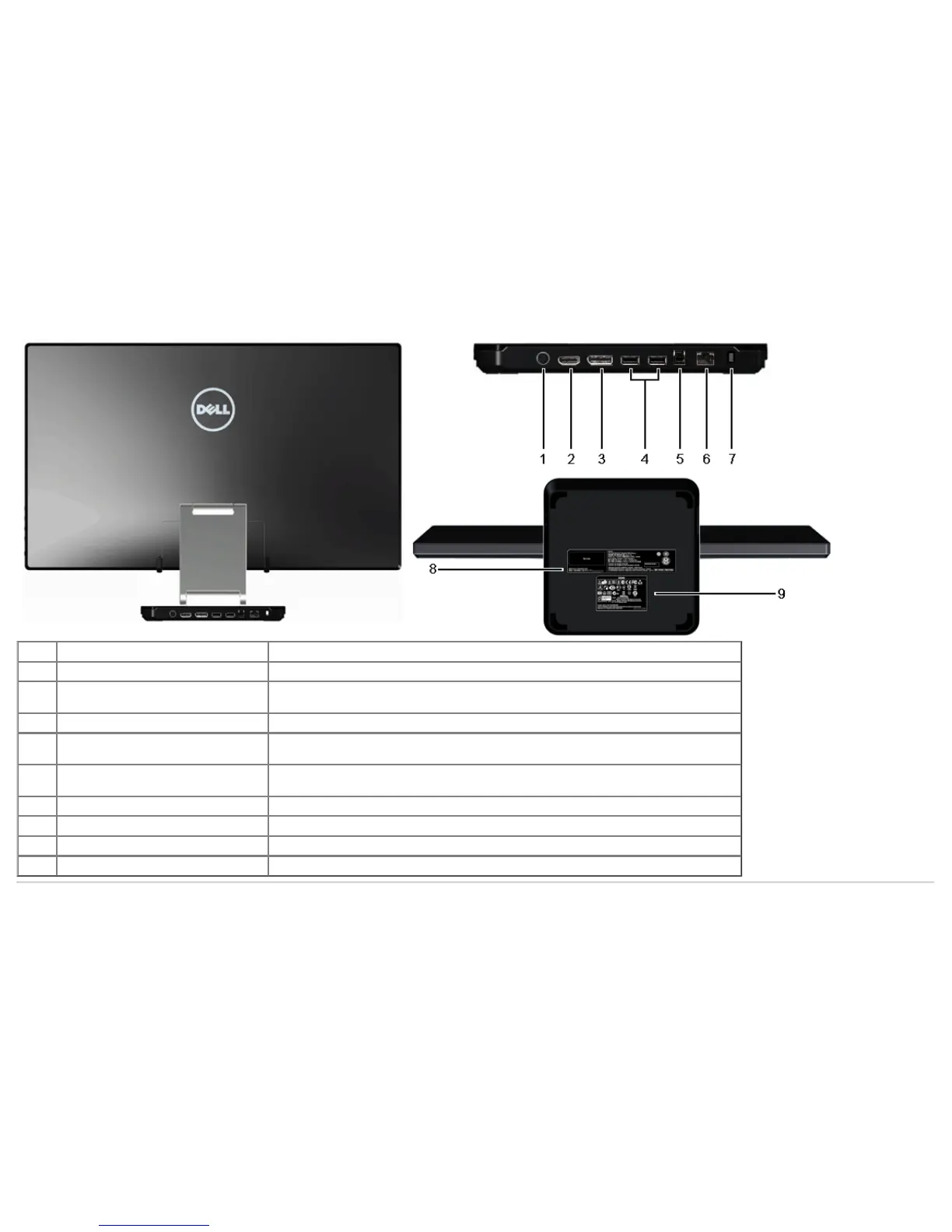
Back and Bottom View
Label Description Use
1 DC power cord connector Connect the power cord.
2 HDMI connector
Connect to devices with HDMI output (or equivalent) such as PC, notebooks, DVD player or
set-up box.
3 DisplayPort connector Connect to devices with DisplayPort output (or equivalent).
4 USB downstream ports
Connect your USB devices. You must connect the USB cable (provided) to the computer
and the monitor to use these ports.
5 USB upstream port
Connect to devices with USB Host. Once this cable is connected, you can use the docking
features and available USB ports on the side and back.
6 RJ45 connector Support Ethernet connection 10/100/1000 Mbps.
7 Security Lock Secures monitor with security cable lock.
8 Barcode serial number label Required when contacting Dell for technical support.
9 Regulatory label Lists the regulatory approvals.



 To Next Page