24 | Operating the Monitor
Icon Menu and
Submenus
Description
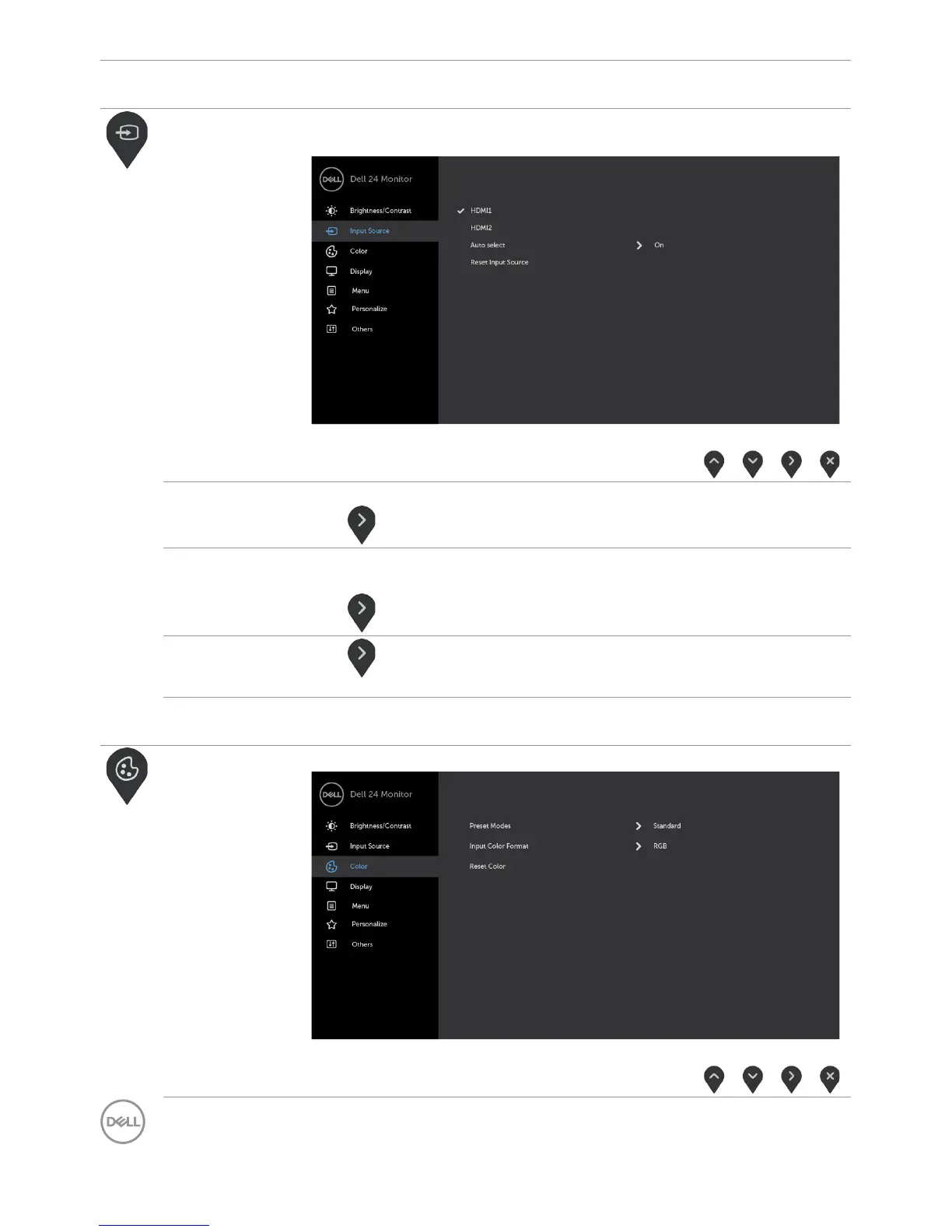
Input Source Use the Input Source menu to select between different
video inputs that are be connected to your monitor.
HDMI1 Select the HDMI1 input when you are using the HDMI1 connector.
Use to select the HDMI1 input source.
HDMI2 Select the HDMI2 input when you are using the HDMI2
connector.
Use to select the HDMI2 input source.
Auto Select
Use to select Auto Select, the monitor scans for available
input sources.
Reset Input
Source
Resets your monitor’s Input Source settings to the factory
defaults.
Color Use the Color menu to adjust the color setting mode.



 To Next Page