Operating the Monitor | 29
Icon Menu and
Submenus
Description
Personalize
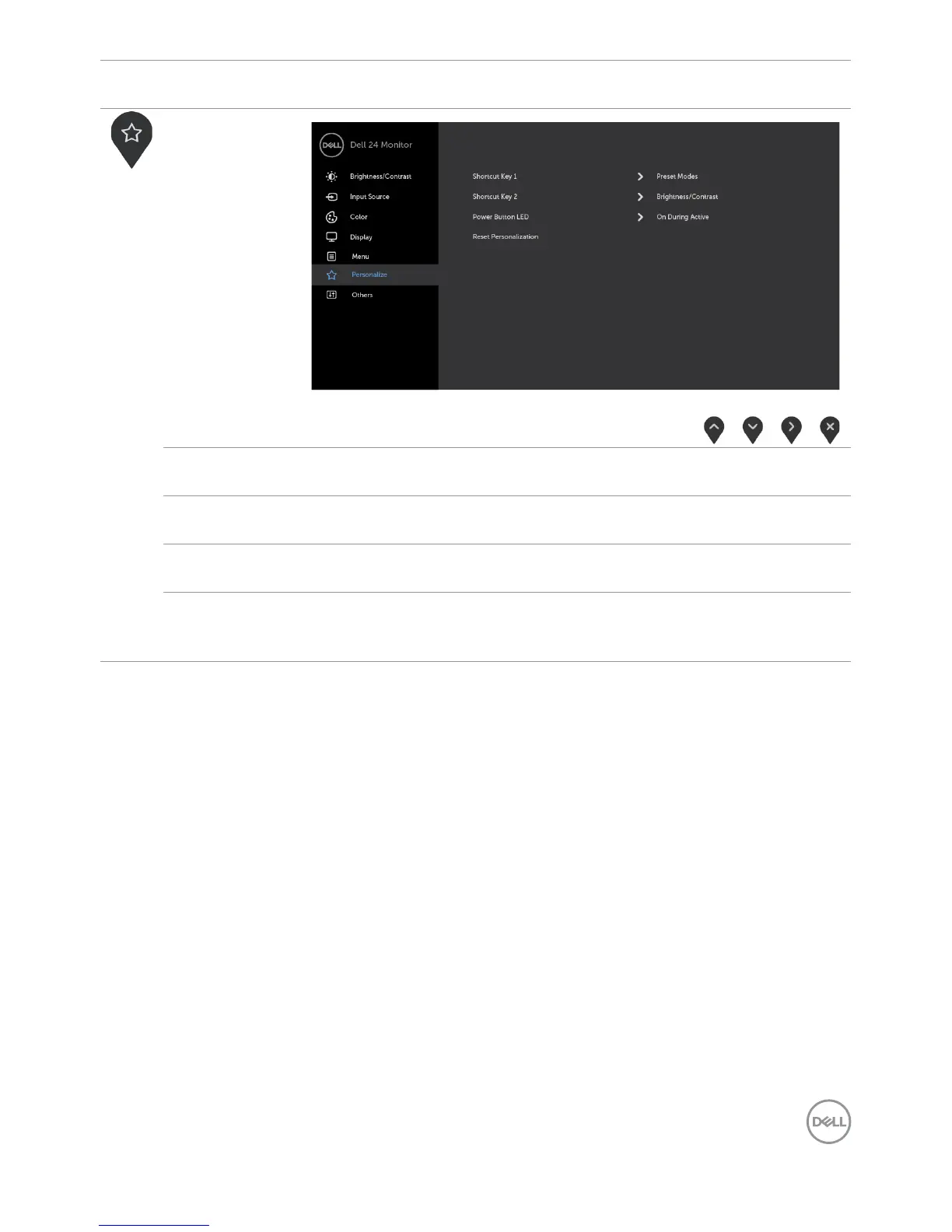
Shortcut
key 1
Select from Preset Modes, Brightness/Contrast, Input
Source, Aspect Ratio, Smart HDR set as shortcut key 1.
Shortcut
key 2
Select from Preset Modes, Brightness/Contrast, Input
Source, Aspect Ratio, Smart HDR set as shortcut key 2.
Power Button
LED
Allows you to set the state of the power light to save energy.
Reset
Persona-
lization
Restores Shortcut Keys and Power Button LED to factory
defaults.



 To Next Page