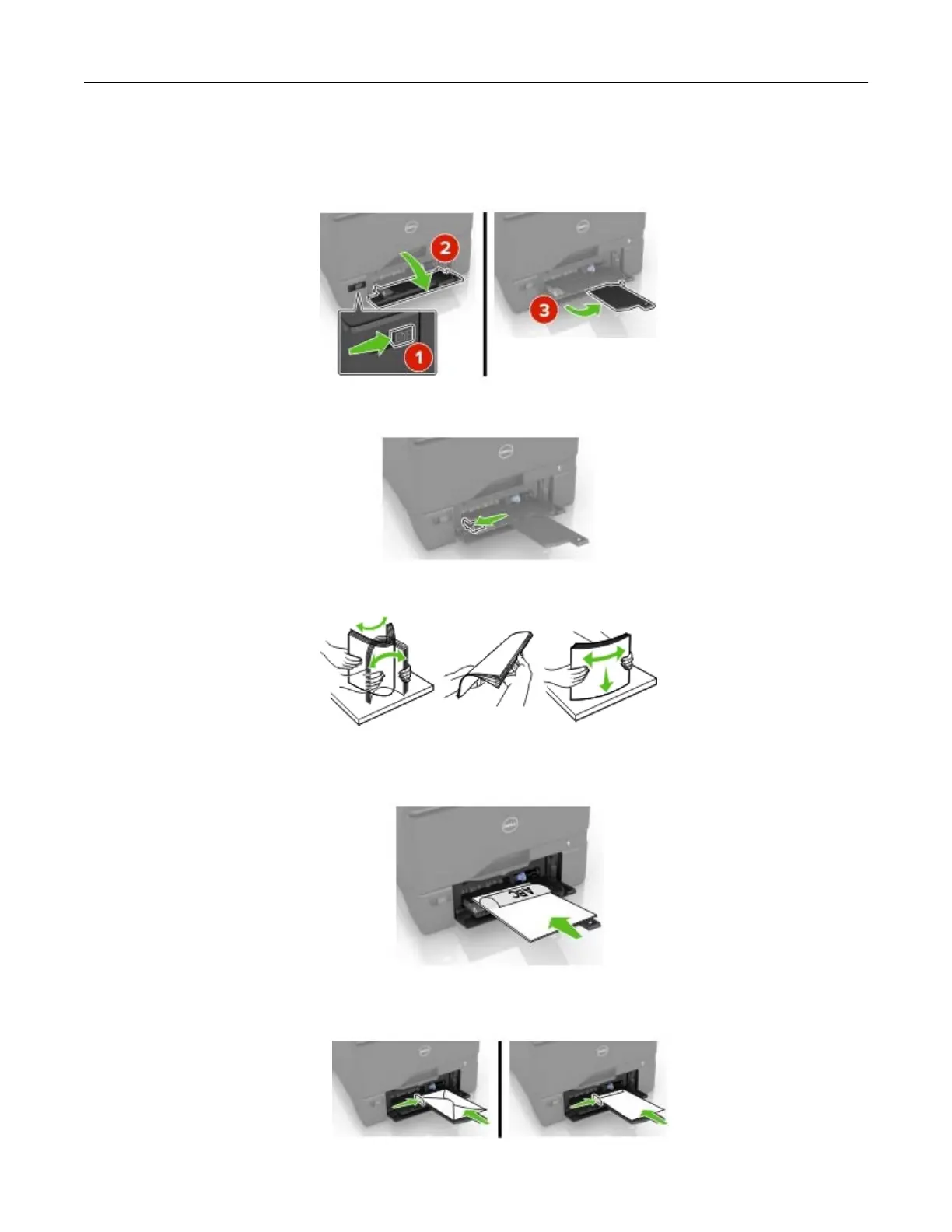
Loading the multipurpose feeder
1 Open the multipurpose feeder.
2 Adjust the guide to match the size of the paper you are loading.
3 Flex, fan, and align the paper edges before loading.
4 Load the paper.
• Load paper and card stock with the printable side facedown and the top edge entering the printer
first.
• Load envelopes with the flap side up and against the right side of the paper guide. Load European
envelopes with the flap entering the printer first.
Loading paper and specialty media 20



 To Next Page