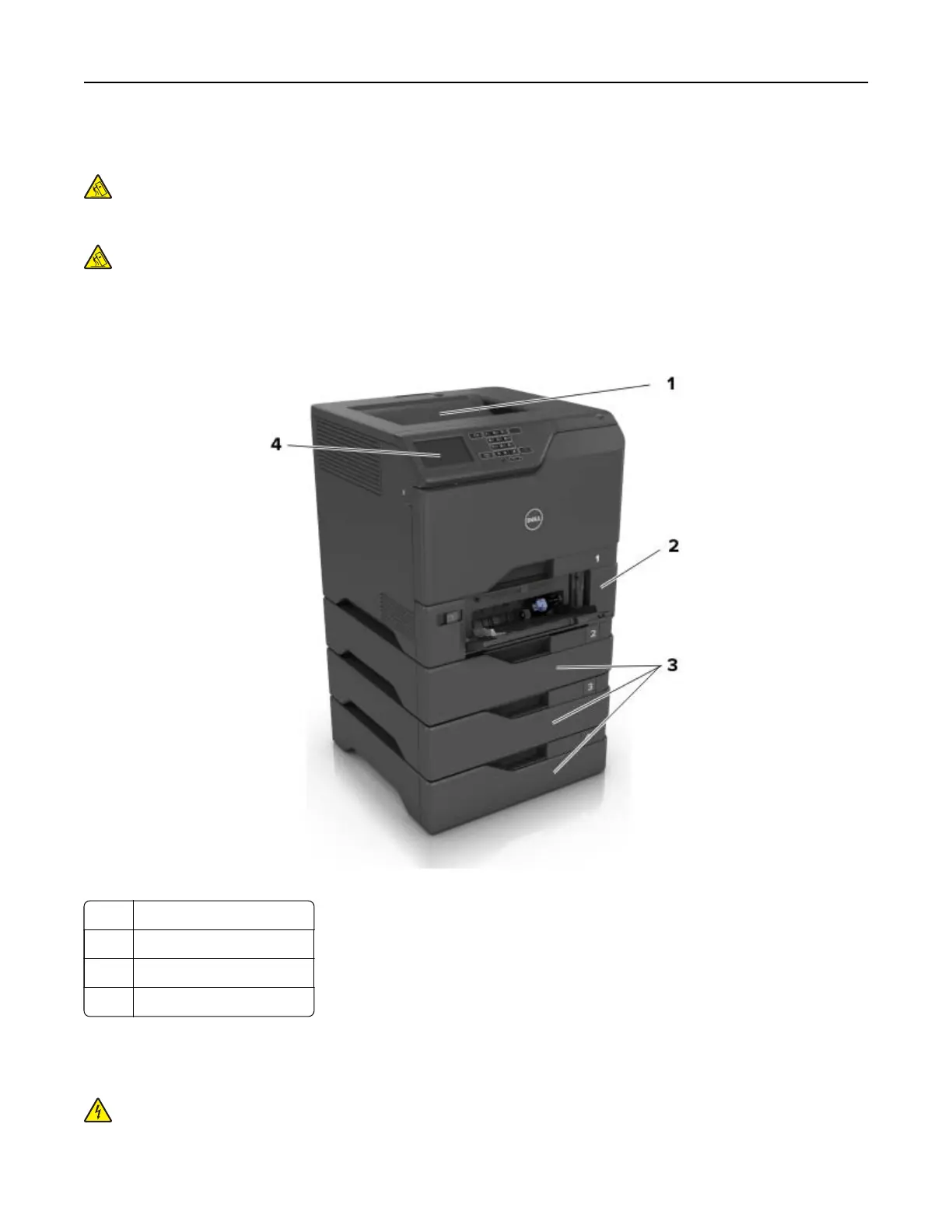
Printer configurations
CAUTION—TIPPING HAZARD: Installing one or more options on your printer or MFP may require a
caster base, furniture, or other feature to prevent instability causing possible injury. For more information
on supported configurations, contact the place where you purchased the printer.
CAUTION—TIPPING HAZARD: To reduce the risk of equipment instability, load each tray separately.
Keep all other trays closed until needed.
You can configure your printer by adding three optional 550‑sheet trays.
Note: You can place a custom label on the left side of the tray number.
1 Standard bin
2 650-sheet duo tray
3 Optional 550‑sheet trays
4 Control panel
Attaching cables
CAUTION—SHOCK HAZARD: To avoid the risk of electrical shock, do not set up this product or make
any electrical or cabling connections, such as the power cord, fax feature, or telephone, during a
lightning storm.
Learning about the printer 11



 To Next Page