EasyManua.ls Logo

Dell SE198WFP - Bottom View; Side View; Monitor Specifications

Dell SE198WFP
32 pages
Print Icon
To Next Page IconTo Next Page
To Previous Page IconTo Previous Page
Loading...
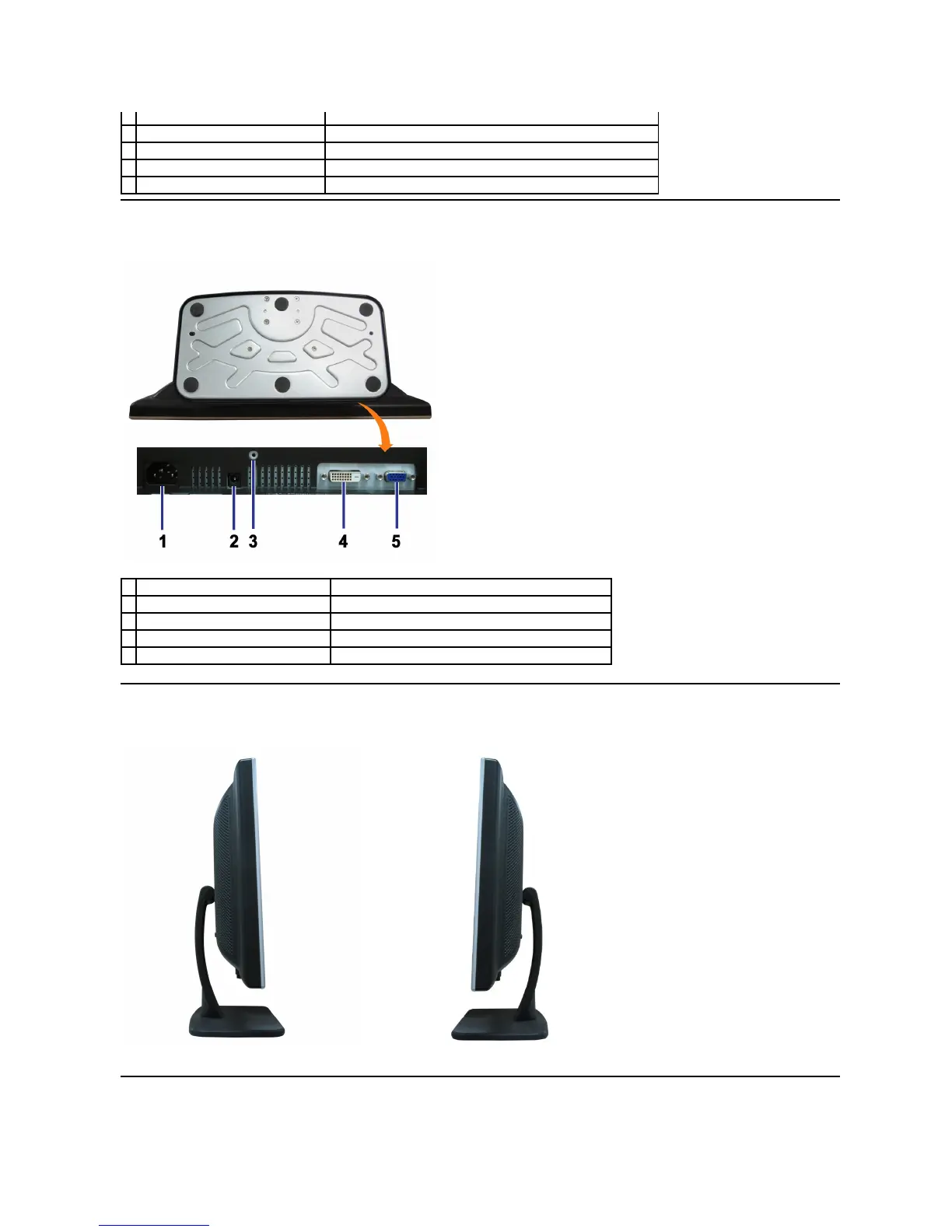
Bottom View
Side View
Monitor Specifications
Security lock slot
Use a security lock with the slot to help secure your monitor.
Stand removal button
Press to release the stand.
Regulatory rating label
List the regulatory approvals.
Dell Soundbar mounting brackets
Attach the optional Dell Soundbar.
Cable management hole
Help organize cables by placing them in the hole.
Power connector
Insert the power cable.
Dell Soundbar power connector
Connect the power cord for the Soundbar (optional).
Stand anti-theft feature
Mount a 3*8 screw to make the stand undetachable.
DVI connector
Connect your computer DVI cable.
VGA connector
Connect your computer VGA cable.
Left side
Right side

Other manuals for Dell SE198WFP

Related product manuals