56 Troubleshooting
Troubleshooting
WARNING: Before you begin any of the procedures in this section, follow the
Safety Instruction.
Self-Test
Your monitor provides a self-test feature that allows you to check whether your monitor
is functioning properly. If your monitor and computer are properly connected but the
monitor screen remains dark, run the monitor self-test by performing the following steps:
1. Turn o both your computer and the monitor.
2. Unplug the video cable from the back of the computer. To ensure proper Self-Test
operation, remove both VGA and HDMI cables from the back of computer.
3. Turn on the monitor.
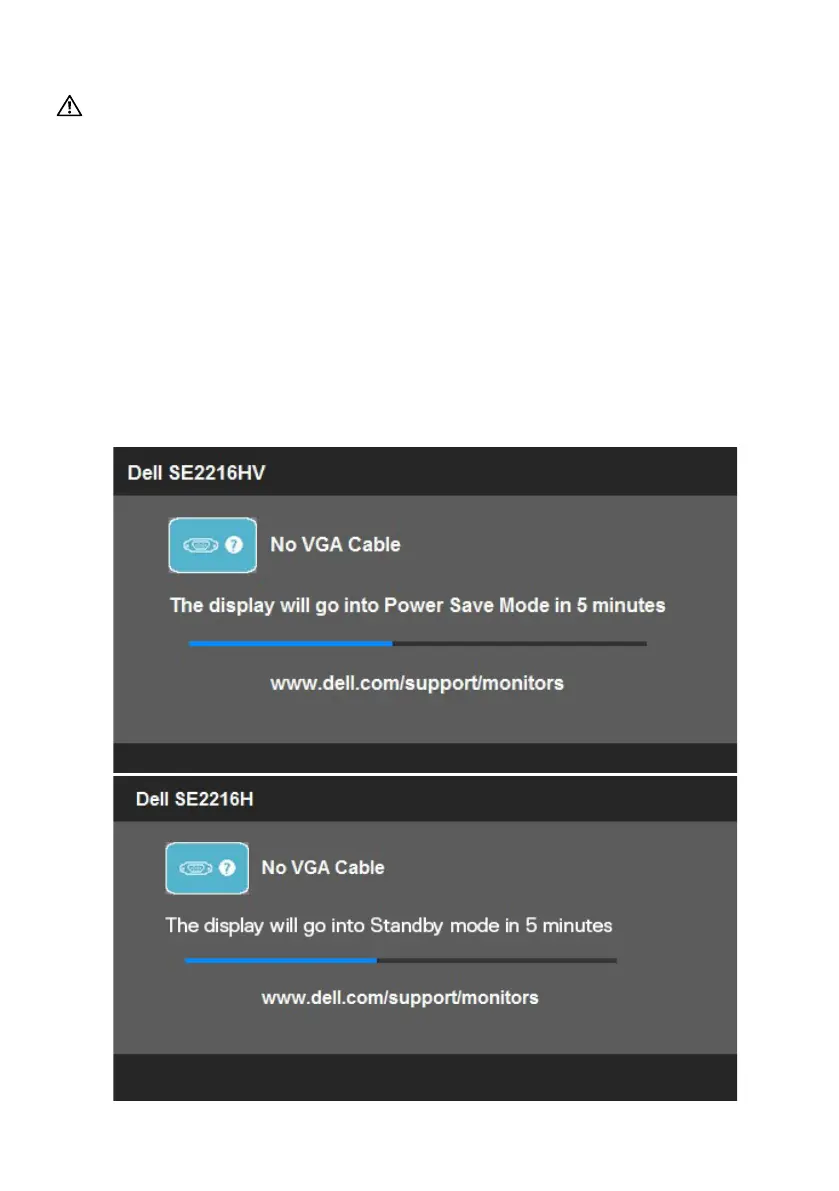
The floating dialog box should appear on-screen (against a black background) if
the monitor cannot sense a video signal and is working correctly. While in self-test
mode, the power LED remains white. Also, depending upon the selected input, one
of the dialogs shown below will continuously scroll through the screen.



 To Next Page