About Your Monitor 9
Bottom View
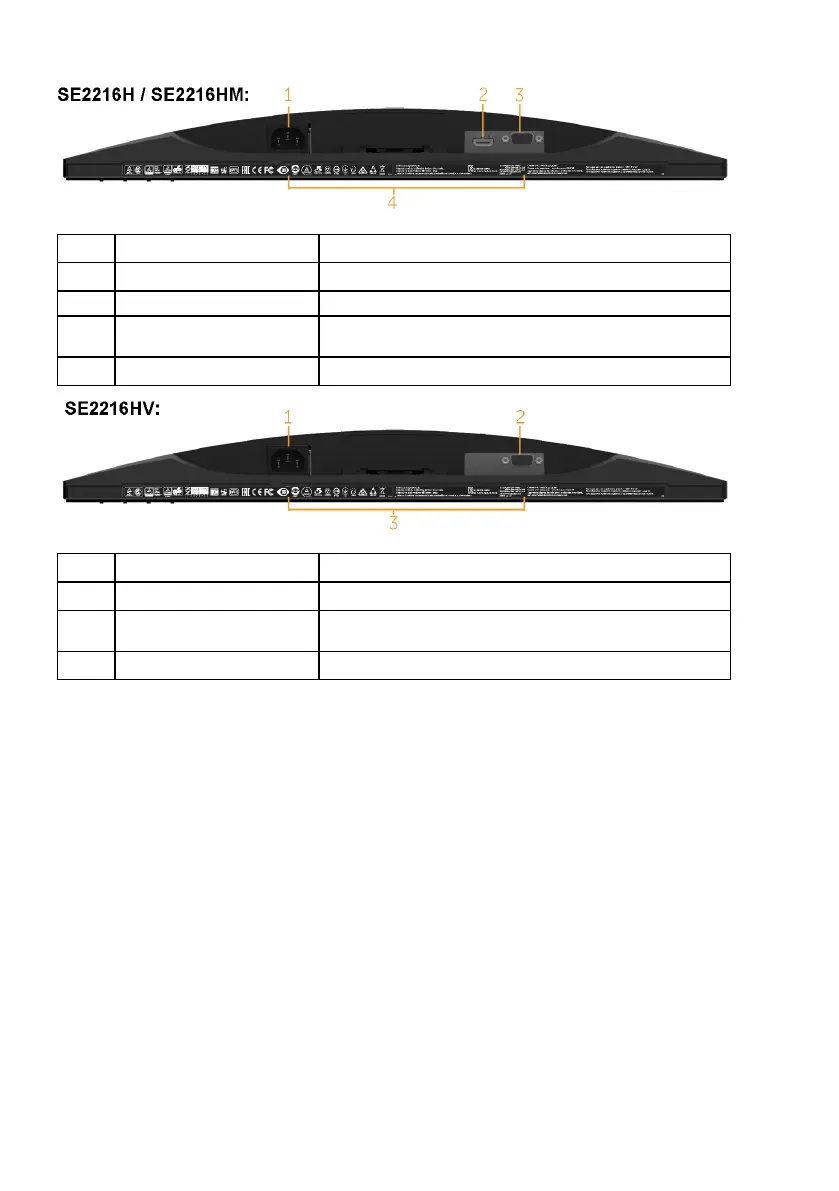
Label Description Use
1 AC power connector To connect the monitor power cable.
2 HDMI connector Connect your computer with HDMI cable.
3 VGA connector To connect your computer to the monitor using
a VGA cable.
4 Regulatory rating label Lists of regulatory approvals.
Label Description Use
1 AC power connector To connect the monitor power cable.
2 VGA connector To connect your computer to the monitor using
a VGA cable.
3 Regulatory rating label Lists of regulatory approvals.



 To Next Page