28 │ Setting up the monitor
Connecting your monitor
WARNING: Before you begin any of the procedures in this section,
follow the Safety instructions.
NOTE: Do not connect all cables to the monitor at the same time. It is
recommend to route the cables through the cable-management slot
before you connect them to the monitor.
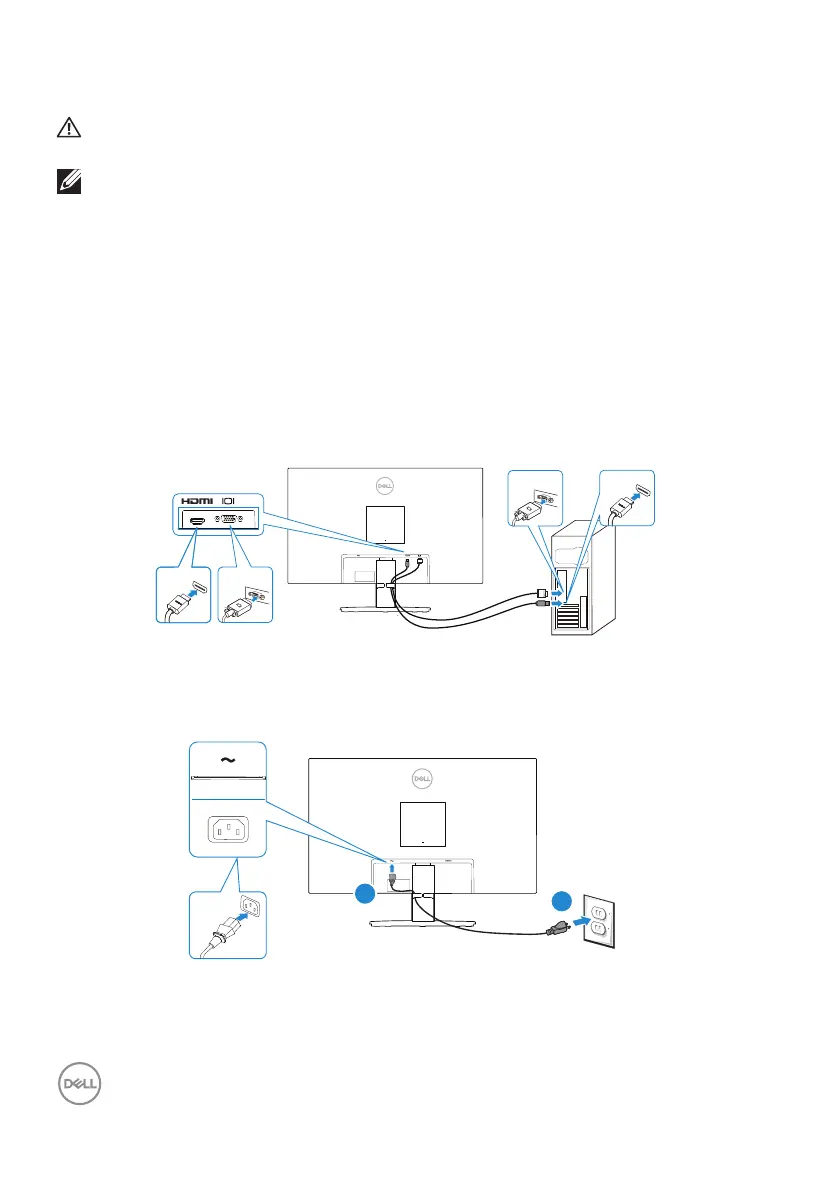
To connect your monitor to the computer:
1. Turn off your computer and disconnect the power cable.
2. Connect the VGA cable (for SE2722HX) and HDMI cable from your monitor to
the computer.
Connecting the VGA Cable(Only for SE2722HX) and HDMI Cable
HDMI
VGAHDMI
VGA
HDMIMI
HDMIMI
3. Connect the power cables from your computer and monitor into a wall outlet.



 To Next Page