36 │ Operating your monitor
2.
The following message appears.
Dell 27 Monitor
Are you sure you want to lock the Power Buttons?
To unlock the Buttons, refer to the User’s Guide.
Yes No
SE2722H
3.
Select Yes to lock the buttons. Once locked, pressing any control button will
display the lock icon
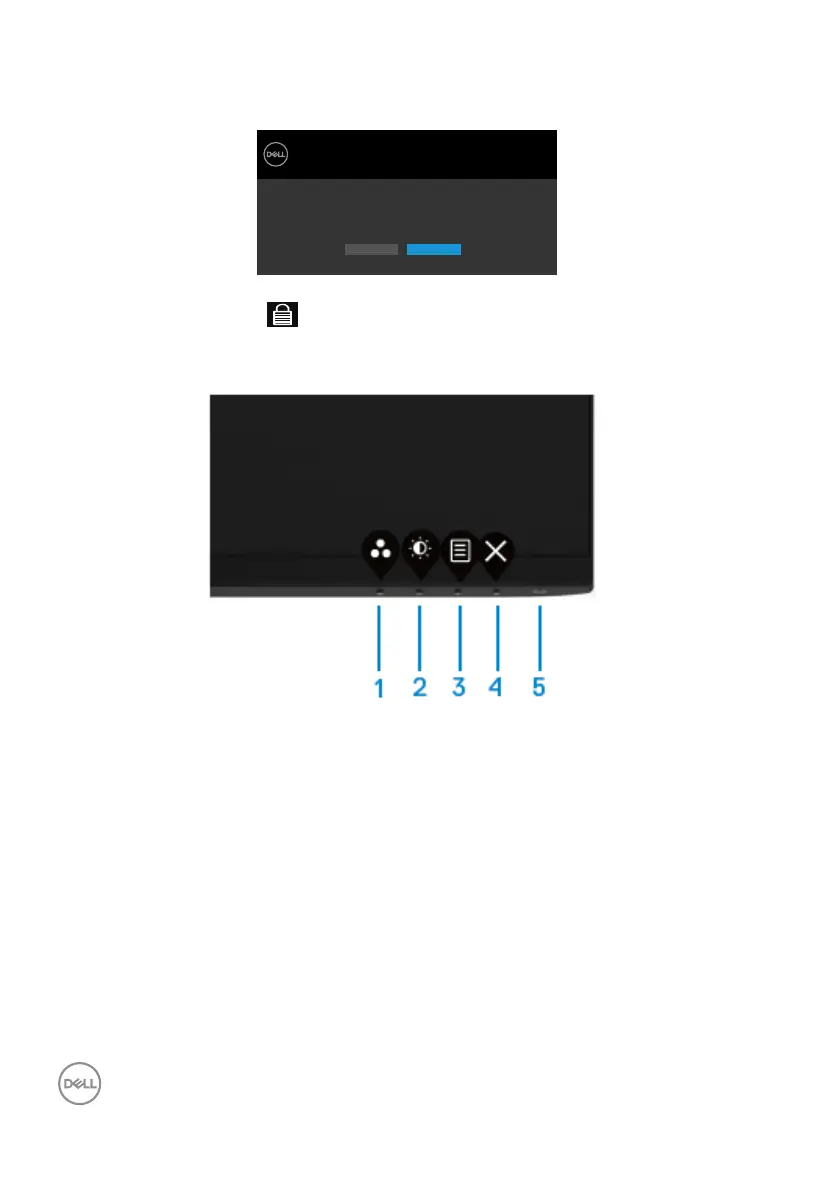
Use the front-panel control button to lock the button(s).
1.
Press and hold Button 4 for four seconds, a menu appears on the screen.
2.
Select one of the following options:



 To Next Page