32 │ Setting up the monitor
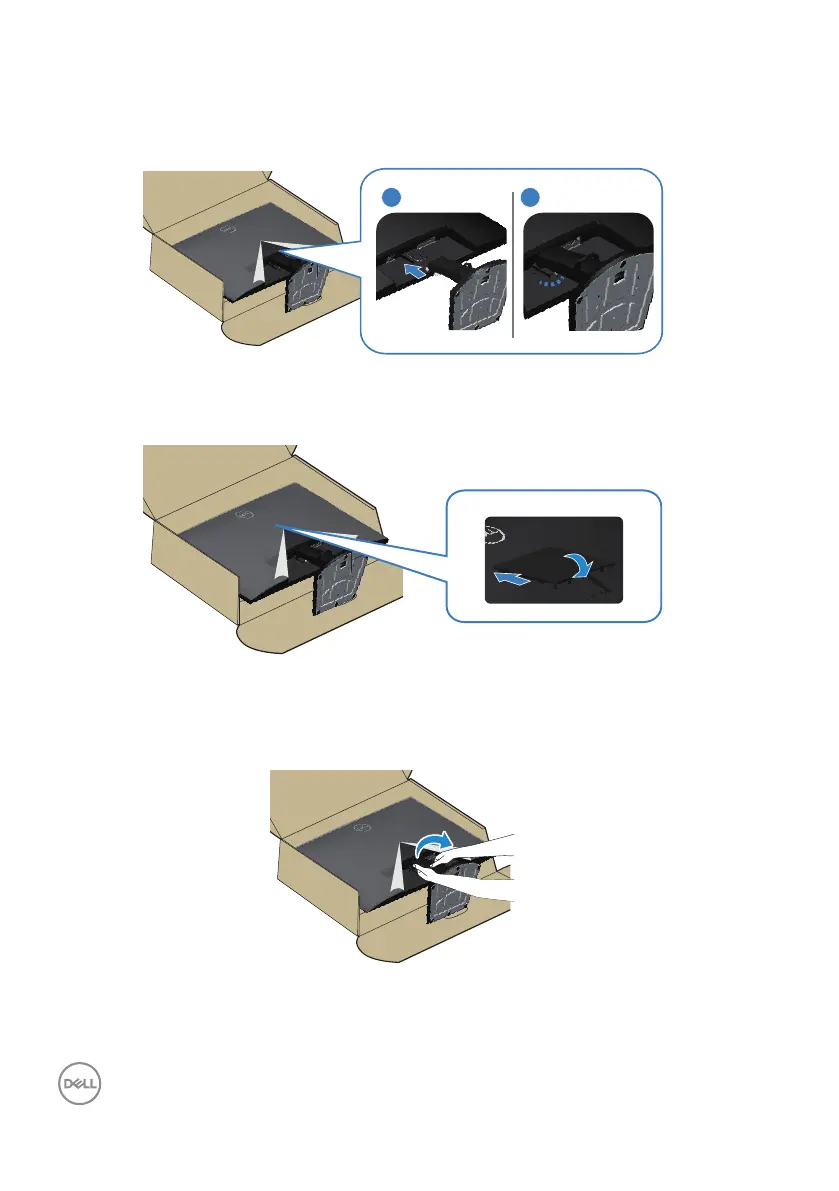
4. Install the stand assembly on the monitor.
Slide the tabs on the stand assembly into the slots on the monitor completely,
snapping it into place.
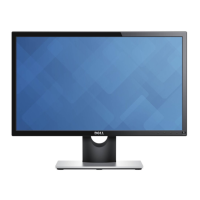
5. Align and insert the VESA cover into the VESA slot on the monitor, and then
press it down firmly to lock it into position.
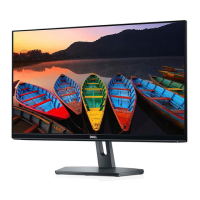
6. Hold the stand riser firmly with both hands and lift the monitor carefully, then
place it on a flat surface.


 To Next Page