Back to Contents Page
Setting Up the Monitor
Dell™SP2208WFP Flat Panel Monitor User's Guide
Attaching the Stand
Connecting the Monitor
Organizing The Cables
Attaching the Soundbar (optional)
Removing the Stand
Attaching the Stand
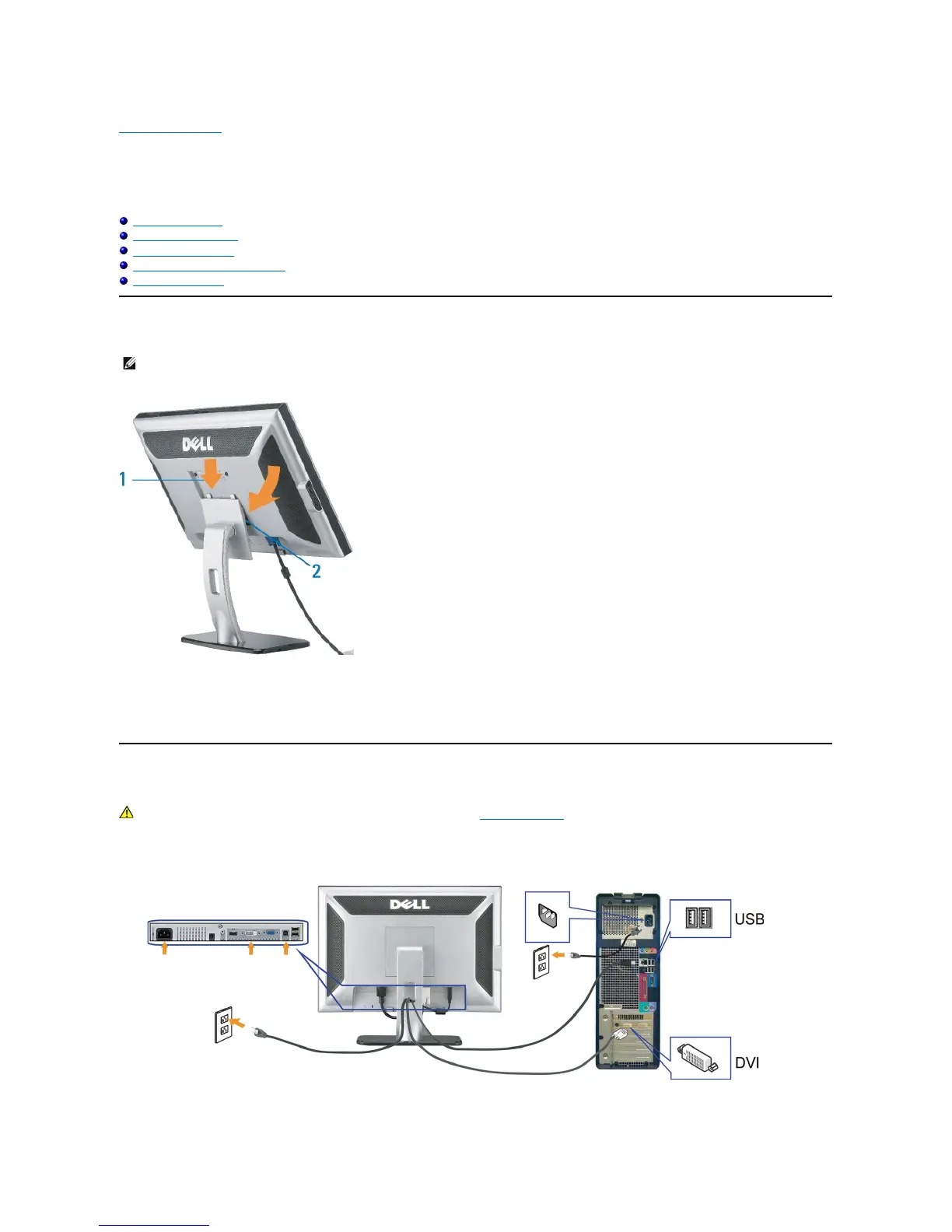
Place the stand on a flat surface and follow these steps to attach the monitor stand:
1. Fit the groove on the back of the monitor to the two tabs on the upper part of the stand.
2. Lower the monitor so that the monitor mounting area snaps on to or locks on to the stand.
Connecting The Monitor
Connecting the White DVI Cable
Connecting the Blue VGA Cable



 To Next Page