NOTE:Inmostcases,AutoAdjustproducesthebestimageforyourconfiguration.
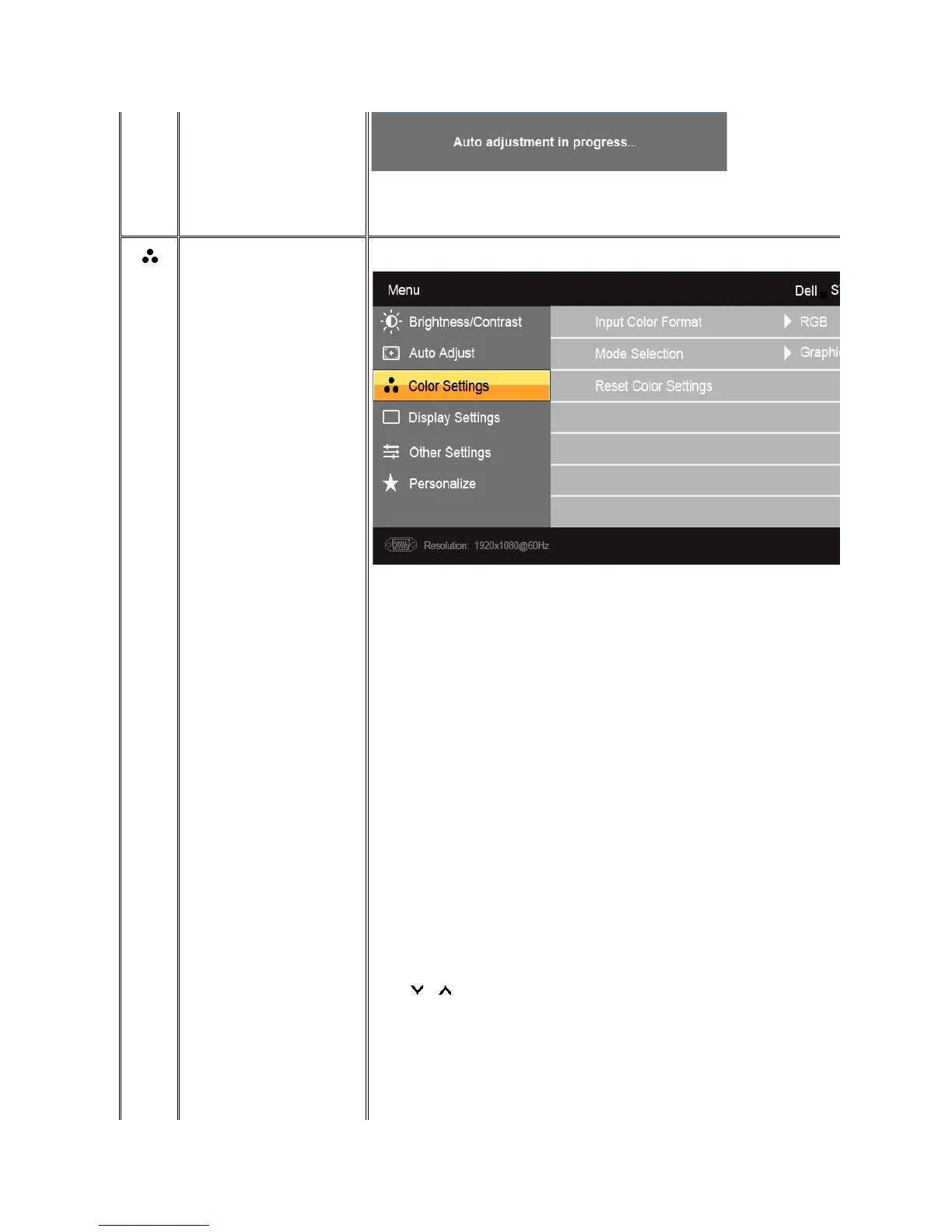
Use the color settings to adjust the Image mode and color format.
Allows you to set the color format.
Allows you to set the display mode to Graphics or Video. If your computer is connected to your monitor, choose Graphics. If a DVD, STB, or VCR is connected to your monitor, choose Video.
Mode suitable for desktop applications.
Mode for multimedia applications, e.g., video playback.
Mode suitable for gaming applications.
Select warm mode to obtain a red tint. This color setting is typically used for color-
intensive applications (photograph image editing, multimedia, movies, etc.).
Select cool mode to obtain a bluish tint. This color setting is typically used for text based applications (spreadsheets, programming, text editors, etc.).
buttons to increase or decrease each of the three colors (R, G, B) independently, in single
Mode suitable for movie playback.
Mode suitable for game applications.



 To Next Page