Setting Up Your Dell Streak 7 Tablet 13
Turning On Your Device
NOTE: Use this device in an environmental temperature between -10°C
and 55°C.
1 Press and hold the Power and Sleep/Wake button to turn on
your device. The operating system starts up.
2 If the screen is locked automatically, flick the icon up to
unlock the screen.
3 If your SIM card is locked by a Personal Identification Number
(PIN), type the PIN by touching the corresponding number keys
using the on-screen keypad. Touch the OK button to confirm
your input.
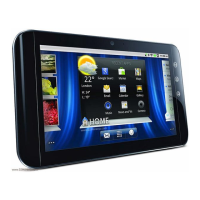
The device is ready for use when the Home screen is displayed.
Turning Off Your Device
1 Press and hold the Power and Sleep/Wake button .
2 Touch the Power off option on the screen.
Turning Off the Screen
If both the device and the screen are on, press the Power and
Sleep/Wake button once to turn off the screen.
NOTE: If the device is on, but the screen is off, press the Power and
Sleep/Wake button once to turn on the screen. For information on
unlocking the screen, see "The Screen Lock Wallpaper" on page 35.
LG7_bk0.book Page 13 Thursday, January 27, 2011 2:16 PM


 To Next Page