46 Using Your Dell Streak 7 Tablet
Android Keyboard
You can type text using the Android on-screen keyboard. The
keyboard automatically rotates to either the portrait or landscape
mode based on the device orientation.
To open the Android keyboard
Touch a text box, or touch and hold the Menu button .
To close the keyboard
Touch the Back button or touch and hold the Menu button .
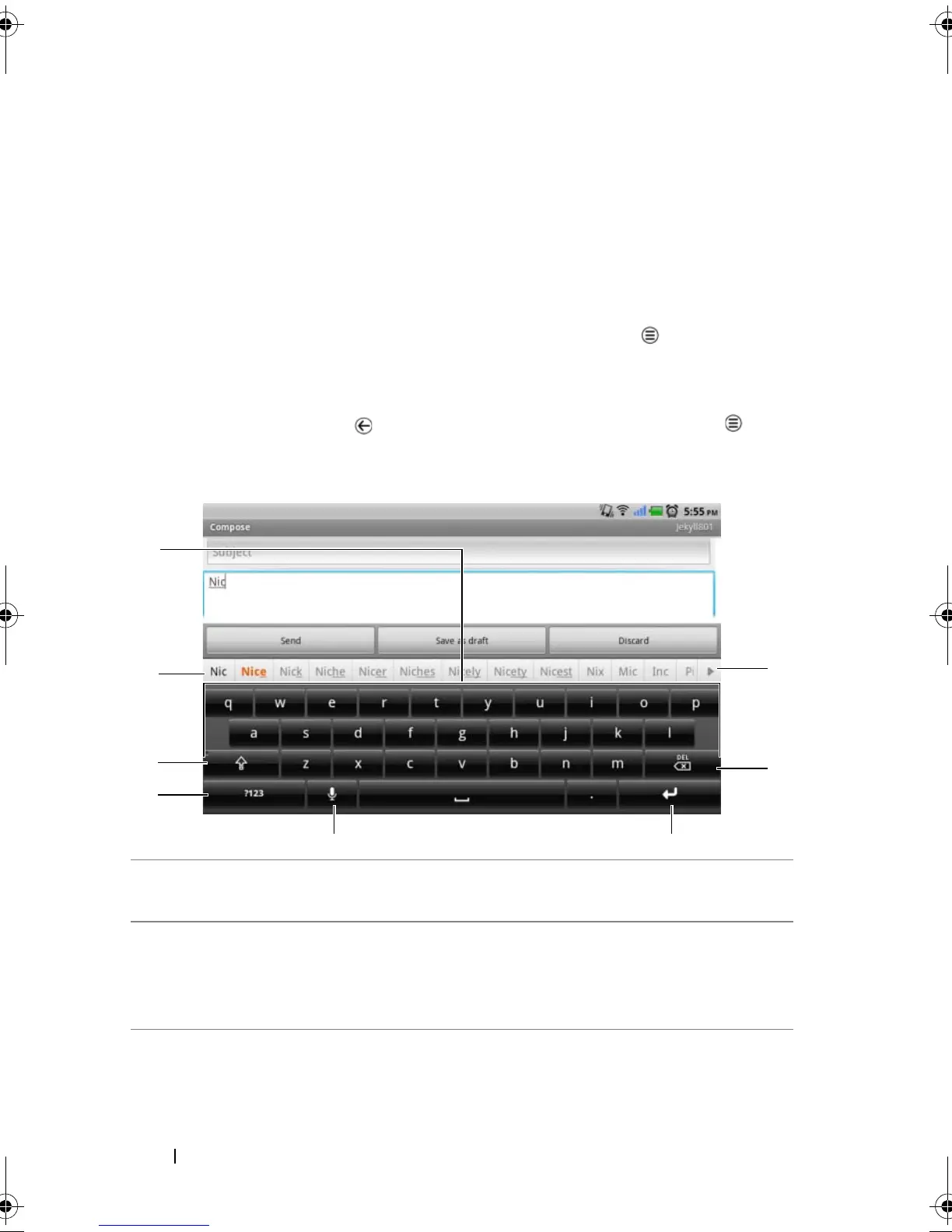
Keyboard controls for composing an e-mail
1 • Touch to type letters into the text box where the cursor appears.
• Touch and hold to type accented letters for applicable languages.
2 • Based on the letters being typed, the keyboard shows suggested
words along the top of the keyboard with the most probable word
highlighted in color.
• You can touch a suggested word to enter it into the text box.
LG7_bk0.book Page 46 Thursday, January 27, 2011 2:16 PM



 To Next Page