

EasyManua.ls Logo

Dell Switch - User Manual

Dell Switch
2 pages
Print Icon
To Next Page IconTo Next Page
Loading...
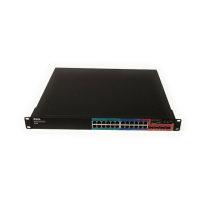
The PowerConnect 2800 series is a switch family
of secure, fixed-port Gigabit Ethernet switches
delivering full wire-speed switching performance.
These switches oer four port densities, including 8,
16 , 24, and 48 port Gigabit Ethernet ports. In addition
the 2824 and 2848 have SFP slots in a combo port
arrangement that deliver fiber capabilities (SFP
transceivers optional). Auto MDI/MDIX and auto-
negotiation of speed, duplex mode and flow help
deliver exceptional control over your network trac.
The PowerConnect 2800 family also supports jumbo
frames for networks that need to move large files
across the network.
Easy, powerful management
The PowerConnect 2800 series oers amazing value
by delivering web-management capabilities that
allow users to manage the switch through an intuitive
web interface. The web-interface allows the user to
easily manage the switch without the requirement to
learn CLI commands or integrating the switch into an
SNMP-based application, though a focused set of CLI
and SNMP commands are available for environments
requiring basic centralized remote management.
While some vendors may refer to their web-managed
switches as “smart switches”, we like to think of our
switches as “power switches” powerful performance
coupled with powerful management capabilities.
Each switch is delivered in standard, unmanaged
mode. Convert the switch to web-managed mode
with the push-of-a-button on the front panel, and
then easily configure Quality of Service (QoS),
port-based virtual LANs (VLANs) and remote switch
monitoring. The firmware allows you to upgrade the
switch software as needed. The PowerConnect 2800
family also features technology to help reduce power
consumption per port by up to 96% on unused ports.
Easy web access to the managed features provides a
secure environment by oering password restricted
access. These switches also oer enhanced security
by allowing the user to specify which IP addresses
have access to the switch. Up to 64 industry-standard
VLANs are supported and four priority queues
help optimize network trac using IEEE 802.1p
quality-of-service. Port mirroring allows users to
monitor network trac for intrusion detection and
troubleshooting. To provide additional bandwidth
when connecting to other switches, the 2800
series switches support up to six link aggregation
groups consisting of up to four ports per group.
Advanced cable diagnostics help improve network
troubleshooting while the DHCP client feature
allows the switch to have an IP address assigned to
it dynamically by a DHCP server, or the integrated
DHCP server feature can be enabled to help
manage a small LAN. The PowerConnect 2800
series oers you more power so you can get more
out of your network!
Lifetime Warranty*
Select PowerConnect switches are
backed by an industry-leading, lifetime
warranty which guarantees Basic
Hardware Service (repair or replacement)
for life. PowerConnect switches not only provide the
quality, reliability and capability you expect from Dell,
but also the peace of mind that comes with a true
lifetime warranty.
Details at Dell.com/LifetimeWarranty
Dell PowerConnect 2800 Series
Dell
PowerConnect
2800 series are web-managed, Gigabit Ethernet switches designed by
Dell to provide a powerful switch with outstanding cost and power savings.
Question and Answer IconNeed help?

Do you have a question about the Dell Switch and is the answer not in the manual?

Summary

Dell PowerConnect 2800 Series Overview

Easy, Powerful Management

Highlights web-based management, CLI/SNMP support, and conversion to web-managed mode.

Security and Network Features

Covers password protection, IP address restrictions, VLANs, priority queues, and link aggregation.

Lifetime Warranty Information

Details the industry-leading lifetime warranty for basic hardware service (repair or replacement).

Product Specifications Comparison

Port Configuration and Performance

Compares port densities, speeds, and switching capacities across the 2800 series models.

Management and Class of Service

Details management interfaces, IP addressing, and Quality of Service (QoS) features.

Security, VLANs, and Switching Features

Outlines security measures, VLAN support, and advanced switching capabilities.

Other Features and Chassis Specifications

Lists additional features like power saving, broadcast storm control, and physical dimensions.

Overview

The Dell PowerConnect 2800 Series comprises a family of web-managed Gigabit Ethernet switches designed to offer robust performance, cost-effectiveness, and energy efficiency. These switches are engineered to provide full wire-speed switching performance across various port densities, making them suitable for a range of network environments.

Function Description:

The PowerConnect 2800 series switches serve as a central component in network infrastructure, facilitating high-speed data transfer between connected devices. They are fixed-port Gigabit Ethernet switches, meaning they provide dedicated Gigabit Ethernet ports for network connections. The switches support various port configurations, including 8, 16, 24, and 48 Gigabit Ethernet ports. Specifically, the 2824 and 2848 models also feature SFP (Small Form-Factor Pluggable) slots in a combo port arrangement, enabling fiber optic capabilities when optional SFP transceivers are used. This allows for longer-distance connections and greater flexibility in network design.

A key function of these switches is their ability to automatically negotiate speed, duplex mode, and flow control (Auto MDI/MDIX), which simplifies network setup and ensures optimal performance by automatically adapting to the capabilities of connected devices. They also support jumbo frames, which are larger Ethernet frames designed to improve the efficiency of data transfer for networks that frequently move large files, such as in data centers or video editing environments.

Important Technical Specifications:

  • Port Configurations:

    • PowerConnect 2808: 8 10/100/1000BASE-T ports.
    • PowerConnect 2816: 16 10/100/1000BASE-T ports.
    • PowerConnect 2824: 24 10/100/1000BASE-T ports, plus 2 Combo (SFP or 10/100/1000) Gigabit Ethernet ports.
    • PowerConnect 2848: 48 10/100/1000BASE-T ports, plus 4 Combo (SFP or 10/100/1000) Gigabit Ethernet ports. All models feature auto-negotiation for speed, duplex mode, and flow control, along with Auto MDI/MDIX mode and flow control, and integrated Port LEDs for status indication.
  • Performance:

    • PowerConnect 2808: Switching capacity of 16.0 Gbps and a forwarding rate of 11.9 Mpps (million packets per second).
    • PowerConnect 2816: Switching capacity of 32.0 Gbps and a forwarding rate of 23.7 Mpps.
    • PowerConnect 2824: Switching capacity of 48.0 Gbps and a forwarding rate of 35.6 Mpps.
    • PowerConnect 2848: Switching capacity of 96 Gbps and a forwarding rate of 71.4 Mpps. These specifications highlight the wire-speed performance across the product line, ensuring that data is forwarded at the maximum possible rate without bottlenecks.
  • Chassis Dimensions and Weight (H x W x L):

    • PowerConnect 2808: 1.7 x 10.46 x 6.4 inches, 5 lbs.
    • PowerConnect 2816: 1.7 x 10.46 x 6.4 inches, 6.1 lbs.
    • PowerConnect 2824: 1.7 x 13.0 x 9.1 inches, 6.7 lbs.
    • PowerConnect 2848: 1.7 x 17.3 x 10.0 inches, 8.6 lbs. All models are 1U rack-mountable and include a rack-mounting kit.
  • Optional Peripheral Products: Dell SFP Transceivers (1000-SX and 1000-LX) are available for the PowerConnect 2824 and 2848 models to enable fiber optic connectivity.

Usage Features:

  • Easy, Powerful Management: The PowerConnect 2800 series is designed for ease of use, featuring a web-based management interface that allows users to configure and monitor the switch through an intuitive graphical user interface (GUI). This eliminates the need to learn complex Command Line Interface (CLI) commands for basic management, although a focused set of CLI and SNMP commands are available for environments requiring centralized remote management. The switches are delivered in an unmanaged mode by default. Users can convert the switch to web-managed mode with a simple push of a button on the front panel, enabling access to advanced configuration options.

  • Quality of Service (QoS): The switches support four priority queues per port, allowing administrators to prioritize network traffic. This includes adjustable Weighted Round Robin (WRR) and strict priority scheduling, Layer 2 IEEE 802.1p tagging, port-based priority, and Layer 3-aware prioritization using DSCP values. These features ensure that critical applications (e.g., VoIP, video conferencing) receive preferential bandwidth, minimizing latency and improving user experience.

  • Virtual LANs (VLANs): The switches support up to 64 industry-standard IEEE 802.1Q port-based VLANs and honor all 4096 VLAN tags. VLANs allow for logical segmentation of the network, improving security and network performance by isolating traffic within specific groups.

  • Link Aggregation: To provide additional bandwidth and redundancy, the 2800 series switches support up to six link aggregation groups, with up to four ports per group. This adheres to IEEE 802.3ad standards (static support only, LACP not supported), allowing multiple physical links to be bundled into a single logical link.

  • Security Features:

    • Password Protection: Switch access is protected by passwords, with both read-only and read-write access levels.
    • Restricted IP Address Access: Users can specify which IP addresses are allowed to access the switch, enhancing network security.
    • Broadcast Storm Control: This feature helps prevent network performance degradation caused by excessive broadcast traffic.
  • DHCP Server/Client: The integrated DHCP client feature allows the switch to dynamically obtain an IP address from a DHCP server. Alternatively, the integrated DHCP server feature can be enabled to manage IP address assignment within a small LAN, simplifying network administration.

Maintenance Features:

  • Firmware Upgrades: The switch firmware can be easily upgraded as needed, allowing for new features, bug fixes, and security updates to be applied without replacing hardware.

  • Network Troubleshooting Tools:

    • Port Mirroring: This feature allows users to monitor network traffic for intrusion detection and troubleshooting by sending a copy of traffic from one port to another.
    • Advanced Cable Diagnostics: The switches include advanced cable diagnostics, such as a virtual cable tester by Marvell®, which helps identify and troubleshoot cable-related issues, reducing downtime.
    • Optical Transceiver Analysis: For models with SFP slots, optical transceiver analysis capabilities aid in diagnosing fiber optic connection problems.
  • Power Saving Features: The PowerConnect 2800 series incorporates technology to help reduce power consumption, with potential savings of up to 96% on unused ports. This contributes to lower operating costs and a reduced environmental footprint.

  • Lead-Free Construction: The switches are built with lead-free construction, adhering to the RoHS (Restriction of Hazardous Substances) Directive, demonstrating a commitment to environmental responsibility.

  • Lifetime Warranty: Select PowerConnect switches are backed by an industry-leading lifetime warranty, which guarantees Basic Hardware Service (repair or replacement) for life. This provides peace of mind regarding the quality, reliability, and long-term support for the product. The warranty covers repair or replacement but does not include troubleshooting, configuration, or other advanced services provided by Dell ProSupport.

Dell Switch Specifications

General IconGeneral
BrandDell
ModelSwitch
CategorySwitch
LanguageEnglish

Related product manuals







