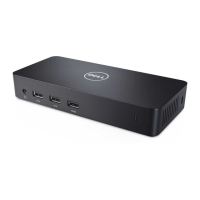
Display Resolution Table
Table 1. Display Resolution Table
Single Display (maximum
resolution)
Dual Display (maximum
resolution)
Triple Display (maximum
resolution)
Quad Display (maximum
resolution)
**DP + mDP (Single Image):
5120 x 2880 @ 60Hz
DP/mDP/Type-C: 3840 x 2160
@ 60 Hz
HDMI: 3840 x 2160 @ 24/30 Hz
VGA: 1920 x 1200 @ 60 Hz
***Type-C: 5120 x 2880 @ 60
Hz
DP/mDP/Type-C: 3840 x 2160
@ 60 Hz
DP+VGA: 2 x 2560 x 1440 @60
Hz
mDP+HDMI: 2 x 2560 x 1440
@60 Hz or 3840 x 2160 @ 30
Hz
VGA may be limited to 2048 x
1280
DP + mDP+HDMI: 3 x 3840 x
2160 @ 30 Hz
NOTE: DP port at 60 Hz
is supported, but mDP
+HDMI are limited to 30
Hz for 4k
**mDP + HDMI + DP + VGA:
3x3840 x 2160 @ 30 Hz + 1x
1920 x1200 (VGA)
NOTE: **Discrete only
mode or “Special
Graphics Mode”.
NOTE: If higher resolution monitors are used, the Intel Graphics driver will make a judgement based on monitor specifications
and display configurations. Some resolutions may not be supported and so will be removed from the Intel Graphics Media
Control Panel.
NOTE: Resolution support is also dependent on the monitor’s Extended Display Identification Data (EDID) resolution.
NOTE: The 5K resolution support is only available in either of these conditions:
1 With discrete graphics mode only, or special graphics mode, or
2 *** Using the Thunderbolt 3Type–C to a dual DisplayPort adapter.
NOTE: ** Configuration supported with AMD and Nvidia in discrete-only mode or special-graphics mode. Dell Precision
7510/7710 models will require disabling switchable graphics for discrete-only mode or enabling special-graphics mode when
Switchable is enabled.
22 Setup of External Monitors


 To Next Page