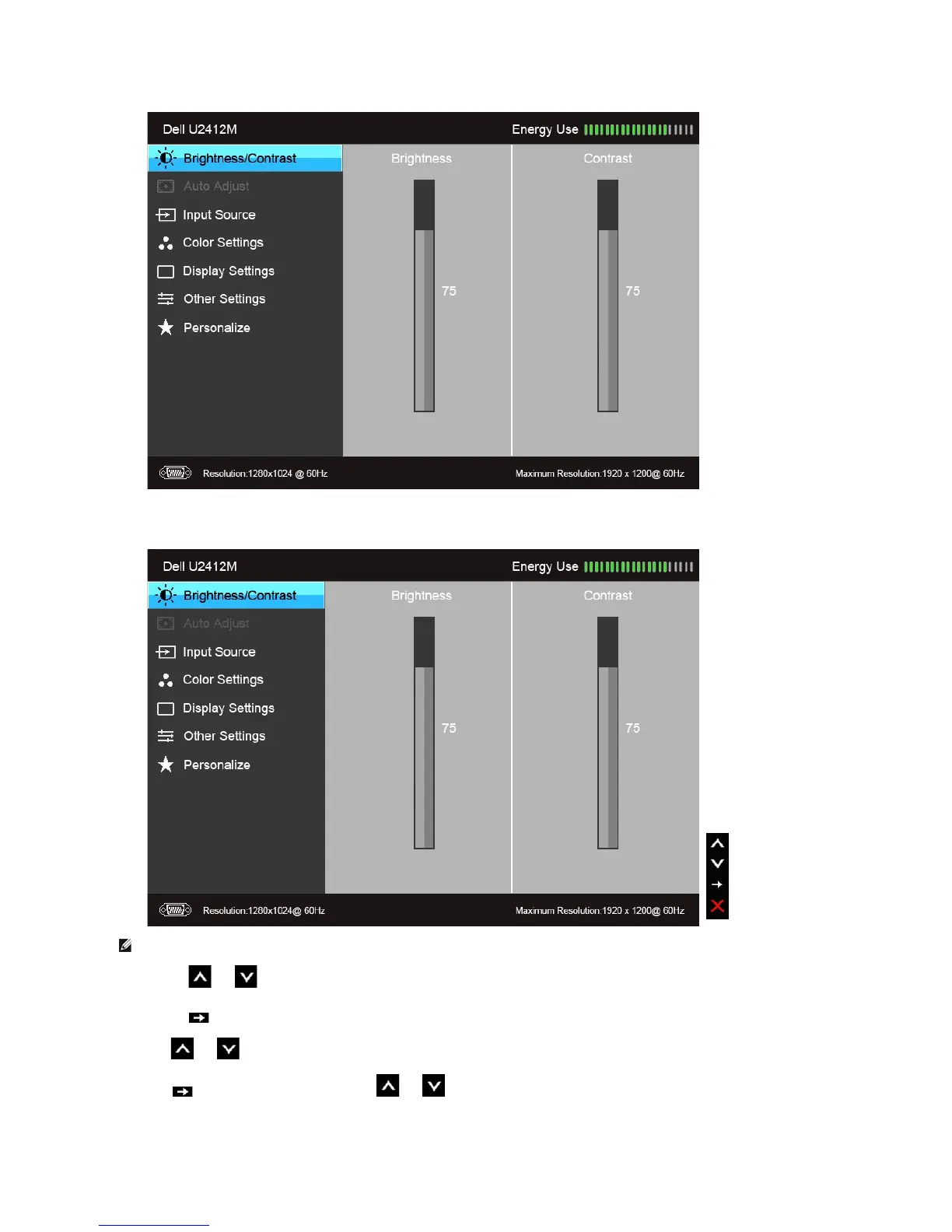
or
Main Menu for display (DP) input
2.Push the and buttons to move between the setting options. As you move from one icon to another, the option name is highlighted. See the
followingtableforacompletelistofalltheoptionsavailableforthemonitor.
3.Push the buttononcetoactivatethehighlightedoption.
4.Push and button to select the desired parameter.
5. Push to enter the slide bar and then use the and buttons, according to the indicators on the menu, to make your changes.





 To Next Page