EasyManua.ls Logo

Dell U2412M - Organizing Your Cables; Removing the Stand

Dell U2412M
42 pages
Print Icon
To Next Page IconTo Next Page
To Previous Page IconTo Previous Page
Loading...
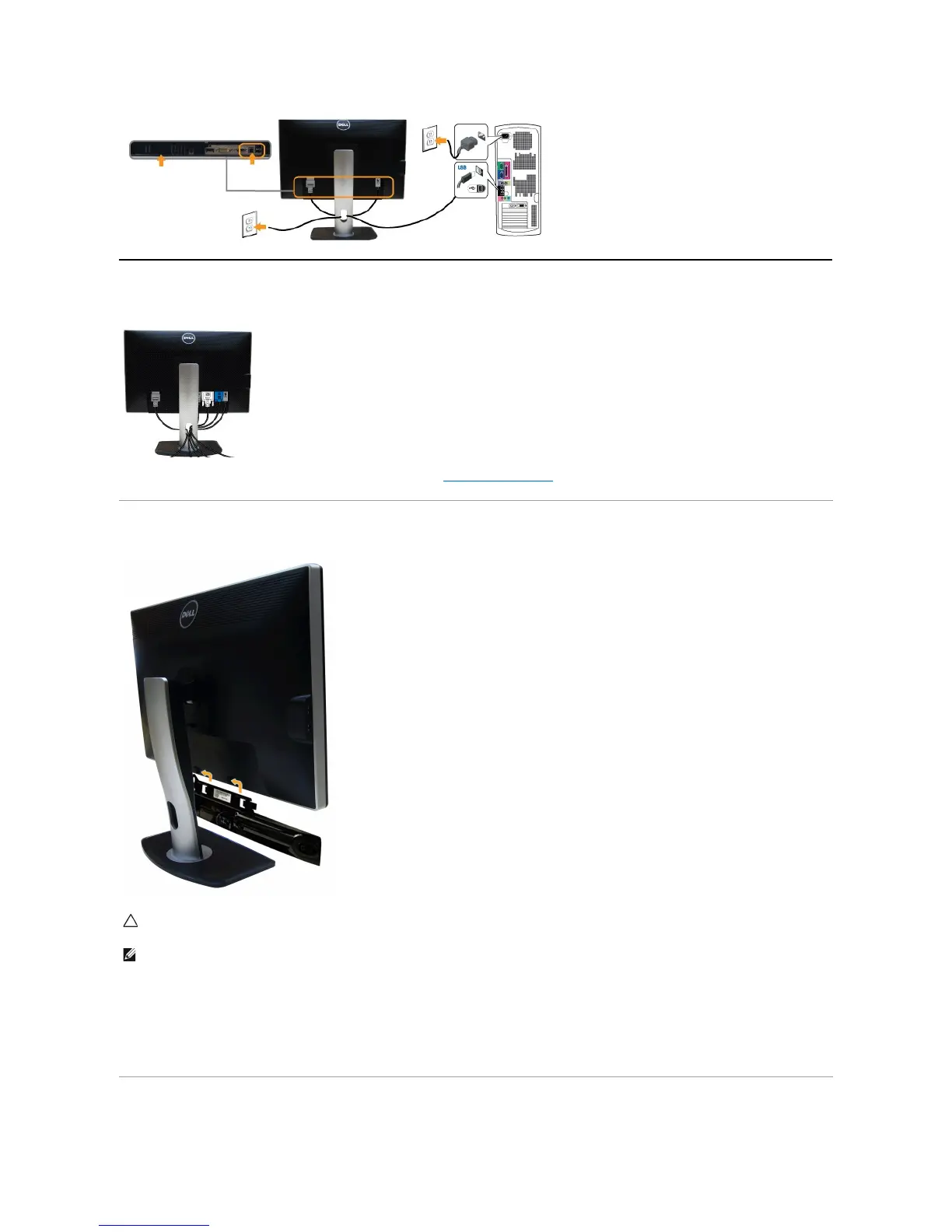
Organizing Your Cables
After attaching all necessary cables to your monitor and computer, (See Connecting Your Monitorforcableattachment,)organizeallcablesasshownabove.
Attaching the Soundbar (Optional)
To attach the Soundbar:
Removing the Stand
CAUTION: DonotusewithanydeviceotherthantheDellSoundbar.
NOTE: The Soundbar power connector (+12 V DC output) is for the optional Dell Soundbar only.
1.
Working from the back of the monitor, attach the Soundbar by aligning the two slots with the two tabs along the bottom of the monitor.
2.
Slide the Soundbar to the left until it snaps into place.
3.
Connect the Soundbar with the DC power connector.
4.
Insert the mini stereo plug from the back of the Soundbar into the computer's audio output jack.

Other manuals for Dell U2412M

Related product manuals