40 | Setting up the monitor
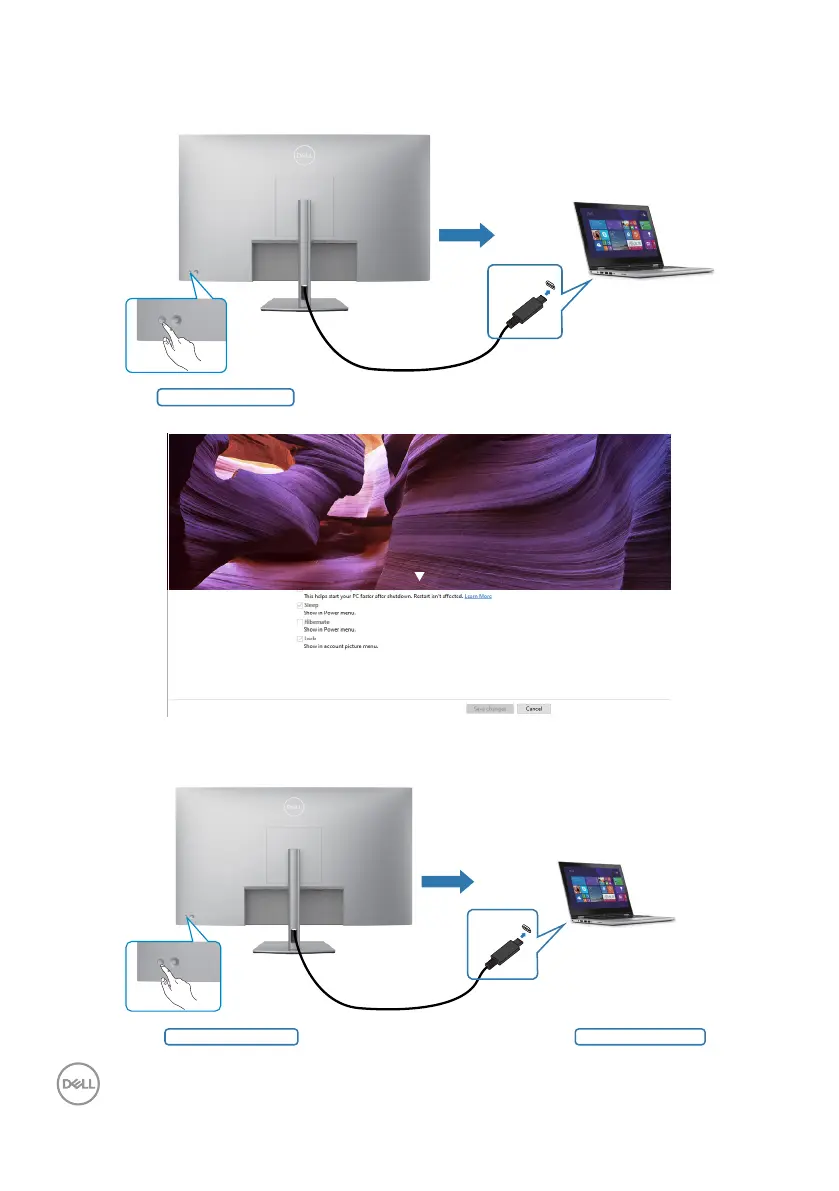
When the monitor and PC power state are both ON, while you press and hold 4
seconds on monitor power button, the screen prompt will ask if you would like to
shut down the PC.
Press and hold 4s
USB-C
Slide to shut down your PC
When the monitor and PC power state are both ON, while you press and hold 10
seconds on monitor power button, the PC will shut down.
PC will shut downPress and hold 10s
USB-C


 To Next Page