16 Hardware Installation
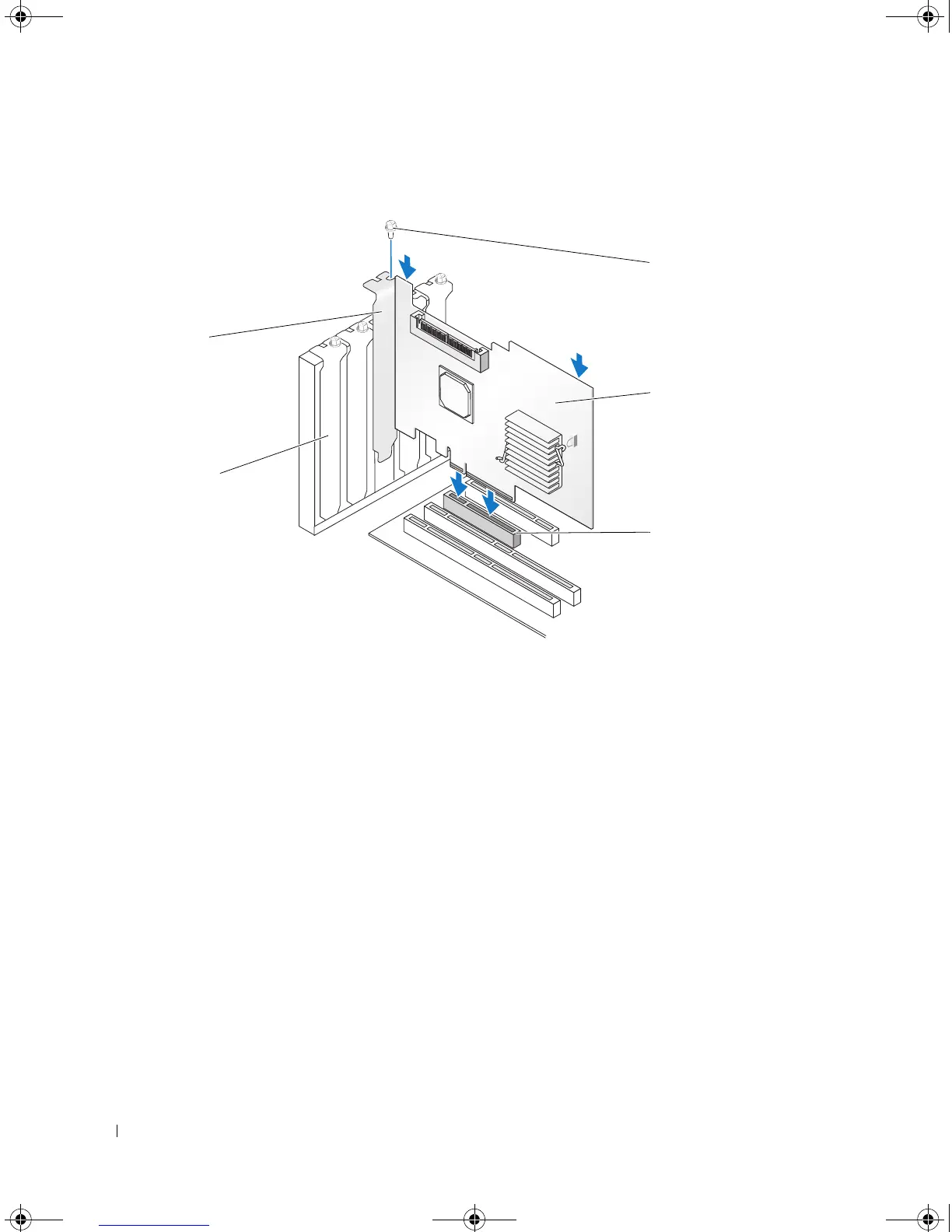
Figure 3-1. Installing a SAS 5/iR Adapter
7
Tighten the bracket screw, if any, or use the system’s retention clips to secure the controller to the
system’s chassis.
8
Connect the cables from the end devices or the backplane of the system to the controller.
See Figure 3-2.
1 bracket screw 2 SAS 5/iR Adapter 3 PCI-E slot
4 PCI bracket 5 filler bracket
3
2
4
1
5
YD912bk1.book Page 16 Monday, April 2, 2007 4:39 PM



 To Next Page