Installing the System Board
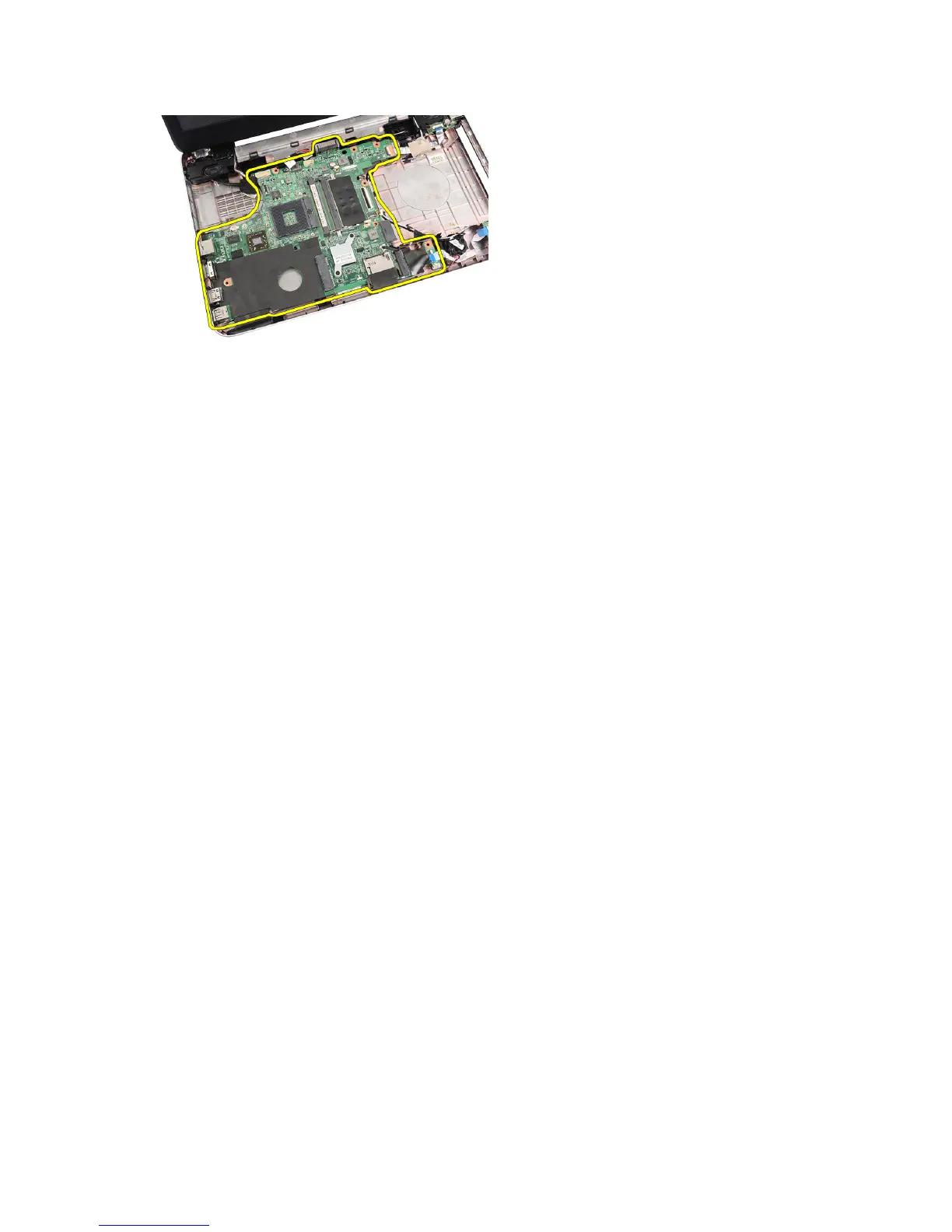
1. Insert the system board with the LAN, VGA, HDMI, and USB connectors into their respective sockets and align the
system board in place.
2. Install the screws that secure the system board in place.
3. Connect the LCD cable, power connector cable, USB board cable, audio board cable, coin-cell battery cable, and
the speaker cable.
4. Install:
a) processor
b) heat sink fan assembly
c) WLAN card
d) hard drive
e) palmrest
f) memory module
g) optical drive
h) keyboard
i) SD memory card
j) battery
5. Follow the procedures in
After Working Inside Your Computer
.
Removing the Speakers
1. Follow the procedures in
Before Working Inside Your Computer
.
2. Remove:
a) battery
b) SD memory card
c) keyboard
d) optical drive
e) memory module
f) palmrest
g) hard drive
h) WLAN card
i) USB Board
j) heat-sink fan assembly
k) processor
l) system board
28



 To Next Page