2
Removing and Installing Components
This section provides detailed information on how to remove or install the components from your computer.
Recommended Tools
The procedures in this document may require the following tools:
• Small flat-blade screwdriver
• Phillips screwdriver
• Small plastic scribe
Removing the Battery
1. Follow the procedures in
Before Working Inside Your Computer
.
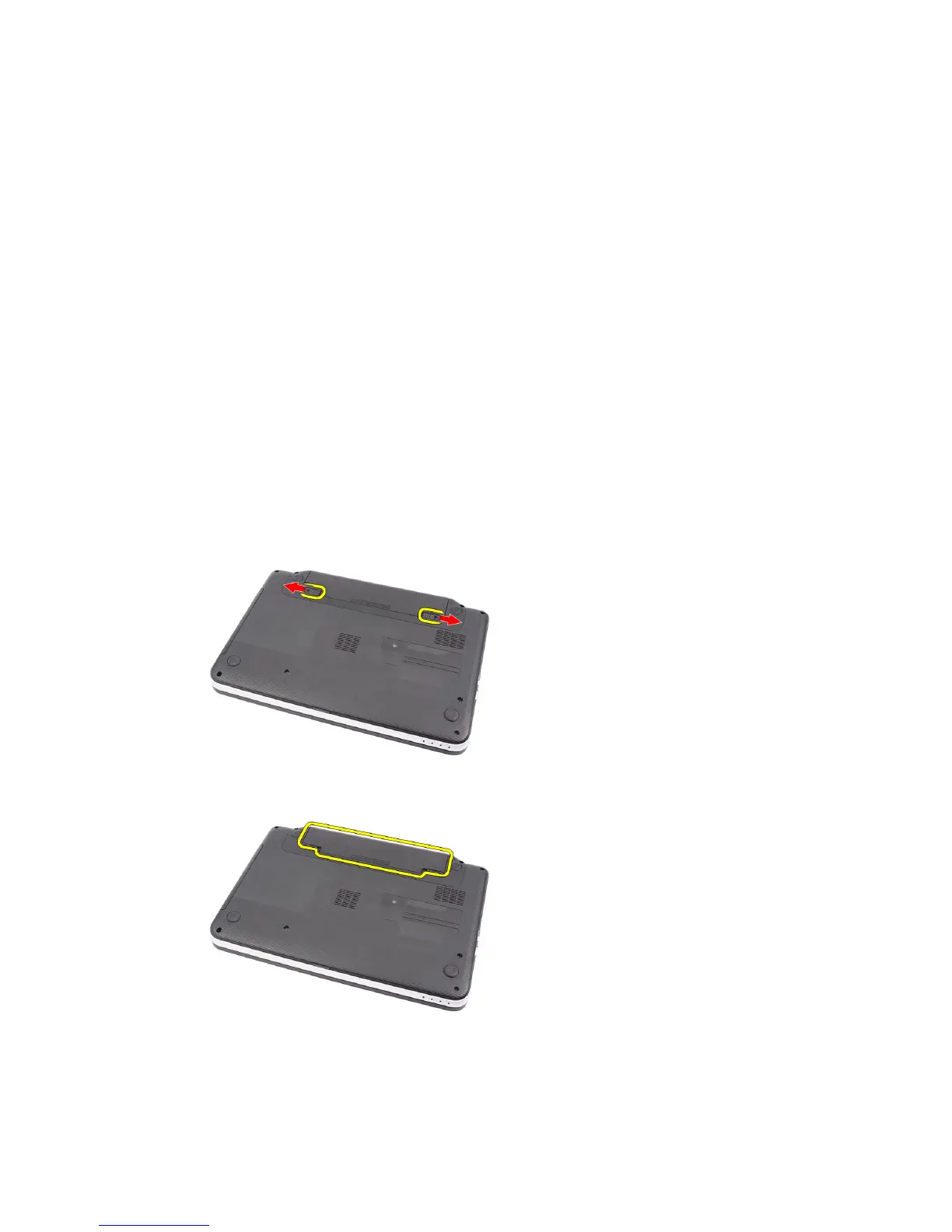
2. Slide the release latches to unlock the battery.
3. Slide the battery and remove it from the computer.
9



 To Next Page