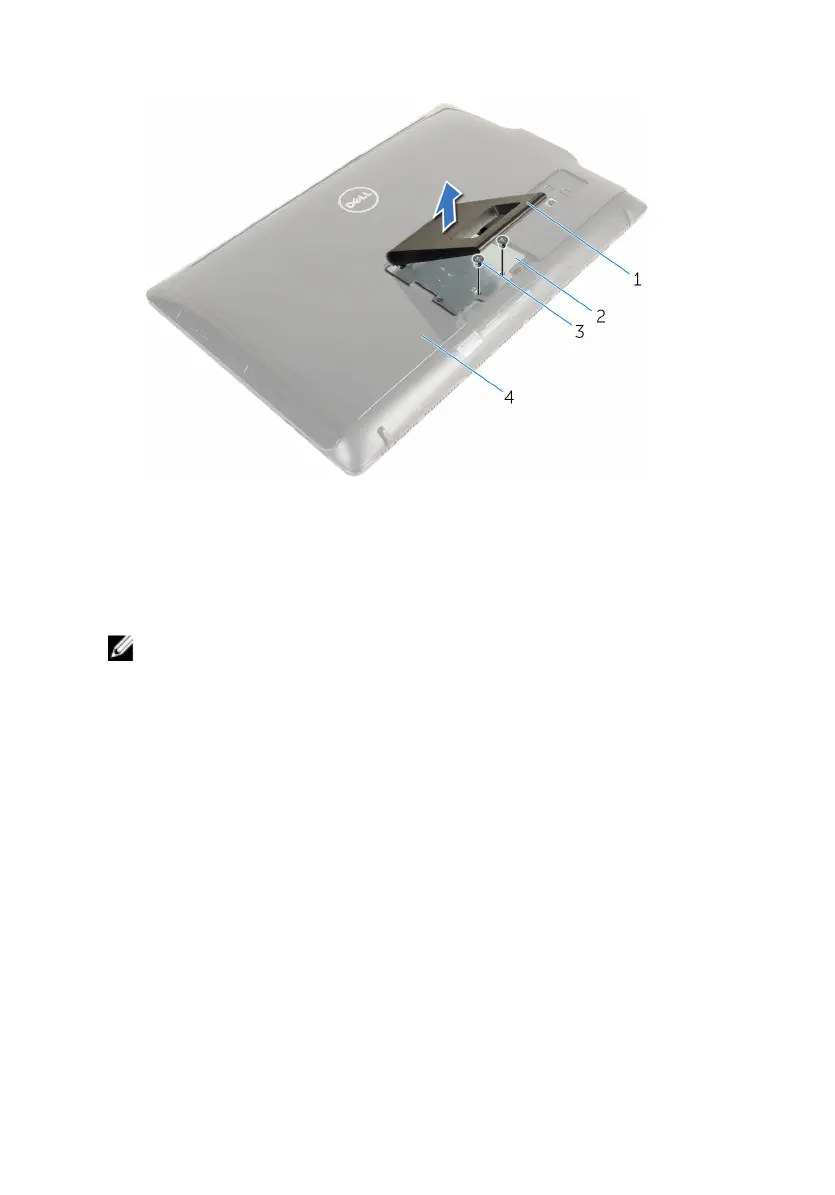
5 Lift the stand off the back cover.
1 stand 2 stand bracket
3 screws (2) 4 back cover
Procedure to remove pedestal stand
NOTE: The type of stand assembly varies depending on the
configuration you ordered.
1 Place the computer face down on a soft cloth or a clean surface.
2 Release the tabs on the stand cover.
18











 To Next Page