Dell E173FPc
11
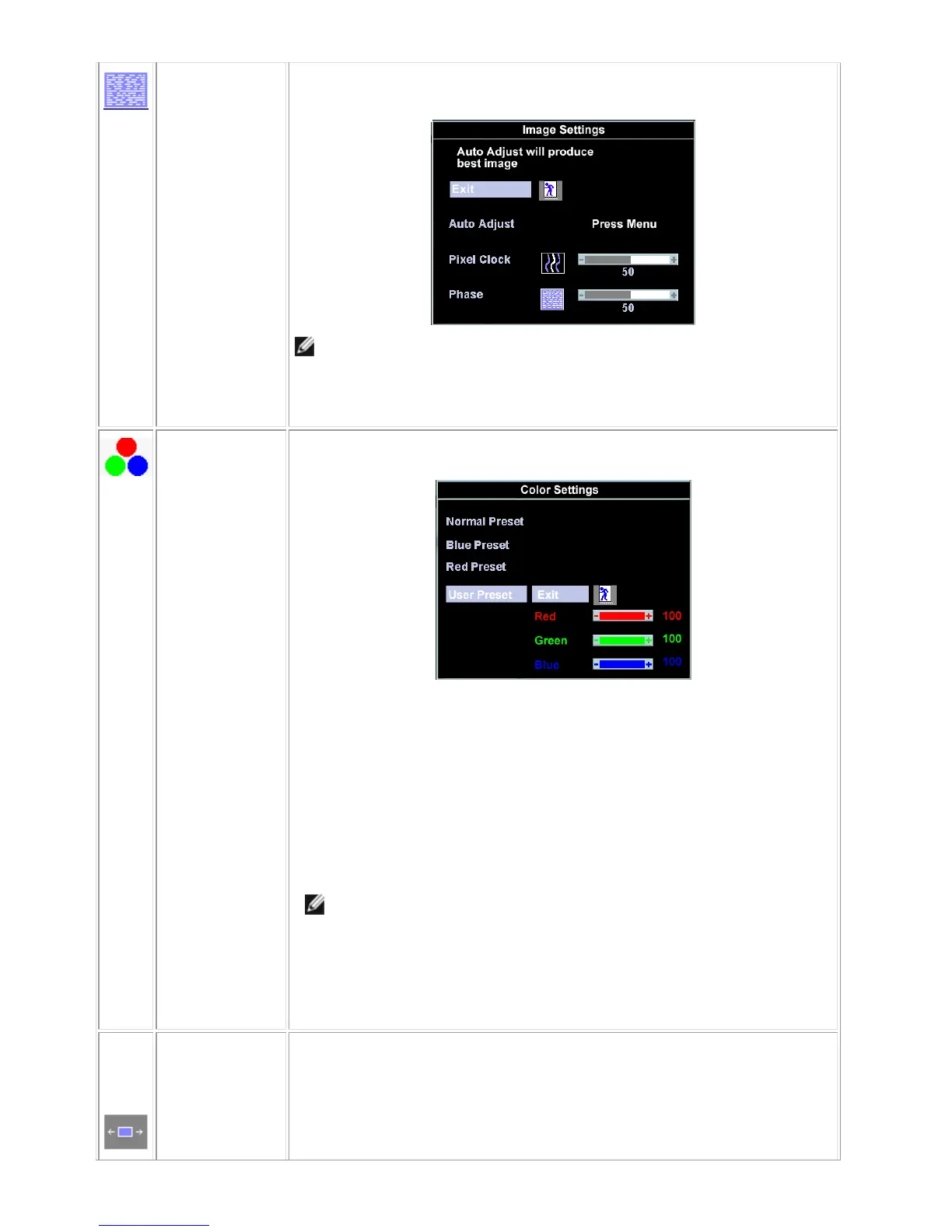
Phase
If satisfactory results are not obtained using the 'Phase' adjustment, use the 'Pixel
Clock' adjustment and then use 'Phase' again.
NOTE: This function may change the width of the display image. Use the
'Horizontal' function of the 'Position' menu to center the display image on the
screen.
Color Settings:
'Color Settings' adjusts the color temperature and saturation.
Normal Preset
'Normal Preset' is selected to obtain the default (factory) color settings.
Blue Preset
'Blue Preset' is selected to obtain a bluish tint. This color setting is typically used for
text based applications (Spreadsheets, Programming, Text Editors etc.).
Red Preset
'Red Preset' is selected to obtain a redder tint. This color setting is typically used for
color intensive applications (Photograph Image Editing, Multimedia, Movies etc.).
User Preset
'User Preset': Use the plus and minus buttons to increase or decrease each of the
three colors (R, G, B) independently, in single digit increments, from '0' to '100'.
NOTE: 'Color temperature' is a measure of the 'warmth' of the image colors
(red/green/blue). The two available presets ('Blue' and 'Red') favor blue and
red accordingly. Select each one to see how each range suits your eye; or
utilize the 'User Preset' option to customize the color settings to your exact
choice.
OSD Settings:
Each time the OSD opens, it displays in the same location on the screen. 'OSD
Settings' (horizontal/vertical) provides control over this location.
Horizontal
Position
- and + buttons move OSD to the left and right.


 To Next Page