Dell E173FPc
8
3.3 On Screen Menu/Display (OSD)
Direct-Access Functions
Function Adjustment Method
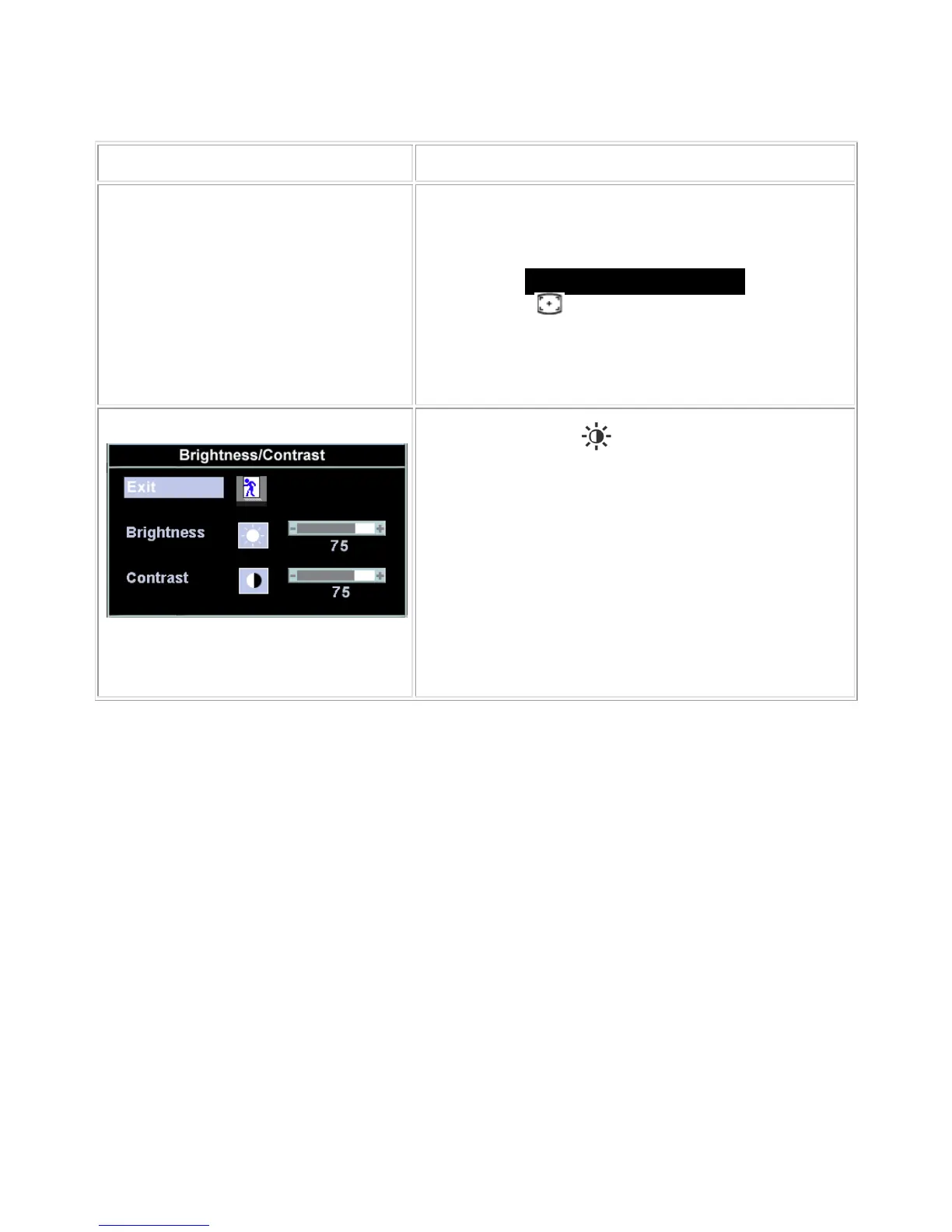
Auto adjustment
Use this button to activate automatic setup and adjustment. The
following dialog will appear on screen as the monitor self-adjusts
to the current input:
Auto Adjust In Progress
Auto Adjustment button allows the monitor to self-adjust to
the incoming video signal. After using 'Auto Adjustment', you can
further tune your monitor by using the 'Pixel Clock' and 'Phase'
controls in the OSD.
Brightness / Contrast
With the menu off, push
button to display the 'Brightness' and
'Contrast' adjustment menu.
The 'Brightness' function adjusts the luminance of the flat panel.
Adjust 'Brightness' first, and then adjust 'Contrast' only if further
adjustment is necessary.
"+" Increase 'brightness';" - "decrease 'brightness'
The 'Contrast' function adjusts the degree of difference between
darkness and lightness on the display screen.
"+" Increase the 'contrast'; "-" decrease the 'contrast'


 To Next Page