Dell E173FPc
13
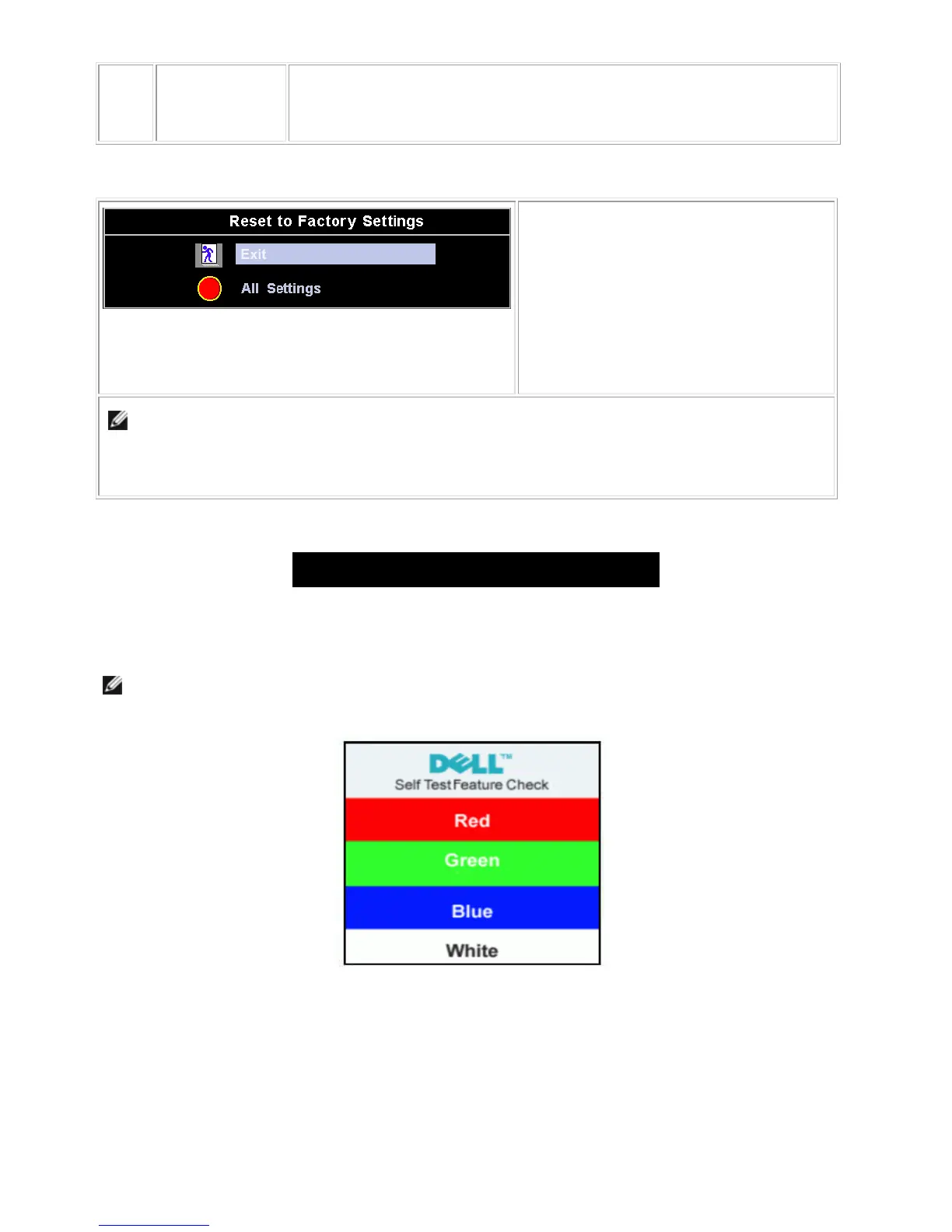
For 'All settings', all user adjustable settings are reset at one time except 'Language
settings'.
Reset Functions
Factory Preset Restoration
'Exit' leaves this submenu without resetting any
values.
'All Settings' returns your monitor settings to
those that were set at the time of manufacture.
This includes 'Color', 'Position', 'Clock
frequency', 'Phase', 'Brightness', 'Contrast' and
'OSD hold time'.
NOTE: There is no "Undo" when you use the 'Reset function'. To return to the previous function settings,
you must adjust the functions again. 'Reset' will set the clock and phase back to factory settings, activating
auto adjust may be required and this will optimize the image for your system.
OSD Warning Messages
A warning message may appear on the screen indicating that the monitor is out of sync.
Cannot Display This Video Mode
This means that the monitor cannot synchronize with the signal that it is receiving from the computer. Either the
signal is too high or too low for the monitor to use. See Specifications for the Horizontal and Vertical frequency
ranges addressable by this monitor. Recommended mode is 1280 X 1024 @ 60Hz.
NOTE: The floating 'Dell - self-test Feature Check' dialog will appear on-screen if the monitor cannot sense a
video signal.
Occasionally, no warning message appears, but the screen is blank. This could also indicate that the monitor is not
synchronizing with the computer. See Troubleshooting for more information.


 To Next Page