Dell E173FPc
29
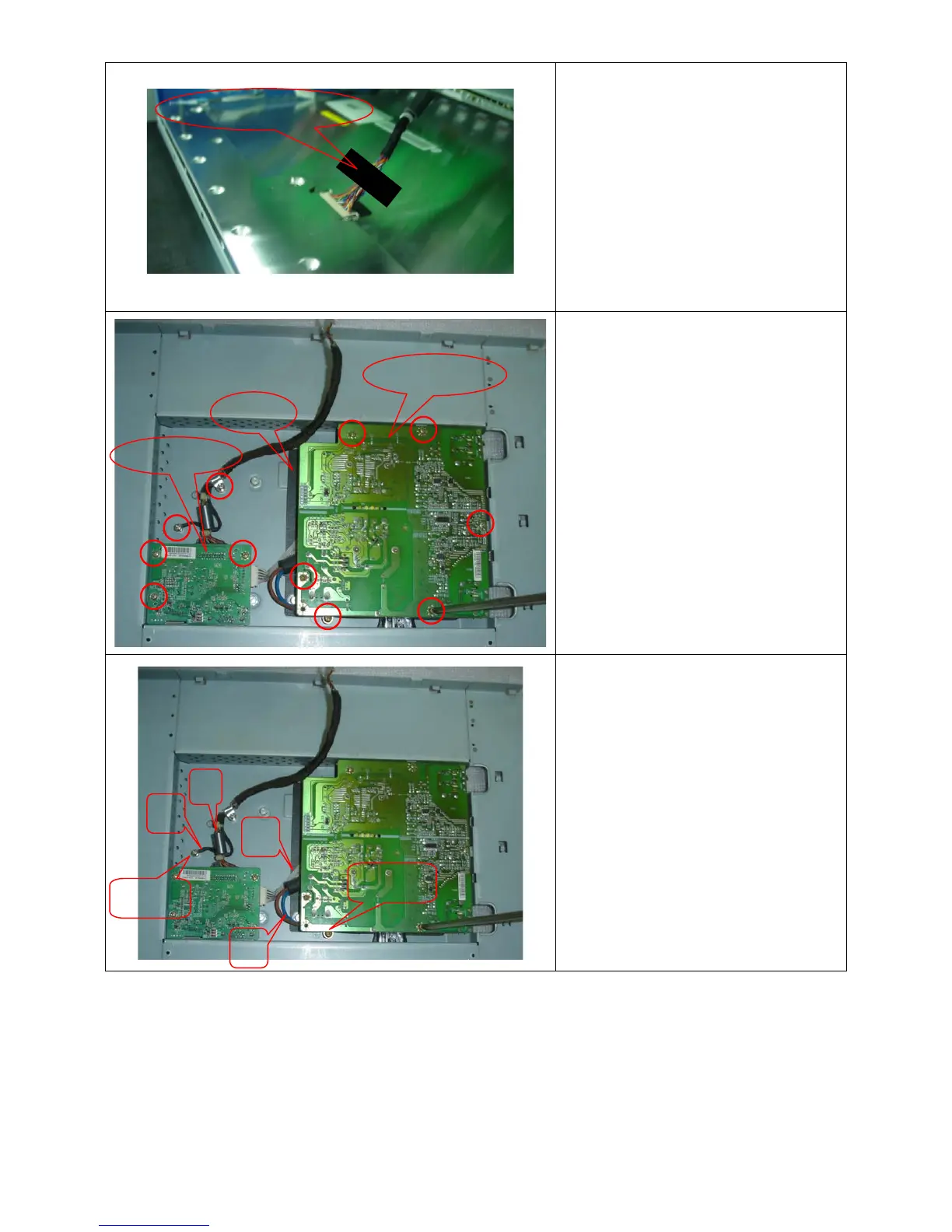
When installing monitor. Fix the LVDS by
Black Adhesive Tape. 10mm should be
kept between the tape and the connect
end.
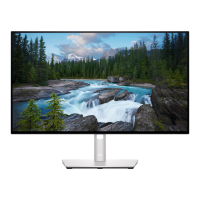
Remove the Power board and main
board:
Remove the eight screws by Torque B
And take off the Power board and main
board.
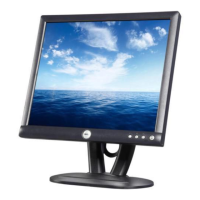
Installing the LVDS cable:
Connect the LVDS cable with MB, and
then fix the cable by screwing the cable
hook, and the ground end to the
mainframe. Make sure the ground line is
below signal lines.
Line C is power supply for the MB.
Connect the PB and MB directly; the
cable must not touch the pillar of screw.
Power board
M


 To Next Page