Back to Contents Page
Connecting your Dell Travel Mouse WM524 in Windows 7
Ensure the Bluetooth wireless feature is enabled
on your computer.
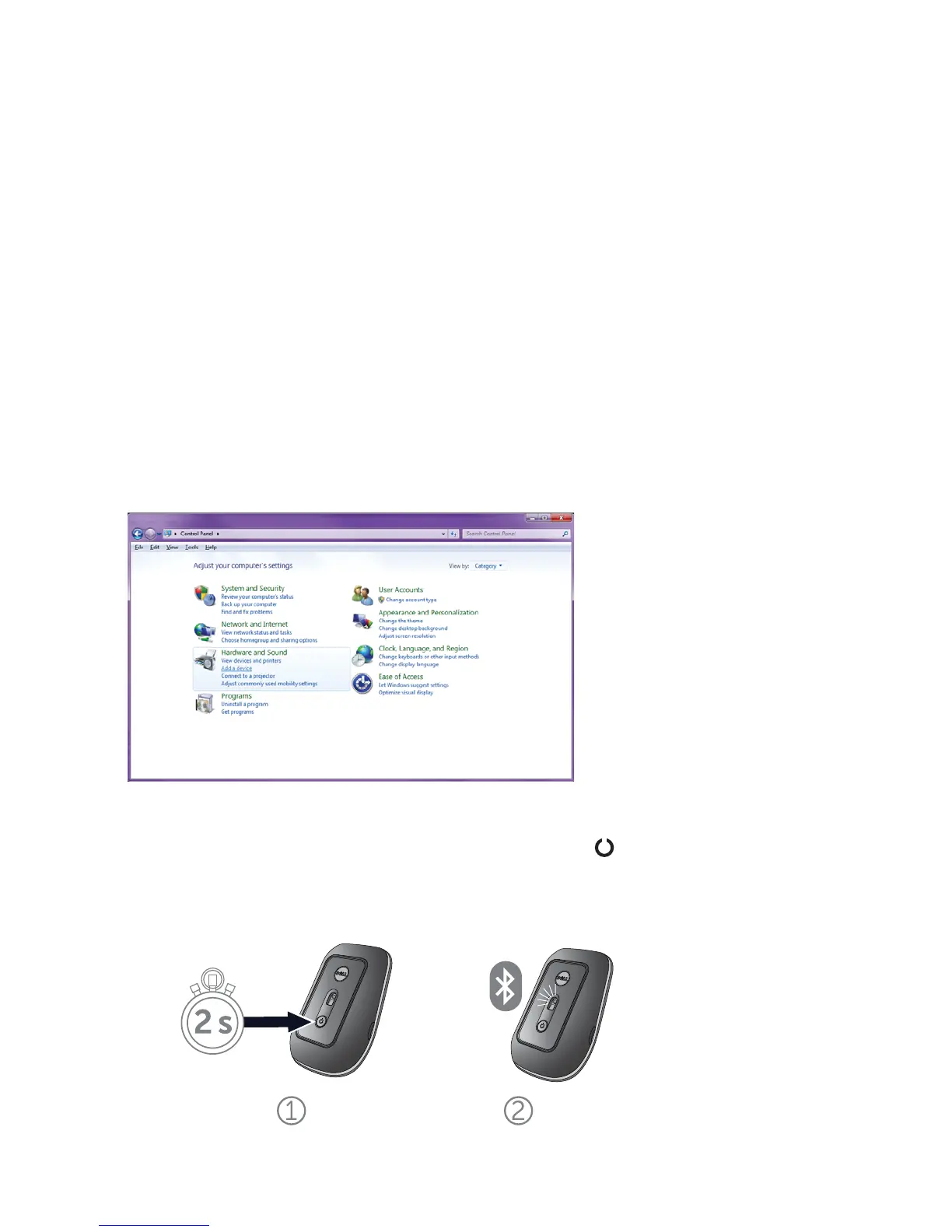
1. Click Start and select Control Panel.
2. In Category view, locate Hardware and Sound and select
Add a device.
3. On the mouse, press and hold the Power button for
two seconds. The blue LED will blink to indicate that the
device is discoverable within 180 seconds.
Connecting your Dell Travel Mouse WM524 in Windows 7
Connecting your Dell Travel Mouse WM524 in Windows 8



 To Next Page