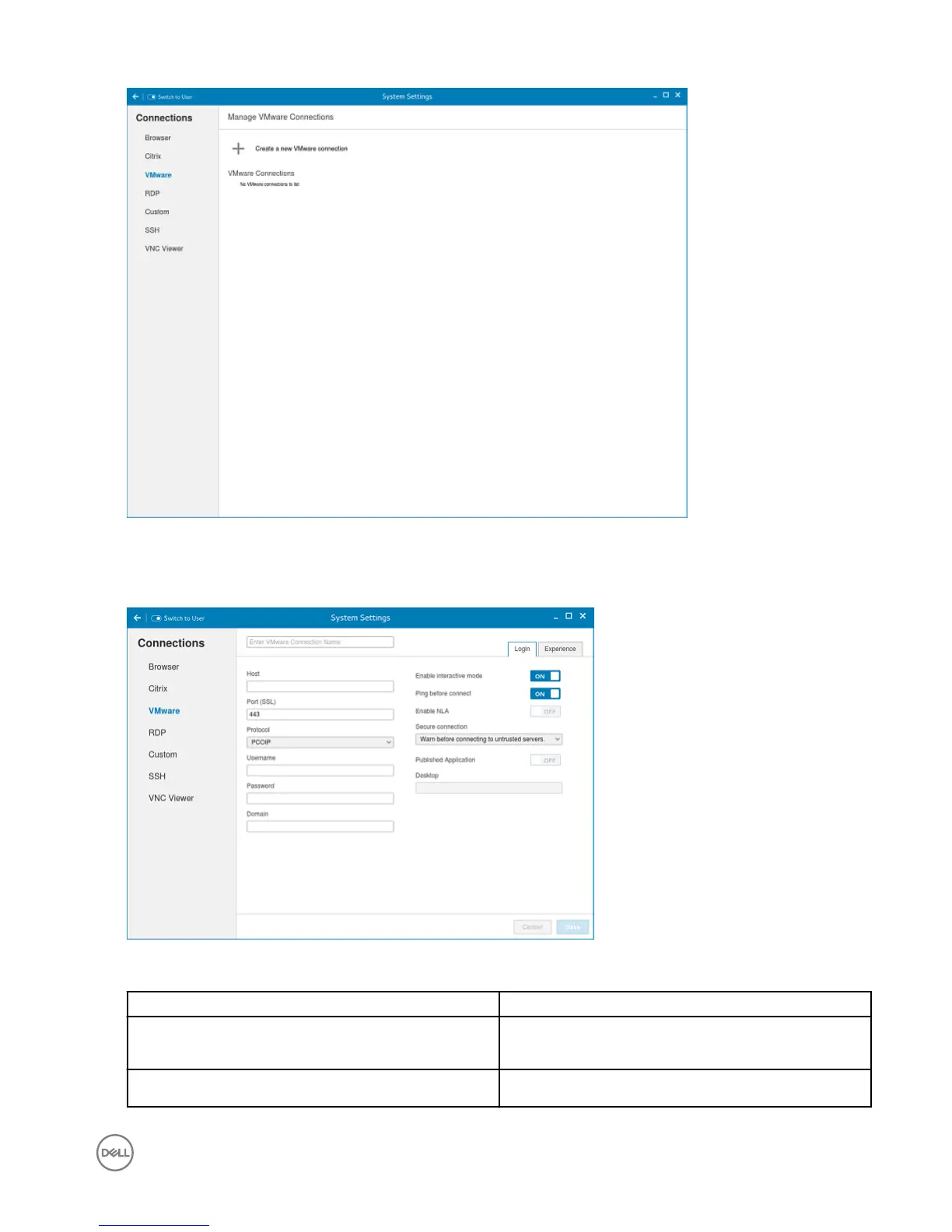
Figure 13. VMware connections settings
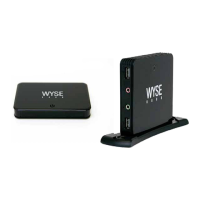
2. Enter the name of the VMware connection.
3. Congure the following options in the Login tab:
Figure 14. VMware login settings
Parameter
Description
Host Enter the host name or IP address or FQDN of the Horizon
of the VMware View Server.
Port Enter the port number of the host.
41


 To Next Page