Need help?
Do you have a question about the Dell XPS 17 9710 and is the answer not in the manual?
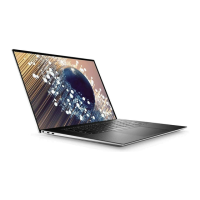
Details the components and features on the left side of the XPS 17 9710.
Details the components and features on the right side of the XPS 17 9710.
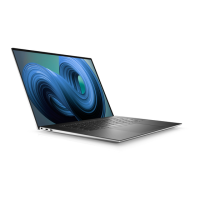
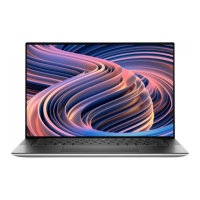
Describes the components and features visible on the top surface of the XPS 17 9710.
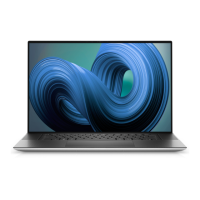
Illustrates and describes the front view of the XPS 17 9710, including cameras and sensors.
Covers the bottom view of the XPS 17 9710, identifying speakers and the service tag.
Lists the physical dimensions and weight specifications for the XPS 17 9710.
Details the various processor options available for the XPS 17 9710.
Provides specifications for the chipset used in the XPS 17 9710.
Lists the supported operating systems for the XPS 17 9710.
Outlines the memory specifications, including type, speed, and configuration options.
Describes the internal expansion slots available, such as M.2 slots.
Details the various external ports available on the XPS 17 9710 for connectivity.
Specifies the wireless module capabilities, including standards and transfer rates.
Lists the audio controller, speaker, and microphone specifications for the XPS 17 9710.
Details the available storage types, interfaces, and capacities for the XPS 17 9710.
Describes the media card reader type and supported card formats.
Outlines keyboard specifications, including layout, key count, and shortcuts.
Lists the specifications for the front-facing cameras, including resolution and type.
Details the touchpad specifications, including resolution, dimensions, and gestures.
Provides specifications for the power adapter, including type and output ratings.
Lists the battery types, voltage, weight, and dimensions for the XPS 17 9710.
Details display specifications such as type, resolution, luminance, and color gamut.
Outlines the specifications for the fingerprint reader sensor.
Lists specifications for the integrated Graphics Processing Unit (GPU).
Lists specifications for the discrete Graphics Processing Unit (GPU) options.
Specifies the recommended operating and storage conditions for the computer.
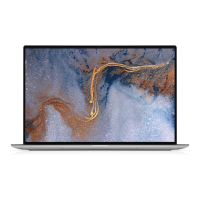
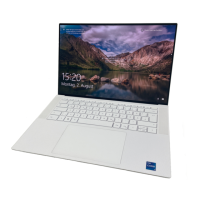
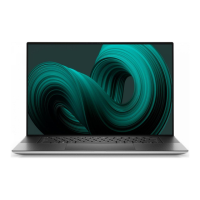
The Dell XPS 17 9710 is a high-performance laptop designed for users who require a powerful and versatile computing experience. This device is built to handle demanding tasks, from creative work and gaming to everyday productivity, with a focus on user comfort and efficiency.
The XPS 17 9710 serves as a comprehensive personal computer, offering robust processing capabilities, a large and vibrant display, and a suite of connectivity options. It is designed to run Windows 10 Home or Pro (64-bit), providing a familiar and feature-rich operating environment. The laptop integrates various components to deliver a seamless user experience, including a high-resolution display, a responsive keyboard with a fingerprint reader, and a precision touchpad.
For audio, the device features a universal audio jack for connecting headphones or headsets, along with internal speakers and digital-array microphones for clear sound input and output during calls, recordings, or media consumption. The inclusion of a media-card reader allows for easy transfer of data from SD cards, supporting Secure Digital (SD), Secure Digital High Capacity (SDHC), and Secure Digital Extended Capacity (SDXC) card types.
The laptop's power system includes a power adapter for charging and continuous operation, with options for both 90 W and 130 W USB Type-C adapters. The internal battery provides portable power, allowing users to work on the go. For security, a wedge-shaped security-cable slot is provided to deter unauthorized movement of the computer.
Setting up the XPS 17 9710 is straightforward. Users connect the power adapter to one of the USB Type-C Thunderbolt 4 ports and press the power button to initiate the system. The initial Windows setup guides users through connecting to a network, signing in with a Microsoft account or creating an offline account, and entering contact details on the Support and Protection screen. Dell recommends connecting to a network during setup for Windows updates. If connecting to a secured wireless network, the password will be prompted.
The laptop's design emphasizes ease of use. The power button doubles as a fingerprint reader, allowing for quick and secure login with Windows Hello. Users can customize the power-button behavior in Windows settings. The keyboard is a standard backlit QWERTY layout, with some keys featuring two symbols for alternate characters or secondary functions. The Fn key, in conjunction with other keys, invokes these secondary functions, such as multimedia controls (F1-F12) and system requests. The primary behavior of the function keys can be defined in the BIOS setup program.
The precision touchpad offers intuitive navigation, supporting tap-to-left-click and two-finger tap-to-right-click gestures. The touchpad's design includes disabled areas at the top and sides to prevent unintended mouse pointer movements while typing. For enhanced security and convenience, the laptop features an RGB-infrared camera that supports Windows Hello facial recognition, alongside standard RGB imaging for photos and videos. Ambient-light sensors automatically adjust keyboard backlight and display brightness for optimal viewing in various lighting conditions.
Connectivity is a key strength of the XPS 17 9710, featuring four Thunderbolt 4 ports (USB Type-C) that support USB 3.2 Gen 2, DisplayPort 1.4, and Thunderbolt 4. These ports enable high-speed data transfer, connection to external displays (with a USB Type-C to DisplayPort adapter, sold separately), and power delivery for two-way power supply between devices, as well as faster charging. Users can connect a Dell Docking Station to these ports for expanded peripheral connectivity. The wireless module, integrated on the system board, supports Wi-Fi 802.11a/b/g, Wi-Fi 4, Wi-Fi 5, Wi-Fi 6, and Bluetooth 5.1, ensuring reliable and fast wireless communication.
The display features ComfortView Plus technology, designed to minimize blue light exposure and reduce eye strain. This low blue light mode is enabled by default. To further reduce the risk of eye strain, users are advised to position the display at a comfortable distance, blink frequently, look away at distant objects during breaks, and take extended breaks every two hours.
The XPS 17 9710 is designed with user-friendly maintenance in mind, primarily through software tools provided by Dell. The "My Dell" application serves as a centralized hub for key Dell applications, help articles, and important computer information, including warranty status, recommended accessories, and software updates.
"SupportAssist" is a crucial tool for proactive maintenance, identifying hardware and software issues, automating engagement with Dell Technical Support, and addressing performance, stabilization, and security threats. It also monitors and detects hardware failures. Users can access the SupportAssist for Home PCs User's Guide for detailed information and can renew or upgrade their warranty directly through the application.
"Dell Update" ensures the computer stays current with critical fixes and the latest device drivers as they become available, contributing to system stability and performance. For software purchased but not pre-installed, "Dell Digital Delivery" facilitates easy download and installation.
For troubleshooting and support, Dell provides extensive self-help resources. The Dell support website (www.dell.com/support) offers information on products and services, online help for the operating system, and access to top solutions, diagnostics, drivers, and manuals. The computer is uniquely identified by a Service Tag or Express Service Code, which users can enter on the support website to access relevant support resources. Dell knowledge base articles cover a wide range of computer concerns, accessible by searching keywords or model numbers on the Support > Knowledge Base page.
While the manual does not detail physical maintenance steps, the modular design of internal components like M.2 solid-state drives suggests that upgrades or replacements can be performed by qualified technicians, extending the device's lifespan and adaptability. The operating and storage environment specifications provide guidelines for optimal device care, indicating temperature and humidity ranges to prevent performance degradation or damage to components.
 General
| Wireless | Killer Wi-Fi 6 AX1650 (2x2) and Bluetooth 5.1 |
|---|---|
| Processor | Intel Core i7-11800H |
| Display | 17.0" FHD+ (1920 x 1200) InfinityEdge |
| Graphics | NVIDIA GeForce RTX 3060 |
| RAM | 8GB, 16GB DDR4 |
| Storage | 256GB, 512GB, 1TB, 2TB, or 4TB PCIe NVMe SSD |
| Operating System | Windows 10 Home or Pro |
| Ports | 1 x SD card reader, 1 x headphone/microphone combo |
| Battery | 97WHr |
| Weight | Starting at 4.87 lb (2.21 kg) for non-touch |
| Dimensions | 14.74 x 9.76 x 0.77 inches (374.45 x 248.05 x 19.5 mm) |

 To Next Page