21DeLorme inReach User Manual | Using the inReach with an Android Mobile Device
• Email–Recipients receive an email with a link. The recipient can use the link to go to a website where they can
view your location on a map and reply to you via the website. They cannot reply directly to the email.
• inReach–Other inReach users receive a message on their PN-60w or in the Earthmate app. They can see your
message on their map and can also view the map from the message details page.
Tracking
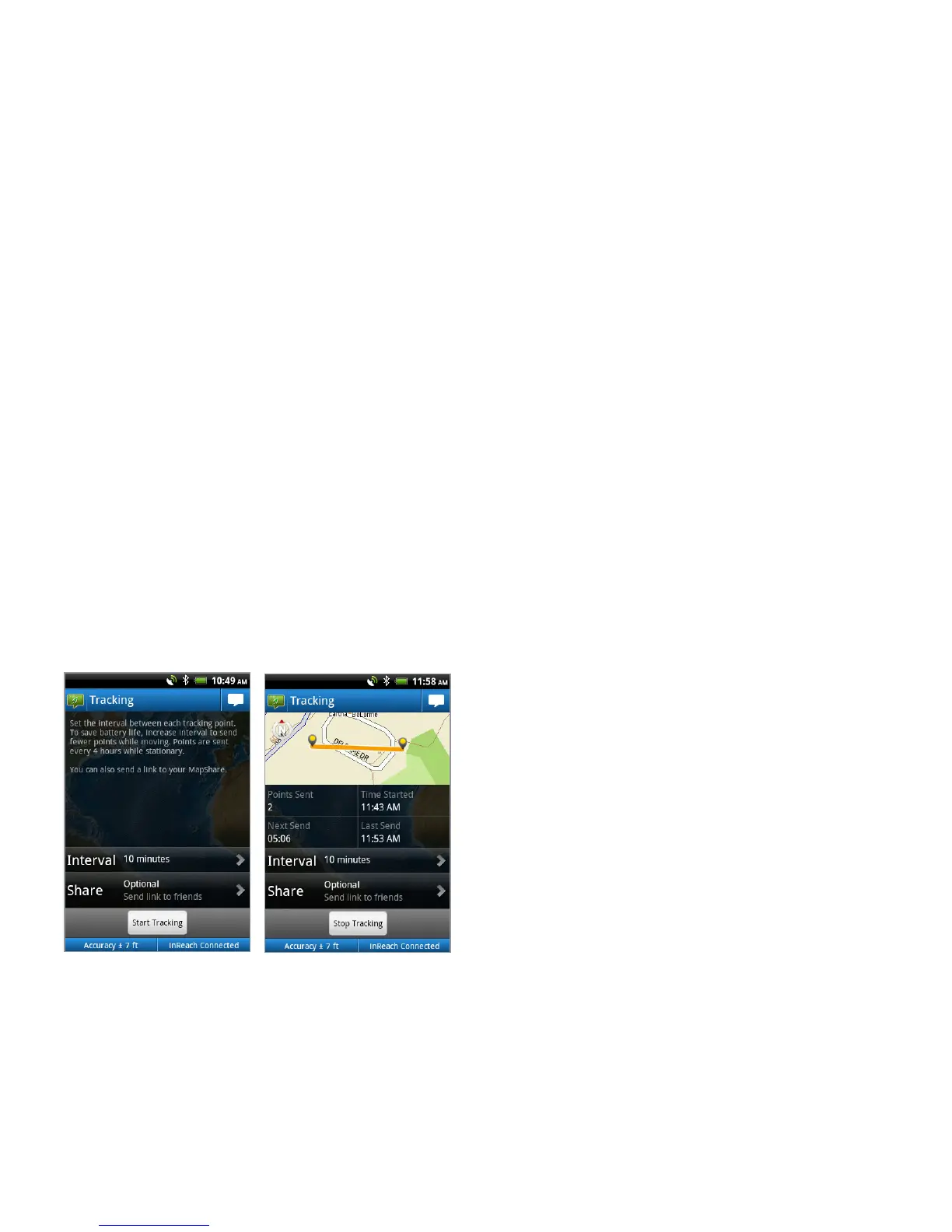
When you use the inReach’s tracking feature with the Earthmate app on your Android device, you can set the interval
for sending tracking points to the map at explore.delorme.com. The tracking points recorded while the Android device
and the inReach are connected are visible on the map in the Earthmate app; you can also view information about them
in History–see page 23 for more information.
If you set up a MapShare page on explore.delorme.com, you can send a link to share your travels. The MapShare page
has options you can customize, so you can allow people to send you messages, send a request to view your current
location, or just view the tracking points and messages you send to MapShare.
Anyone who has your explore.delorme.com account login information can send a location or tracking request from the
website to the inReach. When the inReach receives the request, it sends one tracking point for a location request (a
total of two tracking points are used) or turns on tracking for a tracking request. If you are using the inReach with your
Android phone, you will be notied of the request. See the Help page on explore.delorme.com for more information.
Handing off Tracking
When your Android device and inReach are connected, you can start tracking on the Android device and then power it
off to save battery life—the inReach will begin tracking in standalone mode. Tracking points will be visible on explore.
delorme.com and on your MapShare page. When you connect your devices, up to 30 tracking points queued on the
inReach will be downloaded to the Earthmate app (1.5 and later rmware).
Alternatively, if you start tracking on the inReach and then power on your Android device and open the Earthmate app,
you can monitor tracking on your Android device.
You can also stop tracking on either device when they are connected.
Tracking Interval
The tracking interval determines how often tracking points are sent via the inReach to explore.delorme.com and your
MapShare page. To save battery life, select a longer interval so that fewer tracking points are sent while you are mov-
ing. When you are stationary, tracking points are sent every four hours; if you move more than 100 meters, tracking
resumes at the interval you set.
You can change the tracking interval setting from the main Tracking page or from MENU > Settings > Tracking.


 To Next Page