73 of 81
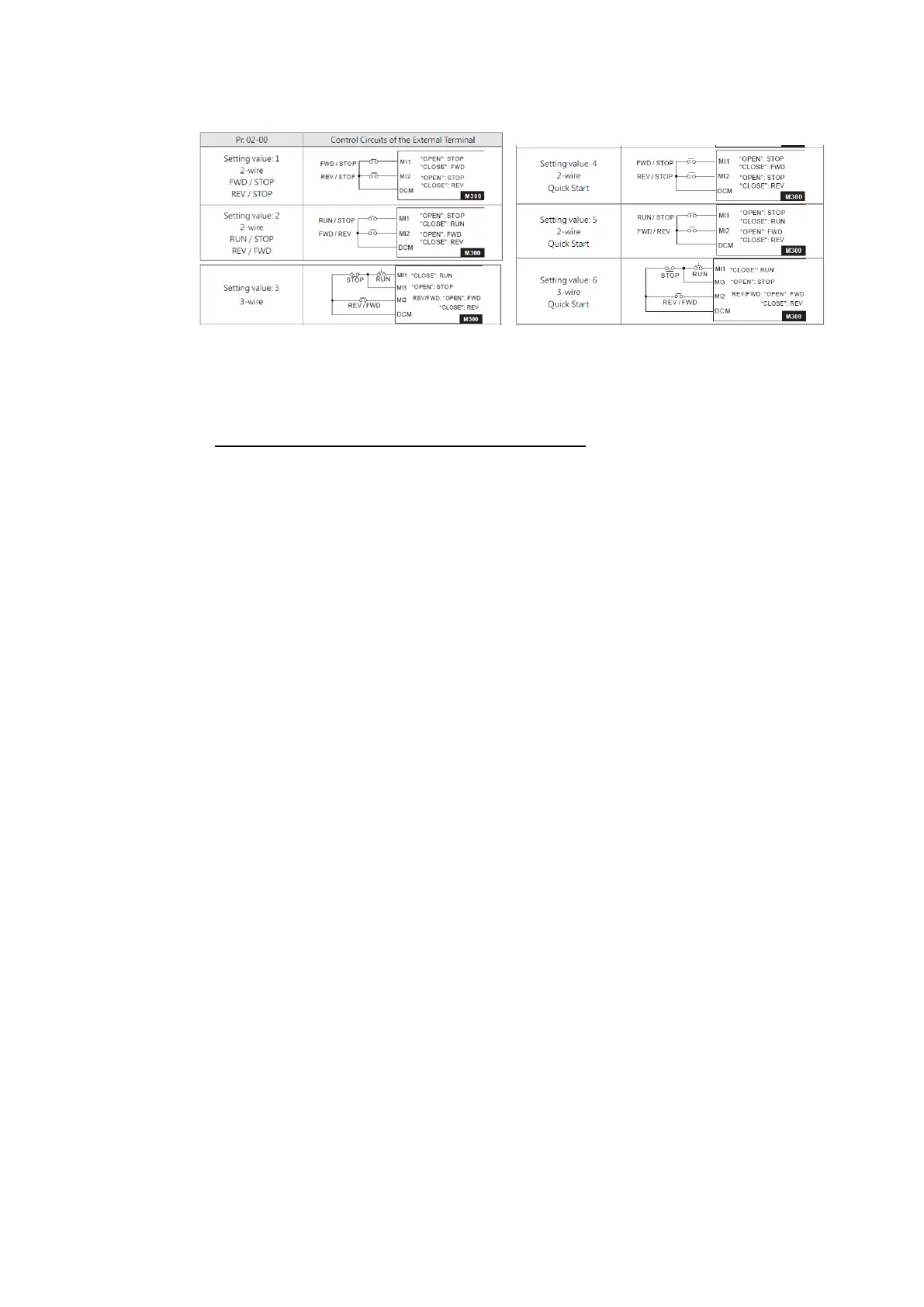
In firmware 1.05 3 additional settings were introduced for Pr02-00.
Select 4-5-6 instead of 1-2-3 to avoid this problem.
The response with these settings is faster and with higher initial output voltage.
►Pr00-21≠1 Operation command not via terminals
- Select Pr03-50≠0.
- Using AVI or ACI:0~10V:
Set Voltage Lowest Point to 1V (Pr03-57 or 03-63).
Set Proportional Lowest Point to 10% (Pr03-58 or 03-64).
- Using ACI:0~20mA:
Set ACI Lowest Point to 2mA (Pr03-57).
Set ACI Proportional Lowest Point to 10% (Pr03-58).
With these settings some margins around 0V and 0Hz are set. Please change the
values if needed.
In firmware 1.06 this problem is solved and selecting Pr02-00 settings 4~5~6 is not
needed anymore for solving this problem.
Q How to calculate and set the OPL level?
A In Pr06-47 the trigger level for Output Phase Loss is set as a percentage of drive rated
current =100%. If one the output phase cuirrents >Pr06-47*Rated current for Pr06-46
time, OPL fault is generated. Please see the example below.
VFD rated current: 10A
Pr06-47=10%
One of three phase current < 1A for >Pr06-46 time, OPL is generated.


 To Next Page