Create a Consumed Tag
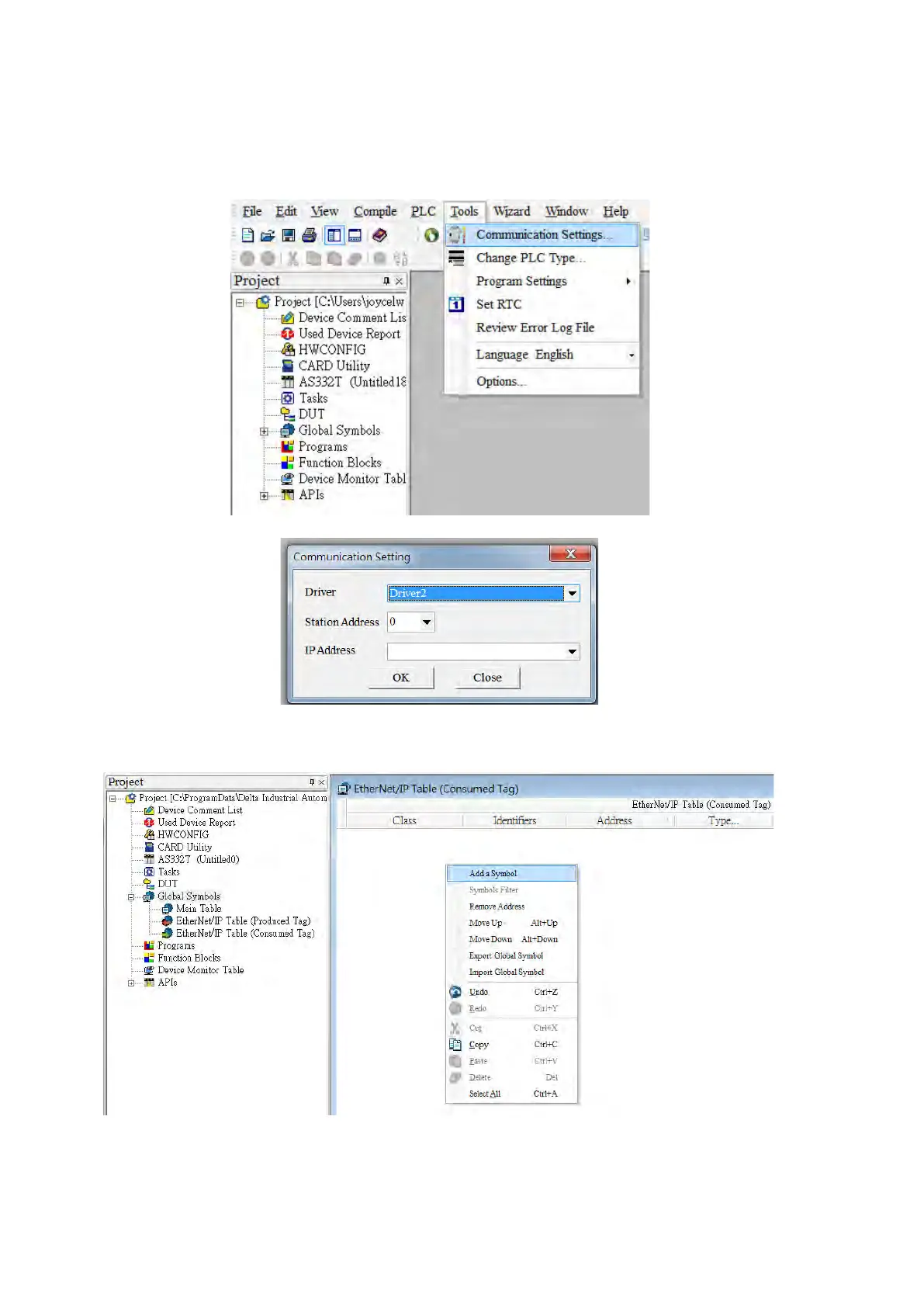
1. Start ISPSoft and click Tools -> Communication Settings and select a driver with Ethernet communication.
※ Before setting the communication, make sure COMMGR is working normally and save the driver settings.
2. Click Global Symbols to expand the tree node and see the options. Double-click EtherNet/IP Table (Consumed
Tag) from the Project section on the left. Right-click the blank area and select Add a Symbol.
Send Quote Requests to info@automatedpt.com
Call +1(800)985-6929 To Order or Order Online At Deltaacdrives.com
Send Quote Requests to info@automatedpt.com
Call +1(800)985-6929 To Order or Order Online At Deltaacdrives.com



 To Next Page