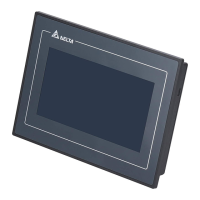
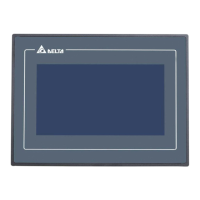
Do you have a question about the Delta DOP-107BV and is the answer not in the manual?
Details compatible, partially compatible, and incompatible DOP-B to DOP-100 series HMI model transitions, including notes on mounting dimensions and COM ports.
Explains how DOPSoft 4.0 automatically converts DOP-B project files to DOP-100 models or prompts for manual model selection.
Compares button fill styles (fixed vs. gradient) and navigation controls ('Previous Page') between DOP-B and DOP-100 series HMIs.
Outlines changes in user account and password entry for security levels from DOP-B to DOP-100 series HMIs.
Identifies DOP-100 models with audio output functions and how projects with audio are handled during conversion.
Lists DOP-100 models supporting multi-language input and compares its availability with DOP-B series.
Explains the default printer change to ePrinter and the 'Report List' to 'Print Output' button conversion during migration.
Describes the differences in file encryption procedures for DOP-B (HMI/PC end) and DOP-100 series HMIs.
Details the transition of communication interfaces, specifically the switch from COM1 to COM2 for certain DOP-B models on DOP-100.
Provides guidance on resolving the 'Intel ICD OpenGL driver' error message by updating the driver.
Details compatible, partially compatible, and incompatible DOP-B to DOP-100 series HMI model transitions, including notes on mounting dimensions and COM ports.
Explains how DOPSoft 4.0 automatically converts DOP-B project files to DOP-100 models or prompts for manual model selection.
Compares button fill styles (fixed vs. gradient) and navigation controls ('Previous Page') between DOP-B and DOP-100 series HMIs.
Outlines changes in user account and password entry for security levels from DOP-B to DOP-100 series HMIs.
Identifies DOP-100 models with audio output functions and how projects with audio are handled during conversion.
Lists DOP-100 models supporting multi-language input and compares its availability with DOP-B series.
Explains the default printer change to ePrinter and the 'Report List' to 'Print Output' button conversion during migration.
Describes the differences in file encryption procedures for DOP-B (HMI/PC end) and DOP-100 series HMIs.
Details the transition of communication interfaces, specifically the switch from COM1 to COM2 for certain DOP-B models on DOP-100.
Provides guidance on resolving the 'Intel ICD OpenGL driver' error message by updating the driver.
| Display Type | TFT LCD |
|---|---|
| Power Supply | 24 VDC |
| USB Client | 1 x USB 2.0 |
| Memory | 128MB Flash |
| Communication Ports | RS-232, RS-485, USB |
| Operating Temperature | 0°C ~ 50°C |
| Storage Temperature | -20°C ~ 60°C |
Loading...