Chapter 4 Hardware Replacement
4-3
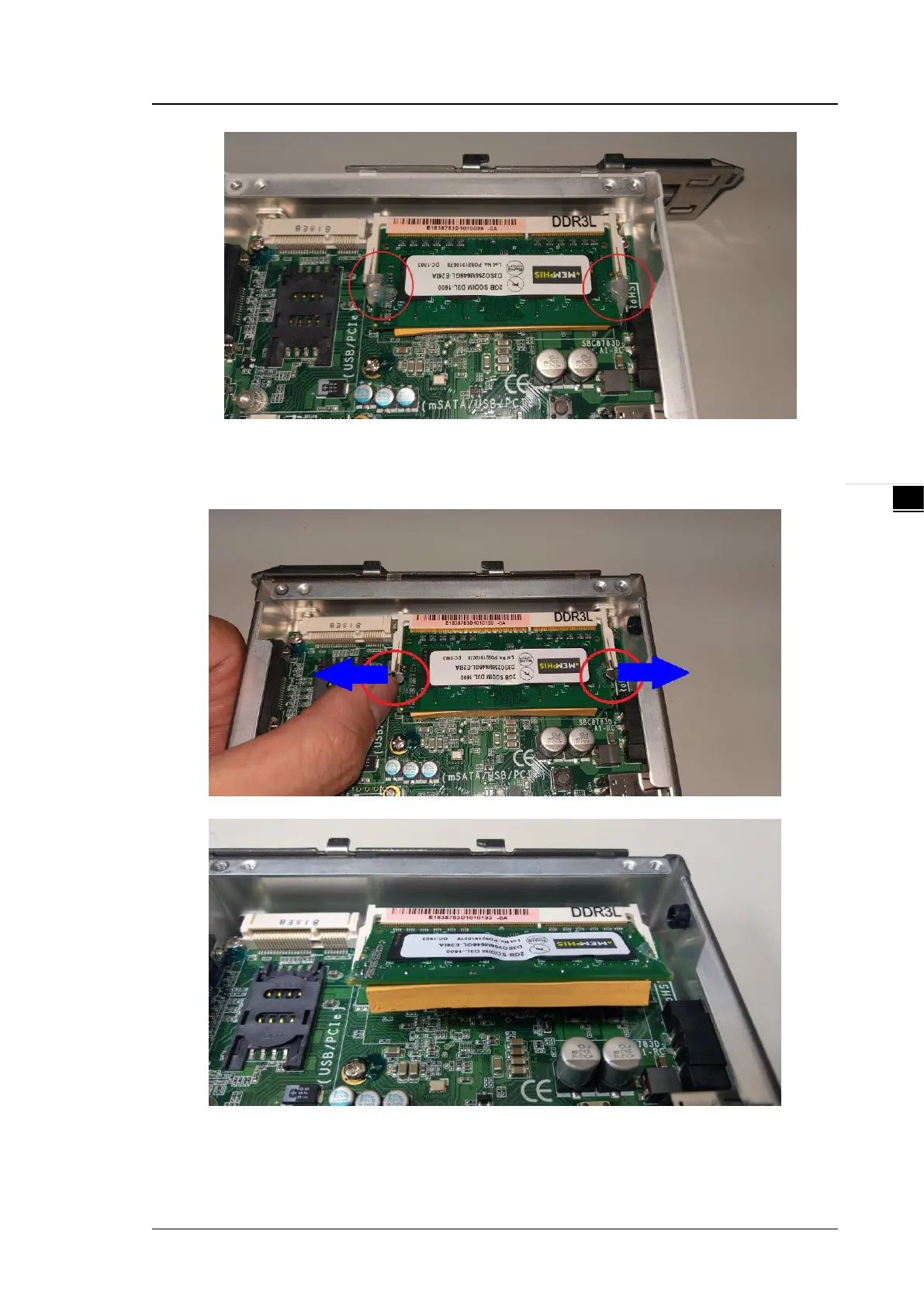
Step 4 “In the meantime”, the metal part of the clip is to be pulled outward and the RAM flicks
up in a slope angle to be pulled out.
Step 5 Insert and press the RAM firmly into the slot until it is seated. Then, check the clips are
clasped to the RAM edge on both sides.


 To Next Page