Delta Embedded System Operation Manual- E200 Series
4-2
4.1
Replace Memory (RAM)
✽ Any component replacement and repair of the host machine by users will lose the original product
guarantees.
The IPC-A300 series offers only one memory slot to increase memory capacity. Please refer to the
following steps to replace RAM:
Step 1 Turn off the system. When HDD and Power lights are OFF, disconnect
from the DC power system.
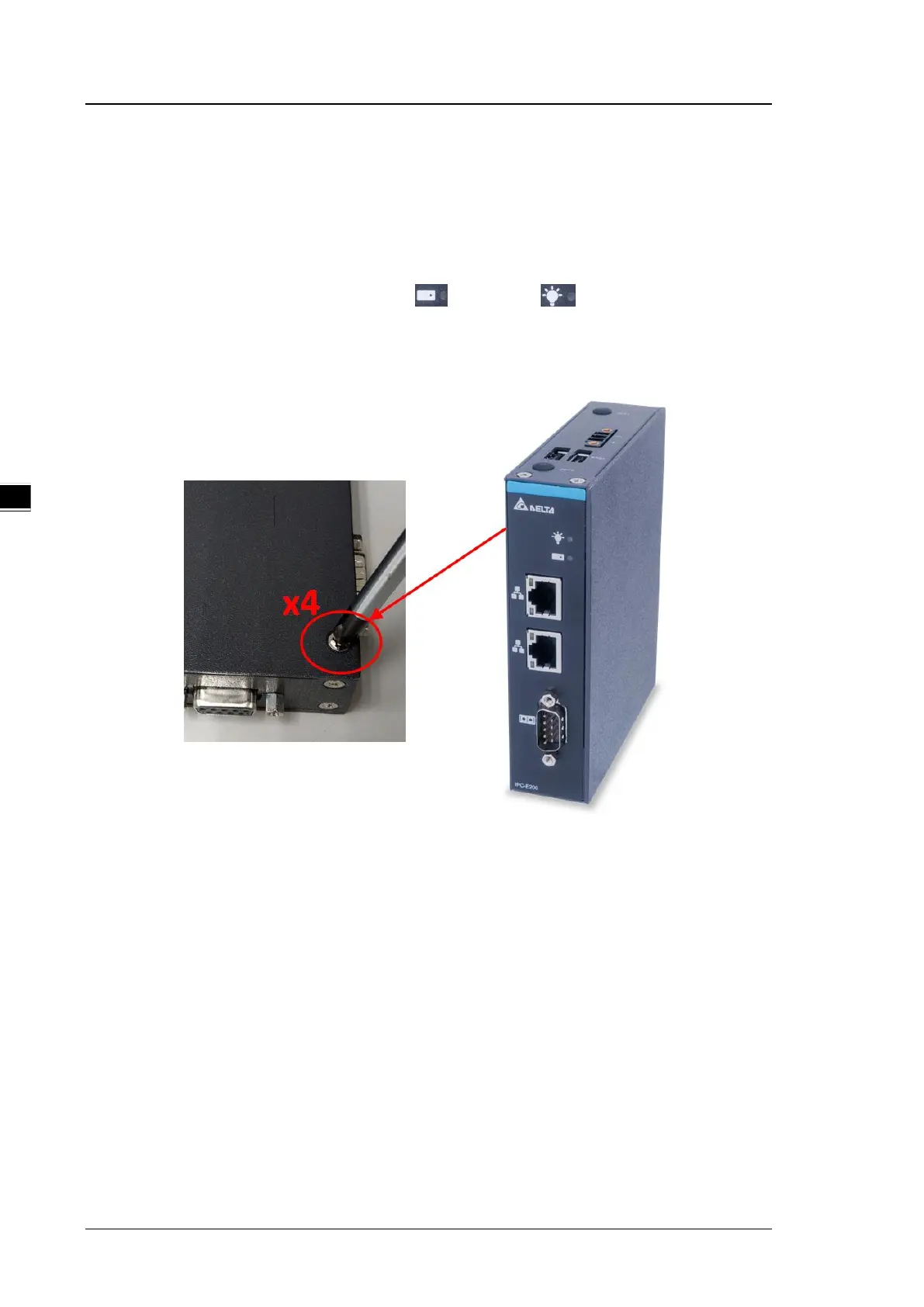
Step 2 Loosen all 4 screws to remove the side cover.
Step 3 Manually clear the fixing glue of the RAM clip. When using a blade, please do NOT
scrape RAM and avoid pulling the fixing glue so that the metal reed on the clips do not
come off.


 To Next Page