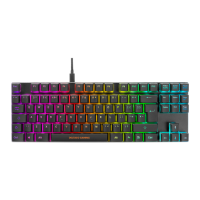
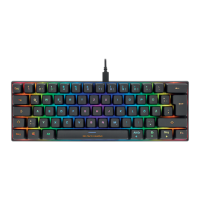
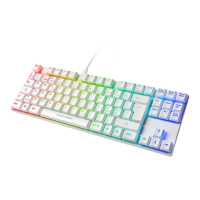
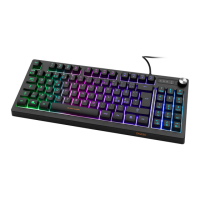
The DELTACO GAMING DK230 is a TKL (Tenkeyless) membrane gaming keyboard with a dedicated numpad, designed for gamers who prefer a compact layout without sacrificing the functionality of a full-sized keyboard. The keyboard features a vibrant RGB backlight with multiple modes and adjustable settings, enhancing the gaming experience with customizable aesthetics.
Function Description:
The DK230 keyboard offers a comprehensive set of functions accessible through key combinations and a rotary dimmer. The primary function of the keyboard is to provide a reliable and responsive input device for gaming and general computer use. The membrane switches offer a tactile feel while maintaining a quiet operation, suitable for various environments.
Key Combinations (FN + F-keys):
- FN + F1: Opens the media player, allowing quick access to your preferred music or video application.
- FN + F2: Decreases the volume, providing convenient audio control without leaving your game or application.
- FN + F3: Increases the volume, offering easy adjustment of audio output.
- FN + F4: Mutes or unmutes the sound, ideal for quickly silencing audio during interruptions or in-game communication.
- FN + F5: Stops media playback, giving you control over your media content.
- FN + F6: Skips to the previous song, useful for navigating playlists.
- FN + F7: Plays or pauses media, offering immediate control over audio and video.
- FN + F8: Skips to the next song, for seamless progression through your media.
- FN + F9: Opens the email program, providing quick access to your communication hub.
- FN + F10: Functions as the Home key, navigating to the beginning of a line or page.
- FN + F11: Locks or unlocks all keyboard keys, preventing accidental inputs during intense gaming sessions or when stepping away from the computer.
- FN + F12: Opens the calculator, a handy tool for quick calculations.
Additional Key Functions:
- FN + Windows key: Locks or unlocks the Windows key, preventing accidental presses that could minimize your game.
- FN + Rotary Dimmer Press: This combination allows you to switch between controlling the sound volume and adjusting the LED speed/brightness. The current mode of the rotary dimmer is indicated by two LEDs located next to it, providing clear visual feedback.
Backlight Modes:
The DK230 features an integrated RGB backlight system with several customizable modes:
- Pressing the Rotary Dimmer: Cycles through different backlight states:
- Backlight on
- Change LED mode (various pre-programmed lighting effects)
- Backlight off
- Turning the Rotary Dimmer: Adjusts either the LED speed or LED brightness, depending on the current LED mode. This allows for fine-tuning the visual effects to match your preference.
- Sound Volume Control: If the rotary dimmer is in sound volume mode (selected via FN + rotary dimmer press), turning it will adjust the sound volume, providing an alternative to the FN + F2/F3 keys.
Usage Features:
- Connectivity: The keyboard connects to your device (e.g., a computer) via a standard USB-A cable, ensuring broad compatibility and a stable connection.
- Compact Design: The TKL form factor, combined with a numpad, offers a balance between space-saving and full functionality, making it suitable for smaller desks or users who prefer a more ergonomic setup without sacrificing the numpad.
Maintenance Features:
- Cleaning: The product can be cleaned easily using a dry cloth. This simple maintenance routine helps keep the keyboard free from dust and debris, preserving its appearance and functionality.
Safety Instructions:
To ensure the longevity and safe operation of your DELTACO GAMING DK230 keyboard, please adhere to the following safety guidelines:
- Keep Dry: The product is not waterproof. It must be kept dry and away from all liquids to prevent damage to internal components.
- No Self-Repair: Do not attempt to open or repair the product yourself. Unauthorized modifications or repairs can void the warranty and potentially cause further damage or injury.
- Child Safety: Keep the product and its packaging out of reach of children. Small parts or packaging materials could pose a choking hazard or lead to other accidents.
- Avoid Physical Damage: Do not drop the product or expose it to shock damage. Impact can damage internal components, leading to malfunction.
Warranty and Support:
- Warranty Information: For detailed warranty information, please visit www.deltaco.eu.
- Product Support: More product information is available on www.deltaco.eu.
- Contact Support: For assistance, you can contact Deltaco support via e-mail at help@deltaco.eu (English only).
The DELTACO GAMING DK230 is designed to be a user-friendly and durable gaming keyboard, offering essential features for both casual and dedicated gamers. Its combination of a compact design, customizable RGB lighting, and convenient media controls makes it a versatile addition to any gaming setup.

 Need help?
 General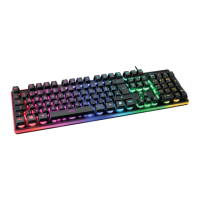


 To Next Page