
 Need help?
Do you have a question about the Deltaco Gaming DK440B and is the answer not in the manual?
Access special functions, media controls, and F1-F12 keys using FN key combinations.
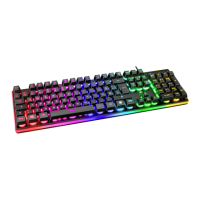
Customize backlight effects, speed, brightness, and color.
Connect via wired, 2.4GHz wireless, or Bluetooth.
Keyboard enters sleep mode after inactivity; charges via USB.
Optional RGB software and hardware compatibility details.
Details on backlight speed and brightness settings.
Explanation of the 20 available LED modes.
Connecting via USB-C cable or 2.4GHz receiver.
Pairing up to three devices via Bluetooth.
How the keyboard enters and exits sleep mode.
Details on maximum RF output and frequency.
Simplified EU declaration for wireless devices.
Guidance on proper disposal of electronic devices.
 General
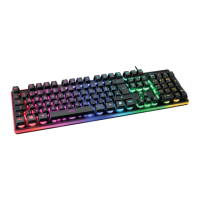
| Type | Gaming Keyboard |
|---|---|
| Backlight | RGB |
| Key Rollover | N-Key Rollover |
| Connection | Wired |
| Keyboard Layout | Nordic |
| Form Factor | Full-size |
| Interface | USB |
| Cable Length | 1.8 m |


 To Next Page