Guitar Multi
-
Effects Pedal
www.deltalabeffects.com
12
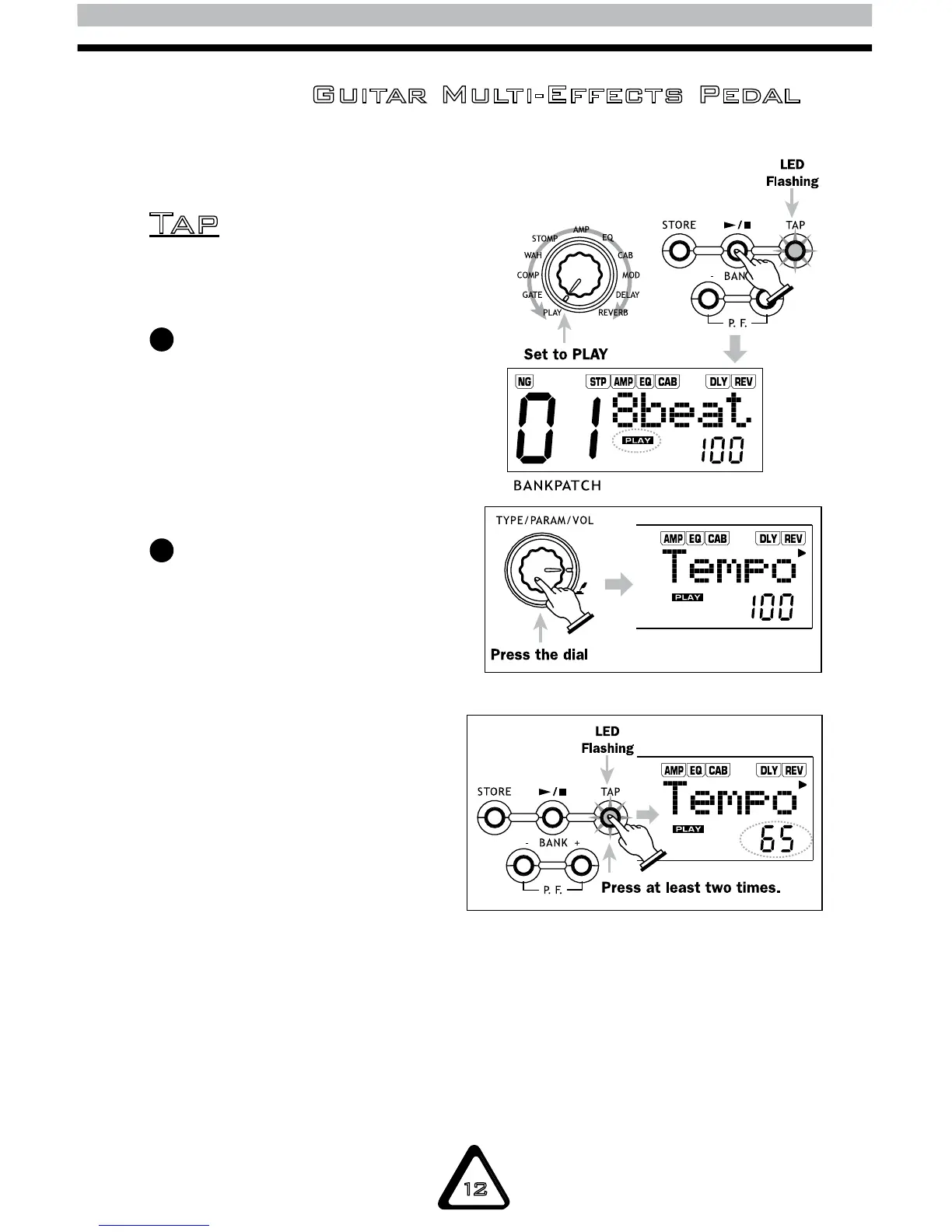
NOTE: The rhythm tempo can be adjusted
from 40 to 250 BPM (beats per minute).
To change the rhythm tempo,
turn the EFFECT SELECTION
knob to PLAY. Then, continuously
press the TYPE/PARAM/VOL
knob until you reach the TEMPO
parameter. Dial the knob to set
the tempo.
To manually adjust the tempo,
hit the TAP button at least
twice to set the tempo.
Ta p
1
2
NOTE: The first tap of the TAP button will
show the current tempo value on the LCD.
The DGFX1 will then automatically detect
the interval of the second and subsequent
key-presses, setting the tempo accordingly.


 To Next Page