24
/ USER'S GUIDE
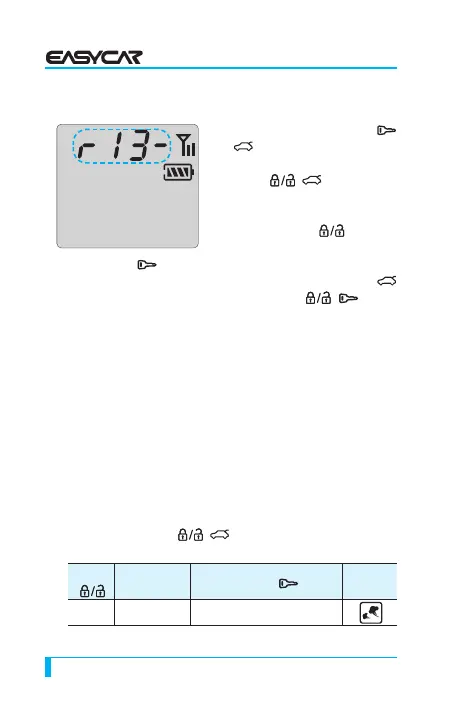
10. Reserved Time Change
① When you press the button (
+ ) for 2 seconds and release
and then continuously press the
button (
+ ) for 2 seconds
and release, the current time
flashes and ready to change.
②
If you press for 0.5
second, the hour changes
③ If you press for 0.5 second, the minute changes
④ After you adjust the current time, please press the button
for 0.5secound and release (or press ( + ) for 2
seconds and release), with the melody from the remote, the
setup is completed.
* If you want to get out of setup mode, stay for 7 seconds while
the current time blinks.
[ EASY Option Setup ]
You can make the opton change easily by looking at icons on
display.
①
Press the button ( + ) for 2 seconds and then release.
The siren chirps and the parking light flashes once.
Button
Option
Button
Icon
0 Time
Start Time
15 Min ↔ 25 Min



 To Next Page