© DENAFRIPS CO. LTD. & VINSHINE AUDIO PTE. LTD. (SINGAPORE)
ALL RIGHTS RESERVED
4.2 USB DRIVER INSTALLATION – WINDOWS OS
USB driver is required for Windows Operating System (Windows 7/8/8.1/10, X86/X64). The
USB driver is licensed by THESYCON to provide the highest quality audio playback for
Computer Audio System.
NOTE: Mac and Linux OS do not require the USB driver.
Installation Guide:
Download the driver from the support page: https://www.denafrips.com/support
Do not connect the USB cable from the computer to the DDC. Remove it before the
USB driver installation
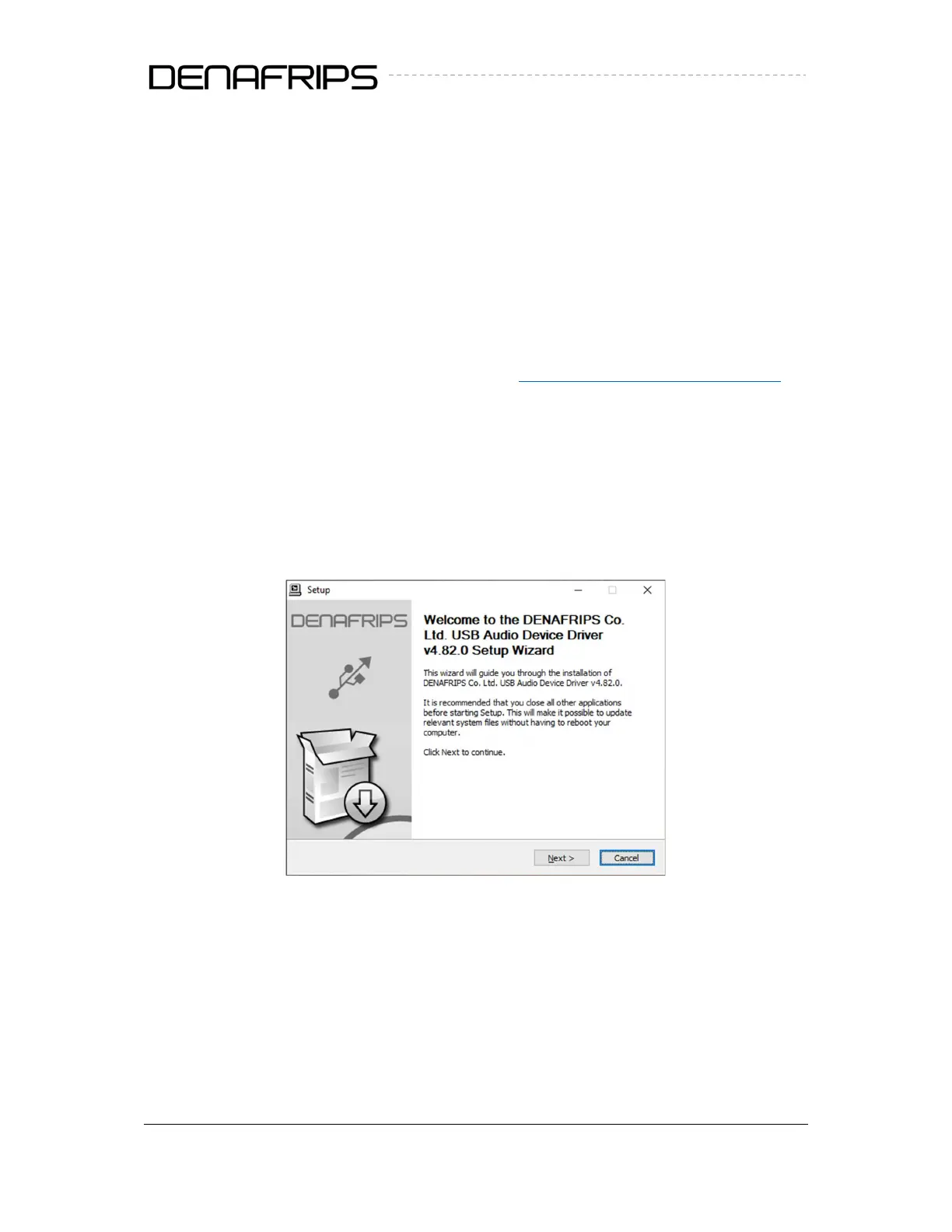
Double click the “DENAFRIPS_UsbAudio_v4.82.0” (or the latest version) to install the
USB driver.
Follow the on-screen instruction to complete the installation
Figure 3. Welcome screen



 To Next Page