EasyManua.ls Logo

DENAFRIPS HERMES DDC - User Manual

Default Icon
17 pages
Print Icon
To Next Page IconTo Next Page
Loading...
© DENAFRIPS CO. LTD. & VINSHINE AUDIO PTE. LTD. (SINGAPORE)
ALL RIGHTS RESERVED
V
2
.0
20th June 2021
HERMES
DDC
OWNER’S MANUAL
Question and Answer IconNeed help?

Do you have a question about the DENAFRIPS HERMES DDC and is the answer not in the manual?

Overview

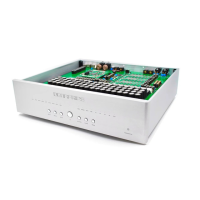
The DENAFRIPS HERMES DDC is a state-of-the-art Digital to Digital Converter designed for high-end audio systems, aiming to provide ultimate refinement in digital audio reproduction. It isolates and buffers digital signals, re-clocking them via a local Oven-Controlled Crystal Oscillator (OCXO) to produce ultra-low jitter digital output for external DACs.

Function Description:

The HERMES DDC acts as a bridge between digital audio sources (like computers or streamers) and a Digital-to-Analog Converter (DAC). Its primary function is to clean and re-clock the incoming digital audio signal, reducing jitter and improving the overall sound quality before it reaches the DAC. It supports various digital audio input formats and outputs the cleansed signal simultaneously through multiple digital output interfaces.

Important Technical Specifications:

  • AC Power: Worldwide AC Power Supported 110 - 230V, 50/60Hz. Minimum voltage ranges are 92V to 126V for 110VAC mains and 184V to 253V for 230VAC mains.
  • Power Consumption: Less than 30W.
  • Digital Input:
    • Coax SPDIF via RCA
    • TOSLink x 1
    • AES/EBU x 1
    • USB
  • External Clock Input: Supports 45.1584MHz and 49.152Mhz for synchronization with external master clocks like the DENAFRIPS TERMINATOR-II or TERMINATOR-PLUS.
  • Digital Output:
    • Coax SPDIF via RCA
    • TOSLink x 1
    • AES/EBU x 2
    • I²S HDMI LVDS Standard
    • I²S RJ45 LVCMOS Standard
  • Supported Format (DSD):
    • DSD64 All Input
    • DSD64 - DSD512 via USB & I²S Only
  • Supported Format (PCM):
    • 24bit/44.1, 48, 88.2, 96, 176.4, 192 kHz All Input
    • 44.1 – 768 kHz on USB & 44.1 – 384kHz on I²S Only
  • Dimensions: 330W x 240D x 50H mm (Feet +18mm).
  • Weight: 6.0kg.

Usage Features:

  • Digital Isolation: The HERMES Digital Signals are completely isolated by 50-Mbps high-speed photocouplers, leading to a lowered noise floor and high signal-to-noise ratio.
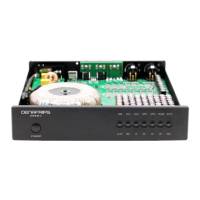
  • Oven-Controlled Crystal Oscillator (OCXO): Equipped with dual OCXOs operating at 45.1584Mhz and 49.152Mhz. These are housed in a metal casing at the DDC's center, designed for high-end audio with ultra-low phase-noise and accuracy. They are powered by an o-core transformer for constant current, ensuring superior linearity and stability.
  • Adaptive FIFO Buffer Reclocking: DENAFRIPS employs FIFO BUFFER RECLOCKING to address jitter. Source digital audio data is stored in memory and then read out using the ultra-low phase noise, ultra-accuracy OCXO within the DDC, effectively minimizing jitter.
  • Proprietary, State-of-the-Art USB Interface: Features a proprietary USB Audio Solution powered by an STM32F446 Advanced AMR Based MCU. DENAFRIPS has optimized the circuitry for high-end DDC use with computers/streamers, supporting 24bit/768kHz PCM data streams and native DSD processing up to DSD512. It includes a licensed THESYCON USB Driver for Windows. The USB module is designed to activate only when USB Input is selected to reduce cross-interference from other digital input interfaces.
  • Proprietary SPDIF Digital Audio Receiver: The SPDIF Coaxial, Optical, and AES/EBU inputs support up to 24bit/192kHz digital audio format. The HERMES bypasses traditional Digital Audio Receiver chips; digital data is decoded by an on-board FPGA (Field Programmable Gate Array), shortening the signal path and eliminating undesirable coloration.
  • DDC Architecture:
    • Digital Signal Processing: All digital input data are stored in the on-board FPGA high-speed RAM.
    • OCXO: Data is read from memory using the ultra-low phase noise, super accurate OCXO.
    • Digital Outputs: Cleansed, ultra-low jitter data are output simultaneously via multiple digital output interfaces to an external DAC.
  • Clock In: Supports external clock input at 45.1584Mhz and 49.152Mhz, allowing synchronization with DENAFRIPS TERMINATOR-II or TERMINATOR-PLUS DACs for enhanced sonic performance.
  • Quick Start Guide:
    • Setup Button: Used to enter configuration mode to enable/disable the CLOCK-IN feature. Press once to enter, press OPT button twice to toggle CLOCK light (on for enable, off for disable), and press Setup again to save and exit.
    • Input Selection Button: Allows selection of USB, OPT, AES, or COAX inputs.
    • Digital Audio Signal Input Sampling Rate LED Status: LEDs indicate the input sampling rate (e.g., 44.1K, 88.2K, 176.4K, 352.8K, 705.6K for 44.1 kHz base; 48K, 96K, 192K, 384K, 768K for 48 kHz base; and DSD 64, 128, 256, 512 for DSD).
    • I²S Pinout Configuration: Accessible via the Setup button and COAX button, allowing users to configure I²S pinout settings. The 48K, 96K, 192K LEDs display a binary pattern (000-111) to denote the selected mode.
  • USB Driver Installation (Windows OS): Requires a licensed THESYCON USB Driver for Windows. The manual provides a step-by-step guide for installation, including downloading the driver, connecting the USB cable, powering on the DDC, and monitoring driver status via the Taskbar & Control Panel. It also suggests recommended playback software like Roon, JRiver, Foobar2000, and SonicStudio Amarra.

Maintenance Features:

  • Unpacking: Unpack the DDC carefully.
  • Positioning: Position the DDC on a stable, horizontal surface, such as a sturdy rack.
  • Power Connection: Connect the AC power cord with an earth (ground) pin unless it's necessary to reduce hum from ground loops. Always ensure the mains supply is turned off when connecting/disconnecting audio equipment.
  • Cable Management: Position power cords and signal interconnects to prevent trip and fall hazards.
  • Environmental Precautions: Do not use near water or place water-filled containers on the DDC. Avoid direct sunlight or heat sources.
  • Internal Access: Do not remove covers or attempt to access the inside; there are no user adjustments or fuses.
  • Cleaning: Clean regularly with a damp soft cloth. Avoid cleaning agents that might damage the surface finish.
  • Lightning Protection: Disconnect mains plugs during electrical storms to protect the audio system from potential damage.
  • Warranty: The DENAFRIPS HERMES comes with a 36-month warranty from the date of purchase/delivery.
    • First 30 Days: DENAFRIPS covers both-way shipping fees for defective units.
    • Within 1st Year: Customer covers one-way shipping fee; DENAFRIPS covers the return shipping fee.
    • Within Warranty Period: Customer covers both-way shipping fee; DENAFRIPS repairs at no charge.
    • Out of Warranty: Customer covers both-way shipping cost; DENAFRIPS provides repair/maintenance services at cost.

DENAFRIPS HERMES DDC Specifications

General IconGeneral
BrandDENAFRIPS
ModelHERMES DDC
CategoryMedia Converter
LanguageEnglish

Related product manuals