EasyManua.ls Logo

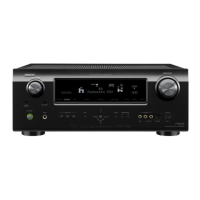
Denon AVR-550SD - User Manual

Denon AVR-550SD
96 pages
Print Icon
To Next Page IconTo Next Page
Loading...
AV SURROUND RECEIVER
AVR-550SD
OPERATING INSTRUCTIONS
BEDIENUNGSANLEITUNG
MODE D’EMPLOI
ISTRUZIONI PER L’USO
INSTRUCCIONES DE OPERACION
GEBRUIKSAANWIJZING
BRUKSANVISNING
SPEAKER SYSTEM PACK
SYS-550SD
AV SURROUND RECEIVER
AVR-550SD
FOR ENGLISH READERS PAGE 002 ~ PAGE 046
FÜR DEUTSCHE LESER SEITE 047 ~ SEITE 090
POUR LES LECTEURS FRANCAIS PAGE 091 ~ PAGE 134
PER IL LETTORE ITALIANO PAGINA 135 ~ PAGINA 178
PARA LECTORES DE ESPAÑOL PAGINA 179 ~ PAGINA 222
VOOR NEDERLANDSTALIGE LEZERS PAGINA 223 ~ PAGINA 266
FOR SVENSKA LÄSARE SIDA 267 ~ SIDA 310
SPEAKER SYSTEM PACK
SYS-550SD

Other manuals for Denon AVR-550SD

Questions and Answers

  • S
    Selena SchmittAug 16, 2025
    Why is my Denon AVR-550SD Stereo Receiver display lit but no sound is produced?
    • A
      Amy LoganAug 16, 2025
      If the display is lit but no sound comes from your Denon Stereo Receiver, there are several potential causes: * The speaker cords might not be securely connected; ensure they are. * The audio function button may be in the wrong position; adjust it accordingly. * The volume control could be set to the minimum; increase the volume. * MUTING might be activated; switch it off. * If you've selected a digital input, ensure digital signals are actually being input, or select the correct input jacks.
  • R
    robert62Aug 19, 2025
    What to do if active subwoofer (DSW-3L) LED flashes and no sound is produced on Denon AVR-550SD?
    • E
      Eric WardAug 19, 2025
      If your Denon Stereo Receiver isn't producing any sound and the LED on your active subwoofer (DSW-3L) is flashing, it indicates that the protective circuit has been activated due to excess input or a rise in temperature. Set the power switch to the “OFF” position, wait at least 1 minute, then set the power switch back to the “ON” position. If the problem persists, unplug the AC power cord from the AC power outlet and contact your store of purchase.
  • M
    Michael FischerAug 22, 2025
    How to fix Denon AVR-550SD Stereo Receiver if active subwoofer (DSW-3L) LED does not light and no sound is produced?
    • J
      Jessica ValenzuelaAug 22, 2025
      If your Denon Stereo Receiver's active subwoofer (DSW-3L) LED does not light and no sound is produced when the power is turned on, check the connection of the AC power plug.
  • C
    Christine MitchellAug 25, 2025
    Why is there no sound and the display is not lit on my Denon Stereo Receiver?
    • A
      alexanderpaulAug 26, 2025
      If you're not getting any sound from your Denon Stereo Receiver and the display isn't lit when you turn the power switch on, make sure the power cord is securely plugged in.
  • J
    Jeff CrawfordAug 27, 2025
    What to do if Denon AVR-550SD Stereo Receiver active subwoofer (DSW-3L) LED lights but no sound is produced?
    • A
      Anne VillaAug 28, 2025
      If the active subwoofer (DSW-3L) LED lights but no sound is produced from your Denon Stereo Receiver, check that the cords are securely connected and that the volume adjustment control is not turned all the way down. Adjust the volume control to the desired position.
  • R
    Roberta SmithAug 30, 2025
    What to do if Denon Stereo Receiver remote control is not working?
    • K
      kennethmccartyAug 30, 2025
      If your Denon Stereo Receiver remote control isn't working properly, here are a few things to check: 1. The batteries may be dead. Replace them with new ones. 2. You might be too far from the unit. Move closer. 3. There could be an obstacle blocking the signal. Remove it. 4. Make sure you're pressing the correct button. 5. Verify that the batteries are inserted correctly, with the positive and negative ends in the right direction.
  • J
    Jennifer MunozSep 2, 2025
    Why is the display not lit and power indicator flashing rapidly on my Denon AVR-550SD?
    • A
      Alicia HarrisSep 2, 2025
      If the display of your Denon Stereo Receiver isn't lit and the power indicator is flashing rapidly, it could be due to a short-circuited speaker terminal or blocked ventilation holes, or the unit is operating at continuous high power conditions and/or inadequate ventilation. First, switch off the power and ensure the speakers are properly connected. Then, make sure the ventilation holes are not blocked and allow the unit to cool down before switching it back on.
  • S
    Samuel DavisSep 4, 2025
    Why is the sound distorted on my Denon Stereo Receiver's active subwoofer (DSW-3L)?
    • H
      Hannah RhodesSep 4, 2025
      If you're hearing distorted sound from the active subwoofer (DSW-3L) connected to your Denon Stereo Receiver, it might be because the volume level is too high. Try turning the volume adjustment control counterclockwise to lower the volume. Also, check if the sound is being distorted on the connected amplifier; if so, avoid amplifying the bass sound on the amplifier by lowering the amplifier’s bass adjustment control or volume.
  • E
    emma80Sep 7, 2025
    Why is there oscillation (loud continuous sound produced) from Denon Stereo Receiver active subwoofer (DSW-3L)?
    • C
      Carrie MercadoSep 7, 2025
      If you're experiencing oscillation (a loud, continuous sound) from your Denon Stereo Receiver's active subwoofer (DSW-3L), it's likely that the volume of either the active subwoofer or the amplifier is set too high. Try lowering the volume of both.
  • M
    Mrs. Megan SimmonsSep 10, 2025
    Why is sound produced only from one channel on my Denon AVR-550SD Stereo Receiver?
    • R
      Randy BriggsSep 12, 2025
      If the sound is only coming from one channel on your Denon Stereo Receiver, the speaker cords or input/output cords may not be completely connected. Ensure that all connections are secure.

Summary

Safety Precautions and Declarations

General Safety Warnings

General warnings regarding electrical shock, moisture, and proper handling of the unit.

Initial Setup Steps

Step 1: Component Placement and Connection

Choose optimal location for speakers and connect all components.

Step 3: System Configuration

Perform the final system setup procedures.

Speaker System Configuration

Speaker System Layout Guide

Diagram illustrating the basic placement of speaker systems for optimal sound.

Remote Control Unit Overview

Setup and Navigation Controls (System, Surround, Parameters, Display, Cursor)

Controls for system setup, surround settings, display, and menu navigation.

Connecting Audio Components

Subwoofer Connection

How to connect the internal amplifier's subwoofer to the unit.

Digital Audio Connection (Optical;Coaxial)

Using digital jacks for audio connections with digital output equipment.

Connecting Video Components

Connecting TV or DBS Tuner

Connecting video and audio signals from TV or DBS tuners.

Connecting DVD;Video Disc Player

Connecting video and audio signals from DVD players.

Connecting Monitor TV

Connecting the unit's monitor output to a TV for display.

Connecting Component Video Sources

Connecting DVD Player (Component Video)

Connecting DVD player's component video output to the unit's component input.

Connecting Monitor TV (Component Video)

Connecting the unit's component video output to a TV's component video input.

Antenna Connections

Connecting FM and AM antennas for radio reception.

Connecting External Input Sources

EXT. IN Jack Usage

Connecting multi-channel audio signals from outboard decoders or advanced audio players.

Speaker System Wiring

Guidelines for connecting speaker terminals, including polarity and impedance.

Connecting Speaker Systems

Speaker Jack Connections

Connecting subwoofers, surround back speakers, and other speaker types.

Remote Control Unit Operation

System Setup Procedures

Speaker Configuration Settings

Setting speaker types, sizes, and subwoofer presence for optimal output.

Subwoofer Mode Selection

Selecting the subwoofer mode for deep bass signal playback.

Crossover Frequency Adjustment

Setting the frequency below which bass sound is output from the subwoofer.

Speaker Delay Time Setup

Adjusting delay time for audio signals based on speaker distance.

Channel Level Adjustment

Adjusting volume levels for individual channels for optimal balance.

Digital Input Source Assignment

Assigning digital input jacks to specific input sources.

Video Input Assignment

Assigning component video input jacks to specific input sources.

Speaker Type and Size Configuration

Surround Back Speaker Configuration

Details on setting up surround back speakers for 5.1 or 6.1 channel systems.

Subwoofer and Crossover Frequency Settings

Subwoofer Mode and Crossover Parameters

Selecting subwoofer mode and setting crossover frequency for optimal bass response.

Setting the Delay Time

Delay Time Measurement Preparations

Measuring speaker distances from the listening position for delay time setup.

Channel Level Calibration

Automatic Channel Level Calibration

Using test tones to automatically adjust channel levels for optimal balance.

Manual Channel Level Calibration

Manually adjusting channel levels using test tones for precise balance.

Digital Input Source Assignment

Selecting Digital Input Jacks

Assigning specific digital input jacks (Coaxial, Optical) to input sources.

Selecting Input Sources for Digital Assignment

Choosing the input source to assign to the selected digital input jack.

Component Video Input Assignment

Assigning Component Video Terminals

Assigning component video input terminals to specific input sources.

Selecting Input Sources for Video Assignment

Choosing the input source to assign to the component video input.

Auto Surround Mode Configuration

External Input Subwoofer Level Setting

Automatic FM;AM Tuner Presets

Manual Radio Tuning

Storing and Recalling Radio Presets

Operating DENON Audio Components

Remote Control Preset Memory Programming

Operating Components via Preset Memory

Operating the AVR-550 SD

Pre-Operation Checks

Verifying connections and proper setup before turning on the unit.

Powering On the Unit

Instructions for turning on the main unit's power.

Selecting and Playing Input Sources

Selecting the Input Source

Choosing the source device (e.g., DVD, TV) to play.

Selecting the Input Mode

Choosing the signal processing mode (AUTO, PCM, DTS, ANALOG, EXT. IN).

Playing Sources via External Input (EXT. IN)

Setting External Input Mode

Selecting the EXT. IN mode for external decoder input.

Selecting Playback Modes

Audio Source Playback Modes

Post-Playback Adjustments

Surround Function Setup

Selecting Dolby;DTS Surround Modes

Choosing Dolby Pro Logic II, Dolby Digital, or DTS surround modes.

Initiating Speaker Test Tones

Pressing the TEST TONE button to output speaker calibration tones.

Adjusting Speaker Levels with Test Tones

Adjusting speaker volume levels to match test tones for balanced sound.

Dolby Digital and DTS Surround Setup

Selecting Input Source for Digital Audio

Choosing a digital input source (Coaxial/Optical) for playback.

Setting Input Mode for Digital Sources

Selecting AUTO, PCM, or DTS input mode for digital audio signals.

Selecting Dolby;DTS Surround Playback

Choosing specific Dolby or DTS surround modes for playback.

Playing Dolby Digital or DTS Sources

Playing program sources marked with Dolby Digital or DTS logos.

Surround Parameter Menu Navigation

Setting Dolby Surround Pro Logic II Modes

Selecting Cinema, Music, or Game modes for Pro Logic II/IIx processing.

Selecting Surround Parameter Modes

Choosing specific surround parameter modes like Cinema EQ or Dynamic Range Compression.

Optimizing Source Playback Modes

Adjusting Various Surround Parameters

Selecting Surround Parameters

Choosing specific parameters like Room Size, Effect Level, or Delay Time.

DTS NEO:6 Surround Mode

Choosing DTS NEO:6 Playback Mode

Selecting Cinema or Music mode for DTS NEO:6 surround.

Selecting DTS NEO:6 Surround Parameters

Adjusting parameters like Cinema EQ or Tone Defeat for DTS NEO:6.

Advanced Surround Parameter Adjustments

Surround Parameters: Pro Logic II Modes

Detailed settings for Pro Logic IIx modes: Cinema, Music, Game, Panorama, Dimension, Center Width.

Surround Parameters: DTS NEO:6 Modes

Details on DTS NEO:6 Cinema and Music modes, including parameter adjustments.

Surround Parameters: Processing and Effects

Detailed settings for Cinema EQ, D.COMP, LFE, Tone, AFDM, and SB CH OUT.

Dolby Virtual Speaker Technology

Dolby Virtual Speaker Features

Accurate surround sound positioning and multi-channel program playback.

Playing Dolby Digital;DTS with Virtual Speaker

Selecting Input Source for Virtual Speaker

Choosing the input source for Virtual Speaker playback.

Setting Input Mode for Virtual Speaker

Selecting AUTO, PCM, or DTS input mode for Virtual Speaker.

Selecting Dolby Virtual Speaker Mode

Activating the Dolby Virtual Speaker mode for virtual surround sound.

Surround Parameters for Dolby Virtual Speaker

Setting Dolby Virtual Speaker Modes

Choosing between Reference and Wide modes for virtual surround.

2-Channel Mode Settings

Selecting Virtual Speaker Mode for 2-Channel

Setting the Virtual Speaker mode for 2-channel audio sources.

Configuring 2-Channel Modes

Selecting Virtual 1 or Virtual 2 modes for 2-channel playback.

DSP Surround Simulation Modes

DSP Surround Mode Features

Description of various DSP surround modes like Stereo, Mono Movie, Rock Arena.

Surround Parameters: Virtual Modes

Details on Virtual 1 and Virtual 2 modes for 2-channel sources.

Operating DSP Surround Simulation

Selecting DSP Surround Mode

Choosing the desired surround mode from the available DSP simulation options.

Entering Surround Parameter Settings

Accessing the parameter settings for the selected DSP surround mode.

Adjusting DSP Surround Parameters

Adjusting parameters like Room Size, Effect Level, and Delay Time.

Surround Mode Compatibility and Adjustments

Dolby Headphone Mode Playback

Dolby Headphone Parameters: Modes and Decoder

Settings for Dolby Headphone modes (DH1-DH3, Bypass) and decoder selection.

Connecting Headphones

Connecting headphones to the unit's jack; speaker output is muted.

Adjusting Dolby Headphone Surround Parameters

Adjusting parameters like Dolby H mode and 2-channel mode settings.

Radio Tuning and Presets

Automatic Radio Tuning

Automatically searching for and storing FM/AM radio stations.

Recalling Preset Radio Stations

RDS Station Search

Program Type (PTY) Station Search

Traffic Program (TP) Station Search

Using the Sleep Timer

Microprocessor Initialization Procedure

Using the SYS-550 SD Speaker System

Speaker System Installation Cautions

Cautions regarding sound quality, placement, and potential TV color blotching.

Active Subwoofer Installation Cautions

Subwoofer Crossover Adjustment

Subwoofer Volume Adjustment

Subwoofer Connection Precautions

Connecting Subwoofer Line Input

Connecting the subwoofer's line input to the AV amplifier's pre-out.

Connecting Speaker Terminals

Detailed Speaker Terminal Connection Steps

Step-by-step guide for connecting speaker wires to terminals.

Operating the Active Subwoofer

Powering On the Active Subwoofer

Instructions for turning the active subwoofer's power switch ON.

Adjusting Subwoofer Volume

Using the volume adjustment control to set the subwoofer's volume.

Additional Information on Surround Sound

Surround Back Speaker Setup and Effects

Speaker Setup Examples

DTS-ES System Setup (with Surround Back Speakers)

Basic setting for primarily watching movies with DTS-ES systems.

Speaker Setup Without Surround Back Speakers

Speaker placement examples when not using surround back speakers.

Dolby Digital Media and Playback

DTS Digital Surround Format Overview

DTS Media and Playback Methods

DTS-ES Extended Surround Format

DTS-ES Discrete 6.1 Format

Newest DTS format with 6.1 channels recorded independently.

DTS-ES Matrix 6.1 Format

DTS format using matrix encoding for SB channel signals.

DTS Neo:6 Surround Mode Operation

DTS Neo:6 Cinema Mode

Optimum mode for playing movies with DTS Neo:6.

DTS Neo:6 Music Mode

Mode suited for playing music with DTS Neo:6.

DTS 96;24 Format Details

Dolby Headphone Technology

Troubleshooting Common Issues

Initial Troubleshooting Checks

Basic checks to perform before troubleshooting specific problems.

Troubleshooting Audio Playback Issues

Table listing common audio playback problems, causes, and solutions.

AVR-550 SD Specifications

AVR-550 SD Audio Specifications

Technical specifications for the audio section, including power output and frequency response.

SYS-550 SD Speaker System Specifications

SC-A3 L Satellite Speaker Specifications

Specifications for the SC-A3L satellite speakers.

SC-C3 L Center Speaker Specifications

Specifications for the SC-C3L center speaker.

DSW-3 L Active Subwoofer Specifications

Specifications for the DSW-3L active subwoofer, including power and dimensions.

Denon AVR-550SD Specifications

General IconGeneral
BrandDenon
ModelAVR-550SD
CategoryStereo Receiver
LanguageEnglish

Related product manuals