EasyManua.ls Logo

Denon AVR-5800 - User Manual

Denon AVR-5800
67 pages
Print Icon
To Next Page IconTo Next Page
Loading...
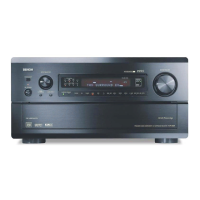
AV SURROUND RECEIVER
AVR-5800
OPERATING INSTRUCTIONS
MASTER VOLUME
REMOTE SENSOR
ON / STANDBY
INPUT SELECTOR
HOME
THX CINEMA
PURE DIRECT
VOLUME LEVEL
AL24
RF
LOCK
DIGITAL
AUTO
PCM
DTS
INPUTSIGNAL
INPUT MODE
TUNER DVD VDP TV DBS / SAT VCR-1 VCR-2 VCR-3
V. AUX
CDR /TAPE-1
MD /TAPE-2
PHONO CD
SURROUND SPEAKER
BA
SURROUND
BACK CH
OUTPUT
SIGNAL
DETECT
PHONES
DIRECT STEREO
ANALOG EXT. IN
DOLBY
SURROUND
DTS
SURROUND
WIDE
SCREEN
CINEMA /
MUSIC
6.1 / 7.1
SURROUND
VIDEO
ON / OFF
STATUS
M-ZONE 1
FUNCTION CONTROL
INPUT
MODE
5CH / 7CH
STEREO
DSP
SIMULATION
TONE
DEFEAT
MODE
SELECT
REC /
M-ZONE 2
SURROUND MODE
INPUT REC SELECT / M-ZONE
MULTI FUNCTION
AVR-5800
PRECISION AUDIO COMPONENT / AV SURROUND RECEIVER
¥
))
2
We greatly appreciate your purchase of the AVR-5800.
2
To be sure you take maximum advantage of all the features the AVR-5800 has to offer, read these instructions
carefully and use the set properly. Be sure to keep this manual for future reference should any questions or
problems arise.
“SERIAL NO.
PLEASE RECORD UNIT SERIAL NUMBER ATTACHED TO THE REAR OF THE
CABINET FOR FUTURE REFERENCE”

Other manuals for Denon AVR-5800

Questions and Answers

  • M
    Marie WrightAug 12, 2025
    Why is there no sound coming from my Denon Stereo Receiver even though the display is on?
    • B
      Bryan BoyerAug 12, 2025
      If your Denon Stereo Receiver's display is lit but no sound is coming out, there are several potential causes: * Check if the speaker cords are securely connected and connect them securely if needed. * Ensure the input source selector button is in the correct position. Switch to the proper position. * Verify the volume control is not set to the minimum. Turn the volume up to a suitable level. * Make sure MUTING is switched off. * Confirm a digital signal is being input. Properly select a digital signal input source. * Check if the Speaker A or B button is set to “OFF”. Set the button for the connected speaker terminals to “ON”.
  • J
    Joshua KlineAug 16, 2025
    Why is my Denon AVR-5800 Stereo Receiver not producing sound from the subwoofer?
    • J
      John JonesAug 16, 2025
      If you're not getting any sound from your subwoofer with your Denon Stereo Receiver, check these things: * Make sure the subwoofer's power is turned on. * Check the subwoofer's initial setting and ensure it is set to “YES”.
  • P
    pmaddoxAug 20, 2025
    How to fix no DTS sound on Denon AVR-5800 Stereo Receiver?
    • A
      Antonio WrightAug 20, 2025
      If you're not getting any DTS sound from your Denon Stereo Receiver, here's what to check: * Ensure the DVD player’s audio output setting is set to bit stream by checking the DVD player’s initial settings. * Verify that your DVD player is DTS-compatible. Use a DTS-compatible player if needed. * Confirm the AVR-5800’s input setting is set to AUTO or DTS, not analog.
  • J
    Jon HollandAug 25, 2025
    Why are there no sound from surround speakers on my Denon Stereo Receiver?
    • D
      daviddawsonAug 25, 2025
      If you're not hearing any sound from the surround speakers on your Denon Stereo Receiver, it might be because the surround mode is set to “STEREO”. Set it to a mode other than “STEREO”.
  • K
    Karina LevineAug 27, 2025
    Why is my Denon AVR-5800 Stereo Receiver display not lit and no sound is produced when the power switch is on?
    • E
      Erica MaloneAug 27, 2025
      If the display is not lit and no sound is produced when you turn on your Denon Stereo Receiver, check the insertion of the power cord plug to ensure it is plugged in securely.
  • M
    monique04Aug 31, 2025
    What to do if my Denon Stereo Receiver remote control is not working?
    • J
      jason03Aug 31, 2025
      If your Denon Stereo Receiver remote control isn't working properly, here's what you can check: 1. Replace the batteries with new ones if they are dead. 2. Move closer to the unit if you are too far away. 3. Remove any obstacles between the remote and the unit. 4. Ensure you are pressing the correct button. 5. Verify the batteries are inserted correctly, with the < and > ends in the proper orientation.
  • C
    carl24Sep 3, 2025
    What to do if nothing is displayed on the monitor when using my Denon AVR-5800?
    • A
      Andrew AguilarSep 3, 2025
      If your Denon Stereo Receiver isn't displaying anything on the monitor, try these steps: * Check that the AVR-5800’s video output jacks and the monitor’s input jacks are properly connected and correct the connections if needed. * Set the TV’s input selector to the jacks to which video signals are connected; the monitor TV’s input setting might be wrong. * Unify the connections of the various component’s video signals to composite or S jack.
  • T
    tanner39Sep 7, 2025
    How do I enable Dolby Digital for LDs on my Denon Stereo Receiver?
    • S
      Stephen ShepardSep 7, 2025
      To get Dolby Digital sound with LDs on your Denon Stereo Receiver, connect the LD player’s Dolby Digital RF output to the AVR-5800’s Dolby Digital RF input jacks.

Summary

Safety Precautions and Handling

General Safety Warnings

Provides essential safety cautions and warnings for operating the AV receiver.

Safety Instructions

General Safety Guidelines

Comprehensive instructions covering operation, installation, environment, and servicing safety.

Introduction and Initial Setup

Connections Guide

Speaker System Setup

Speaker System Connections

Guidance on connecting speakers, including polarity matching and impedance.

System Setup Procedures

Setting Up the System

Guides the user through the initial system setup process using the on-screen display.

Speaker Configuration and Settings

Setting the Type of Speakers

Instructions for configuring speaker types (Large/Small) and connections.

Selecting Surround Speakers and Subwoofer Mode

Guide to selecting surround speakers for different modes and setting the subwoofer mode.

Audio Delay and Zone Settings

Setting the Delay Time

Procedure to set speaker delay times based on listening position distances.

Channel Level and Subwoofer Settings

Setting the Channel Level

Guide to adjusting playback levels for individual channels using test tones.

Subwoofer Peak Limit Level Setting

Procedure to set the maximum bass level to prevent distortion and damage.

Basic Operation and Playback

Playing the Input Source

Guide to selecting input sources and input modes (Auto, PCM, DTS, Analog, EXT. IN).

Audio Playback Modes

Playing Audio Sources (CDs and DVDs)

Explanation of playback modes like PURE DIRECT, DIRECT, and STEREO.

Surround Sound Functionality

Before Playing with Surround Function

Adjusting speaker levels using test tones before engaging surround modes.

Surround Mode Selection

Playing Modes for Different Sources

Recommendations for selecting surround modes based on source content (movies, music).

THX and Dolby;DTS Surround Modes

THX Surround EX; Home THX Cinema Mode

Setting THX modes for Dolby Pro Logic, Dolby Digital, and DTS sources.

Dolby Digital and DTS Surround Playback

Instructions for playing Dolby Digital and DTS sources with digital inputs.

Troubleshooting Guide

Troubleshooting Common Issues

A table listing symptoms, causes, and measures for common operational problems.

Additional Information on Surround Sound

Optimum Surround Sound for Different Sources

Guidance on selecting surround sound based on source types like movies and audio.

Speaker Setting Examples

Practical examples for setting up speakers for movies, music, and different surround systems.

Surround Sound Formats

Dolby Surround and Dolby Digital

Explanation of Dolby Digital, its channels, and compatibility with media.

Dolby Pro Logic and DTS Digital Surround

Details on Dolby Pro Logic and DTS formats, including media compatibility.

DTS-ES Extended Surround and DTS Neo:6

Information on DTS-ES formats (Discrete 6.1, Matrix 6.1) and DTS Neo:6 surround.

THX Cinema Surround Mode

Home THX Cinema Surround Mode

Explanation of THX standards, Re-Equalization, Timbre Matching, and Adaptive Decorrelation.

Specifications

Audio and Video Specifications

Technical details of the amplifier, audio inputs/outputs, video, and tuner sections.

Denon AVR-5800 Specifications

General IconGeneral
Channels7.1
Total Harmonic Distortion (THD)0.05%
Frequency Response10 Hz - 100 kHz
Input Sensitivity200 mV
Signal-to-Noise Ratio100 dB
TypeAV Receiver
Component Video Inputs3
Phono InputYes
Dimensions (W x H x D)17.1 x 7.6 x 17.9 inches
Digital Audio Inputs5 (3 coaxial, 2 optical)

Related product manuals