EasyManua.ls Logo

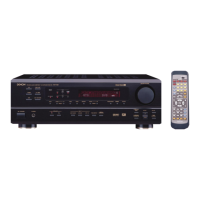
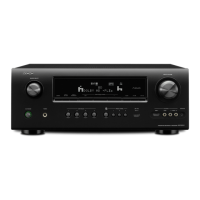
Denon AVR-789 - User Manual

Denon AVR-789
95 pages
Print Icon
To Next Page IconTo Next Page
Loading...
AV SURROUND RECEIVER
AVR-789
Owner’s Manual
Manuel de l’Utilisateur

Table of Contents

Other manuals for Denon AVR-789

Questions and Answers

  • T
    Thomas WalkerNov 22, 2025
    Why Denon AVR-789 Receiver set does not work properly when using remote control?
    • R
      richardlauraNov 23, 2025
      If your Denon Receiver isn't responding to the remote control, consider these potential causes: * The batteries in the remote might be depleted. Replace them with new ones. * You might be operating the remote outside of its specified range. Move closer to the receiver. * There could be an obstacle blocking the signal between the remote and the receiver. Remove any obstructions. * The batteries might be inserted incorrectly. Ensure they are aligned with the polarity marks in the battery compartment. * The receiver's remote control sensor might be exposed to strong light. Relocate the set. * The remote ID of the main unit and remote control unit do not match. Set “Remote ID” for the main unit to “1”. * Settings do not match the remote control unit’s SOURCE CONTROL switch. Matc...
  • A
    Allison NicholsonAug 25, 2025
    What to do if Denon AVR-789 Receiver power switches off suddenly and power indicator flashes red?
    • M
      Marc SanchezAug 26, 2025
      If your Denon AVR-789 Receiver suddenly powers off and the power indicator flashes red at short intervals, it could be due to: * Using speakers with impedance lower than specified. * Speaker cable core wires touching each other or disconnecting and contacting the AVR-789 rear panel. To resolve this: * Use speakers with the correct impedance. * Unplug the power cord and correct any issues with the speaker wires (twisting them tightly or re-terminating), then reconnect.
  • D
    Dakota CarterAug 26, 2025
    Why no sound from subwoofer connected to Denon AVR-789?
    • A
      Ashley MorganAug 27, 2025
      If you're not getting any sound from the subwoofer connected to your Denon Receiver, check the following: * Ensure the subwoofer is powered on. * Verify that the “Subwoofer” setting in “Speaker Configuration” is set to “Yes”. * Confirm the subwoofer is properly connected. * Check that the subwoofer's volume is not turned down or off. Adjust the subwoofer's volume to an appropriate level.
  • J
    jeffrey91Aug 27, 2025
    Why does my Denon AVR-789 Receiver power off suddenly and the power indicator flashes red?
    • G
      Gary WardAug 27, 2025
      If your Denon AVR-789 Receiver is shutting down abruptly and the power indicator flashes red at approximately 2-second intervals, it's likely that the protection circuit has been activated due to a temperature rise in the unit's internal components. To address this: * Immediately switch off the power. * Allow the unit to cool down sufficiently before reapplying power. * Reinstall the AVR-789 in a location with better ventilation.
  • D
    djohnsonAug 28, 2025
    What to do if no sound from surround speakers on Denon Receiver?
    • S
      svillanuevaAug 29, 2025
      If you're not hearing any sound from your surround speakers, it might be because the surround mode is set to “STEREO”, “DIRECT”, or “PURE DIRECT”. Change the setting to a surround playback mode.
  • T
    Timothy GarciaSep 16, 2025
    How to turn on “DOLBY DIGITAL” indicator on Denon AVR-789 display?
    • E
      Evelyn GarciaSep 16, 2025
      If the “DOLBY DIGITAL” indicator isn't appearing on the display, the Blu-ray Disc player / DVD player’s digital audio output setting might not be correct. Check the Blu-ray Disc player / DVD player’s audio output setting. Refer to the Blu-ray Disc player / DVD player’s operating instructions for more details.
  • M
    Mr. Blake White MDSep 14, 2025
    Why iPod cannot be played on Denon AVR-789 Receiver?
    • Z
      zmannSep 14, 2025
      If your iPod isn't playing on the Denon Receiver, check these points: * Ensure that the input source assigned to “iPod Dock” is selected. * Verify that the cable is properly connected. * Confirm that the control dock for the iPod’s AC adapter is plugged into a power outlet.
  • L
    Lisa MillerSep 15, 2025
    Why is there no sound from the monitor connected with HDMI connections to my Denon AVR-789?
    • J
      Jeffrey BarrettSep 15, 2025
      If you're experiencing a lack of sound from the monitor connected via HDMI, it might be due to the “Manual Setup” – “HDMI Setup” – “HDMI Audio Out” setting being set to “Amp”. Change this setting to “TV”.
  • J
    James MartinezSep 6, 2025
    Why Denon AVR-789 Receiver power does not turn on or turns off immediately?
    • S
      Shelby WilliamsSep 6, 2025
      If your Denon Receiver isn't powering on or shuts off immediately after being turned on, the power cord connection might be faulty. Check the insertion of the power cord plug.
  • H
    Holly ChoiSep 4, 2025
    How to troubleshoot no sound from surround back speaker on Denon AVR-789?
    • B
      Brandon WillisSep 4, 2025
      If you're not hearing sound from the surround back speaker, consider these possibilities: * The surround back speaker's power amplifier might be assigned to a different channel. Check the setting and change it if necessary. * The surround back speaker setting might be set to “None”. Change it to something other than “None”. * The “Parameter” – “Surround Parameter” – “SB CH Out” settings might be “OFF”. Change these settings to something other than “OFF”. * The surround mode might not be set to a mode for 6.1- or 7.1-channel playback. Select a surround playback mode.

Summary

AV Surround Receiver AVR-789

Safety Precautions

Safety Instructions

All safety and operating instructions should be read before product operation.

FCC Information

Notes on Use and Observations

Guidance on proper operation, including temperature, moisture, and object placement.

Getting Started

Part Names and Functions

Identifies front panel, display, rear panel, and remote control components.

Connections

Cables Used for Connections

Details required audio, video, and speaker cables for system setup.

Setup

Menu Operations

Explains how to navigate and operate the AVR-789's menu system.

Playback

Basic Operation

Covers powering the unit on/off, adjusting volume, and temporary muting.

Remote Control Unit

Remote Control Unit Operations

Details operating DENON audio components and presetting remote functions.

Multi-zone

Multi-zone Settings and Operations

Explains ZONE2 setup and multi-zone playback configurations.

Troubleshooting

General Troubleshooting

Provides solutions for common operational problems and error messages.

Specifications

Audio Section

Details power amplifier ratings, output connectors, and analog/video specifications.

Denon AVR-789 Specifications

General IconGeneral
Channels7.1
HDMI Inputs4
HDMI Outputs1
Weight17.6 lbs
Response Bandwidth10 Hz - 100 kHz
HDMI SwitchingYes
Input Sensitivity200 mV
Total Harmonic Distortion0.08 %
DSP Preset Qty6
Digital Sound Processor (DSP)Yes
HDMI Pass-ThroughYes
Frequency Response10 Hz - 100 kHz
Audio Formats SupportedDolby Digital, Dolby Digital Plus, Dolby TrueHD, DTS-HD Master Audio
Amplifier Output Details90 W per channel (8 ohms)
Input Impedance47 kOhms
Audio D/A Converter24-bit/192 kHz
Surround Sound EffectsDTS Neo:6
Power Output (8 Ohms)90 W

Related product manuals