EasyManua.ls Logo

Denon AVR-E300P - User Manual

Denon AVR-E300P
10 pages
Print Icon
To Next Page IconTo Next Page
Loading...
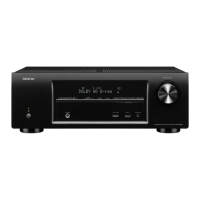
AVR-E300
INTEGRATED NETWORK AV RECEIVER
Getting Started
Mise en route / Antes de empezar
English
Français
EsPaÑOl

Questions and Answers

  • R
    Ryan WhiteSep 23, 2025
    What to do if I cannot login to Pandora on my Denon AVR-E300P?
    • S
      sadamsSep 23, 2025
      If you're having trouble logging into Pandora on your Denon Receiver and see an “Email address” or “Password” message: * Double-check your login information. Ensure the “Email address” for Pandora is entered correctly. Re-enter your “Password”.
  • A
    Alexis WilsonAug 25, 2025
    Why is the power indicator blinking red on my Denon AVR-E300P?
    • K
      Karen DeanAug 25, 2025
      If the power indicator on your Denon Receiver is blinking red every 0.5 seconds: * Ensure you are using speakers with the correct impedance. * The protection circuit might be activated due to speaker wire issues. Unplug the power cord, check for loose or touching wires, and correct any issues before reconnecting.
  • M
    Mary PattersonAug 25, 2025
    Why is there no audio output from my Denon AVR-E300P?
    • S
      Stephen QuinnAug 26, 2025
      If no audio is coming from your Denon Receiver, consider these solutions: * Check all device connections. * Verify speaker connections and configurations. * Ensure the audio device is powered on. * Adjust the master volume. * Deactivate mute mode. * Confirm the connection with the playback device and select the correct input source. * Match the input mode and the terminal assigned as the digital input terminal. * Disconnect headphones, as this may disable speaker output.
  • J
    Jennifer CastroAug 27, 2025
    How to troubleshoot a Denon AVR-E300P Receiver that does not turn on?
    • D
      David GrantAug 27, 2025
      If your Denon Receiver isn't powering on: * Make sure the power plug is fully inserted into the outlet. * The protection circuit may be active. Unplug the receiver, wait 5-10 seconds, and plug it back in.
  • B
    Brandon MurphyAug 27, 2025
    What does it mean when the power indicator is blinking red on my Denon AVR-E300P Receiver?
    • M
      mccalldavidAug 27, 2025
      If the power indicator on your Denon Receiver blinks red every 2 seconds, it indicates: * The protection circuit is activated due to a temperature rise. Turn off the receiver, let it cool down, and then power it back on. * Ensure the unit has good ventilation.
  • A
    Amy ThomasSep 14, 2025
    How to enable DTS sound on my Denon AVR-E300P?
    • A
      Alexander TerrellSep 14, 2025
      If you're not getting DTS sound from your Denon Receiver: * Go to the menu and set “Decode Mode” to either “Auto” or “DTS”.
  • R
    Richard FrySep 12, 2025
    Why can't my Denon Receiver play files from my computer?
    • C
      Christine PadillaSep 12, 2025
      If your Denon Receiver can't play files stored on your computer: * The files may be in an incompatible format. Use a compatible format. * Copyrighted files cannot be played. * The USB port on the receiver cannot connect to a computer. * Check your media sharing settings to ensure the receiver can access folders on your computer.
  • Q
    qobrienSep 13, 2025
    Why is Dolby TrueHD, DTS-HD, or Dolby Digital Plus audio not outputting on my Denon Receiver?
    • B
      brownelizabethSep 13, 2025
      If you're not getting Dolby TrueHD, DTS-HD, or Dolby Digital Plus audio on your Denon Receiver: * Ensure you are using HDMI connections.
  • V
    Vanessa WadeSep 5, 2025
    Why does my Denon Receiver automatically switch to standby mode?
    • D
      Dustin HarmonSep 5, 2025
      If your Denon Receiver keeps switching to standby mode automatically: * Check if the sleep timer is active. Either turn the power back on or adjust the sleep timer settings. * The “Auto Standby” feature might be enabled. To disable it, set “Auto Standby” to “Off” in the menu.
  • C
    Charlene MaddenSep 2, 2025
    What to do if there is no video output with HDMI connection on my Denon AVR-E300P?
    • A
      Alexander GarciaSep 2, 2025
      If you're experiencing no video output via HDMI on your Denon Receiver, try the following: * Ensure the HDMI connectors are securely plugged in. * Verify that the input source on the receiver matches the connected HDMI port. * Check if your TV supports HDCP copyright protection. Incompatibility may prevent proper video output.

Denon AVR-E300P Specifications

General IconGeneral
Channels5.1
Power Output75 W per channel (8 ohms, 20 Hz - 20 kHz, 0.08% THD)
HDMI Outputs1
Amplifier Output Details75 W per channel (8 ohms, 20 Hz - 20 kHz, 0.08% THD)
Signal-To-Noise Ratio98 dB
Input Sensitivity200 mV
Digital Sound Processor (DSP)Yes
Surround System Class5.1 channel
HDMI SwitchingYes
3D TechnologyYes
BluetoothNo
Wi-FiNo
USB PortNo
Response Bandwidth10 - 100000 Hz
Input Impedance47 kOhms
Additional FeaturesCompressed Audio Restorer
InputsHDMI, Optical, Coaxial, Analog
OutputsHDMI
HDMI Inputs5 (1 front)
Audio Formats SupportedDolby TrueHD, DTS-HD Master Audio
Network ConnectivityNo

Related product manuals