EasyManua.ls Logo

Denon AVR-487 - User Manual

Denon AVR-487
52 pages
Print Icon
To Next Page IconTo Next Page
Loading...
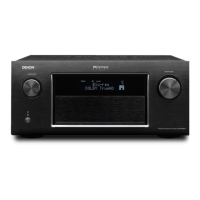
AV SURROUND RECEIVER
AVR-487
OPERATING INSTRUCTIONS

Table of Contents

Other manuals for Denon AVR-487

Questions and Answers

  • A
    Ashley BrownAug 17, 2025
    Why does my Denon AVR-487 Receiver power off and the power indicator blink red?
    • J
      John LoweryAug 17, 2025
      If the Denon Receiver's power indicator is blinking red and the power has turned off, it could be due to several reasons. The internal temperature of the unit may have risen, activating the protection circuit; in this case, place the receiver in a well-ventilated area. Alternatively, the core wires of the speaker cables might be touching each other or the receiver's rear panel, also activating the protection circuit; check all speaker cable connections. As a last resort, the receiver may be malfunctioning, in which case you should turn off the power and contact a DENON customer service center.
  • C
    charles55Aug 20, 2025
    What to do if my Denon AVR-487 display is not lit and no sound is produced?
    • G
      Gregory ShannonAug 20, 2025
      If the display is not lit and no sound is produced when the POWER switch on your Denon Receiver is set to on, check that the power supply cord is securely plugged in.
  • J
    Joshua HughesAug 23, 2025
    How to fix a Denon AVR-487 Receiver remote control that is not working?
    • M
      Mrs. Sheila JacksonAug 23, 2025
      If your Denon Receiver's remote control isn't working properly, there are a few things to check. First, replace the batteries with new ones. Ensure that you are not too far from the unit and that there are no obstacles between the remote and the receiver. Also, make sure you are pressing the correct button and that the batteries are inserted correctly, with the < and > ends properly aligned.
  • C
    cortezvictorAug 26, 2025
    Why is there no sound from the subwoofer on my Denon Receiver?
    • G
      Gary WilkinsonAug 26, 2025
      If there is no sound coming from the subwoofer connected to your Denon Receiver, start by checking if the subwoofer's power is turned on. Then, verify that the subwoofer's initial setting is set to "YES". Ensure that the subwoofer’s output is properly connected. Finally, make sure that the subwoofer’s channel volume level is not set to "OFF", and if it is, increase the volume.
  • L
    Lisa FernandezAug 28, 2025
    Why is nothing displayed on the monitor connected to my Denon AVR-487 Receiver?
    • G
      gfordAug 28, 2025
      If nothing is displayed on the monitor when connected to your Denon Receiver, first check that the receiver's video output terminals and the monitor's input terminals are properly connected. If the connections are correct, ensure that the monitor's input setting is set to the terminals to which the video signals are connected.
  • K
    Kelly CallahanAug 31, 2025
    Why is there no sound from the surround speakers on my Denon Receiver?
    • H
      Hannah BryanAug 31, 2025
      If no sound is being produced from the surround speakers on your Denon Receiver, it could be because the surround mode is set to "STEREO". To fix this, set the receiver to a mode other than "STEREO".
  • J
    Jennifer DavisSep 2, 2025
    What to do if my Denon AVR-487 display is lit but there is no sound?
    • J
      jon78Sep 3, 2025
      If your Denon Receiver's display is lit but no sound is produced, there are several possible causes. Ensure that the speaker cables are securely connected. Also, check that the INPUT SELECTOR knob is in the correct position. Verify that the volume control is not set to the minimum level and that MUTING is switched off. Finally, confirm that a digital signal is being input and that you have properly selected a digital signal input source.
  • K
    Kendra BaileySep 5, 2025
    Why is sound only coming from the center speaker on my Denon AVR-487?
    • K
      kristen74Sep 5, 2025
      If you are only hearing sound from the center speaker on your Denon Receiver, it may be because you are playing a monaural source (like TV or AM radio) in the STANDARD (Dolby/DTS Surround) mode. When playing monaural sources, select a surround mode other than STANDARD (Dolby/DTS Surround) mode.
  • N
    Nicholas SmithSep 8, 2025
    What does 'CHECK ANTENNA' mean on my Denon AVR-487 in XM mode?
    • G
      Gina HolderSep 8, 2025
      If your Denon Receiver displays “CHECK ANTENNA” in the XM mode, it means that the receiver's XM connectors and the XM Passport System are not properly connected. Check that the connections are correct.
  • T
    Thomas LoweSep 12, 2025
    What does “NO SIGNAL” mean on my Denon AVR-487 Receiver in XM mode?
    • K
      Kimberly ButlerSep 12, 2025
      If your Denon Receiver displays "NO SIGNAL" in the XM mode, it indicates that the signal cannot be received. Try repositioning your XM Passport System.

Summary

Safety Information

Cautions and Warnings

Important safety warnings regarding electric shock, fire hazards, and proper handling.

Safety Instructions

Comprehensive list of safety and operating instructions for product use.

Getting Started

Easy Operation

Speaker Layout and Connections

Example speaker layout and detailed instructions for connecting speakers.

Initial Setup and Playback

Steps for initial setup, selecting input sources, and adjusting volume for playback.

System Setup and Configuration

Speaker and Input Configuration

Detailed steps for configuring speaker settings and input assignments.

Advanced System Settings and Adjustments

Adjusting speaker distance, crossover frequency, test tone volume, and other parameters.

Basic Operation and Audio Modes

Input Source Selection and Playback

How to select input sources, modes, and adjust volume for playback.

Advanced Operation and Remote Control

Additional Information and Troubleshooting

Troubleshooting Common Issues

A guide to diagnosing and resolving common problems with the unit.

Denon AVR-487 Specifications

General IconGeneral
Channels7.1
Total Harmonic Distortion (THD)0.08%
Frequency Response10 Hz - 100 kHz
Input Impedance47 kOhms
HDMI Inputs3
HDMI Outputs1
Signal-To-Noise Ratio100 dB
Input Sensitivity200 mV
Tuner BandsAM/FM
Preset Station Qty56
Dimensions (W x H x D)434 x 171 x 377 mm
Digital Audio Inputs2 Optical, 1 Coaxial
Analog Audio Inputs5
Tuning RangeFM: 87.5 - 108MHz, AM: 522 - 1611kHz
Surround Sound EffectsDolby Digital, DTS
Power Output (per channel)110W (8 ohms, 20Hz - 20kHz, 0.08% THD)

Related product manuals